Setup
prtprot
7
Printouts
(Display designation of this menu level: 7)
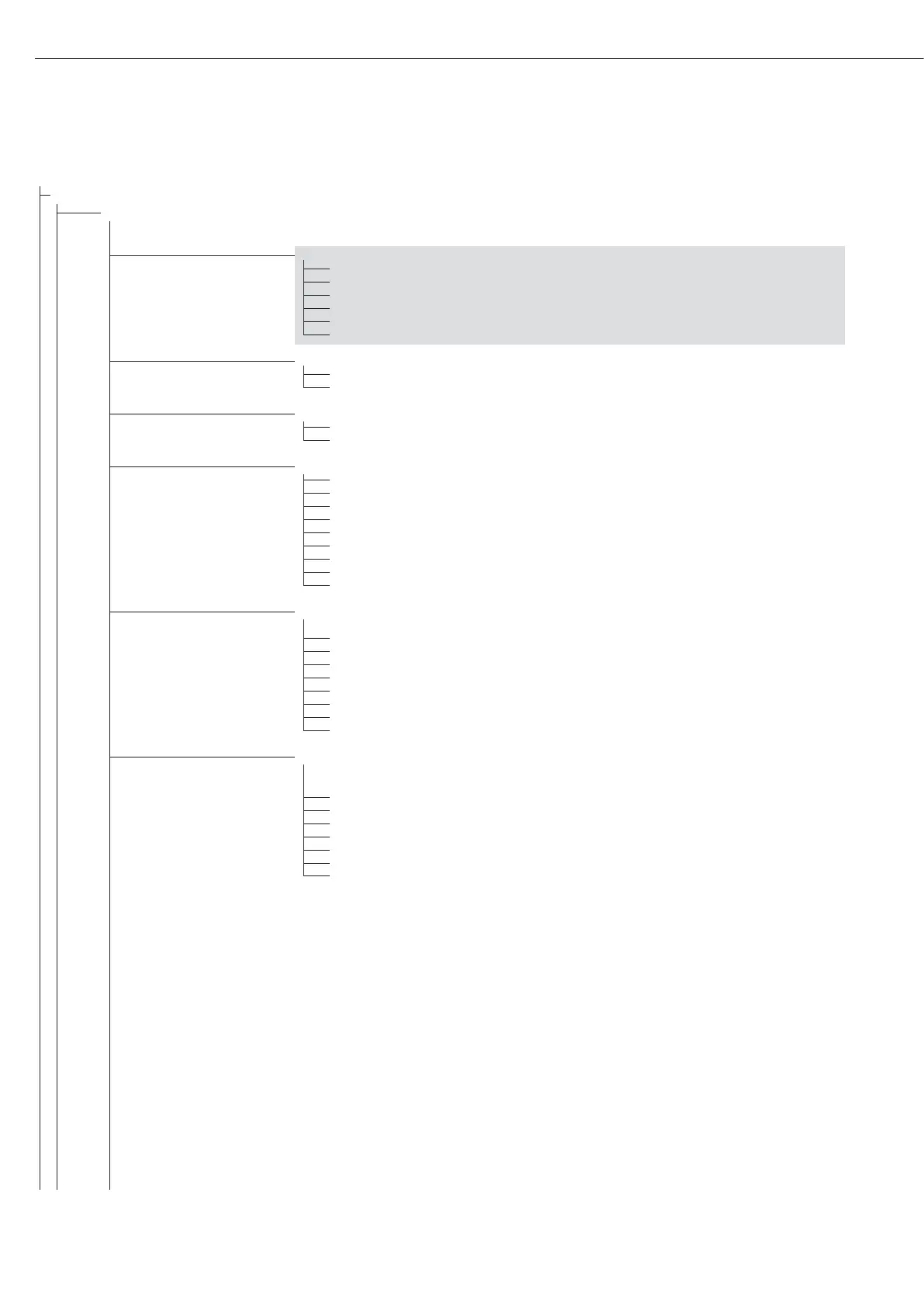
7.4. Header input
7.4.1 (blank) Header line 1 (max. 20 characters); example: “MEYER'S"
7.4.2 (blank) Header line 2 (max. 20 characters); example: “STEEL"
7.4.3 (ID 1) ID code name for ID 1 (max. 40 characters)
7.4.4 (ID 2) ID code name for ID 2 (max. 40 characters)
7.4.5 (ID 3) ID code name for ID 3 (max. 40 characters)
7.4.6 (ID 4) ID code name for ID 4 (max. 40 characters)
7.5. COM1 interface
7.5.1* 1 printout
7.5.2 2 printouts
7.6. Optional “UniCOM” interface
7.6.1* 1 printout
7.6.2 2 printouts
7.7. COM1 interface:
Configure standard printout (press p, O)
7.7.1*
1)
Header lines 1, 2 (input: see code 7.4.x)
7.7.2*
1)
Date and time
7.7.3*
1)
Initialization data for the application program
7.7.4*
1)
Weighing instrument designation
7.7.5*
1)
Result from the application program
7.7.6*
1)
ID codes 1 to 4
7.7.7
1)
2 additional blank lines
7.7.8
1)
3 additional blank lines
7.8. Optional “UniCOM” interface
Configure standard printout (press p, O)
7.8.1*
1)
Header lines 1, 2 (input: see code 7.4.x)
7.8.2*
1)
Date and time
7.8.3*
1)
Initialization data for the application program
7.8.4*
1)
Weighing instrument designation
7.8.5*
1)
Result from the application program
7.8.6*
1)
ID codes 1 to 4
7.8.7
1)
2 additional blank lines
7.8.8
1)
3 additional blank lines
7.9. COM1 interface:
Print results when c pressed in
Totalizing and Net-total applications
7.9.1*
1)
Header lines 1, 2 (input: see code 7.4.x)
7.9.2*
1)
Date and time
7.9.4*
1)
Weighing instrument designation
7.9.5*
1)
Result from the application program
7.9.6*
1)
ID codes 1 to 4
7.9.7
1)
2 additional blank lines
7.9.8
1)
3 additional blank lines
1)
More than one can be selected
46
Configuration





 To Next Page