12 SATEL CA-4v1
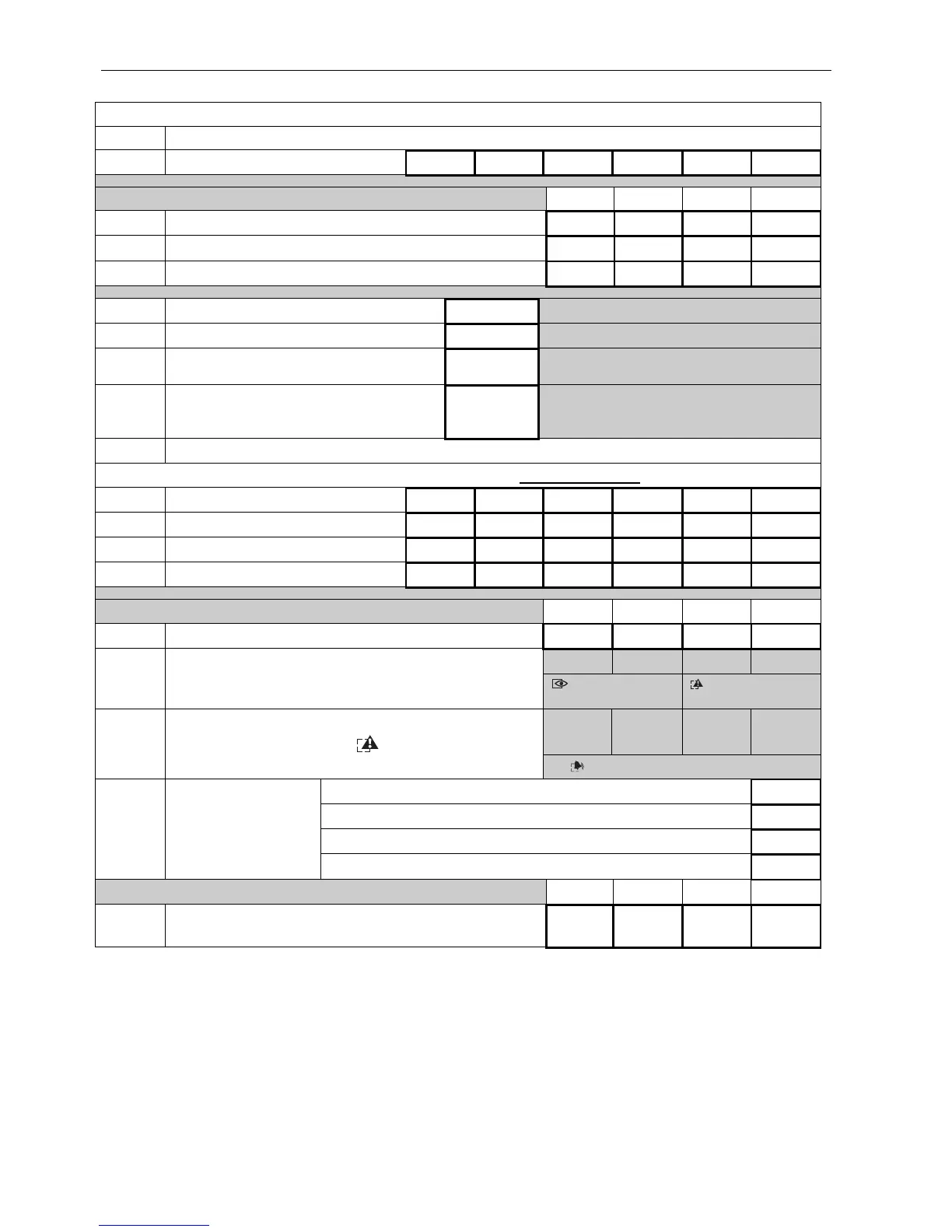
TABLE OF PROGRAMMING
– functions available after entering service code
0 End of service mode
1
Service code
1 2 3 4 5
Z1 Z2 Z3 Z4
2 Permanent bypassed zones
3 24-hour zones
2
4 Delayed zones (enter/exit)
2
5
Exit delay time
05
00–99 seconds
6
Entry delay time
10
00–99 seconds
7 Alarm time at OUT1
005
001–999 seconds
000 – alarm to cancelling
8 Alarm time at OUT2
010
001–998 seconds
000 – 0V at OUT2 when is armed
999 – +12V at OUT2 when is armed
9 Default settings restore
– functions available after entering user master code
1
User code (master)
1 2 3 4
2
User code (master)
3
User code
4
User code (one time use)
Z1 Z2 Z3 Z4
5 The zones bypassed by user
Z1 Z2 Z3 Z4
6
Reviewing of the 7 last alarms memory log (the LED
indicates the origin of the alarm):
[digit] – previous alarm; [
*
] – exit the function
[ARMED] – 3
wrong access codes
[TROUBLE] –
PANIC type alarm
F1
AUX
F2
OUT1
F3
OUT2
F4
battery
7
Identifying trouble type – LEDs indicate the type of
trouble (available only when
[TROUBLE] LED
blinking)
[ALARM] – no AC power supply
Alarm upon entering 3 wrong access codes Z1
PANIC alarm available – press [#] key Z2
The entry delay countdown signaling – sounds Z3
8 Additional functions
Access code 3 – alarm only in keypad (silent armed mode) Z4
Z1 Z2 Z3 Z4
9
The zones bypassed automatically after entering access
code 3
Default settings are wrote or marked
2
in right bottom corner of field assigned to be filled.
The user functions can be called only with the master code (functions 6 and 7 without parameters):
[master user access code][
*
][number of function][parameter][#]
After entering a service mode [service code][#] (or [service code][
*
]) the functions (without
function 9) are calling by:
[number of function][#][parameter][#] or [number of function][#] [parameter]
[0][#] – end of programming in service mode.



 To Next Page