CA-4v1 SATEL 5
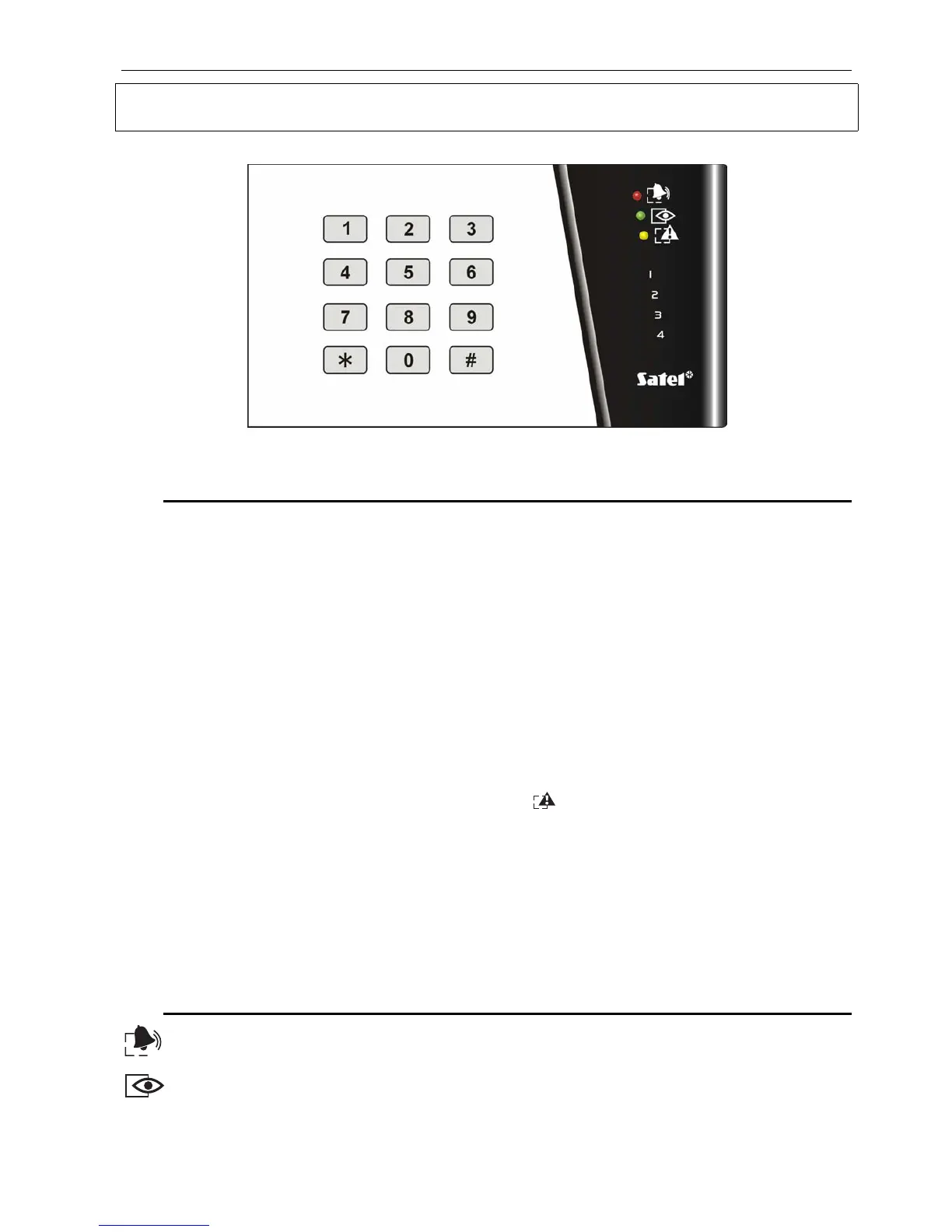
Description of the LED keypad
Sound signals produced by the keypad
a) While working with the keypad the following sounds may be generated:
1 short – key pressed confirmation,
2 short – correct access code entry confirmation before function number
selection,
3 short – confirmation of the successful completion of an operation (for example
arming/disarming of the system, function selection, successful
programming completion),
2 long – error signal (for example: wrong password, entering wrong key
sequence, exiting the function programming session without saving the
parameters through depressing a key).
b) The remaining situations (the sound signal is repeated every second):
1 short – the entry delay time countdown,
2 short – the panel detected a trouble – [TROUBLE] LED is on (sound signal
can be temporary switched off by pressing the [
*
] key; signaling will be
activated automatically after a new trouble event occurs)
3 short – alarm signalling (active till cancelled through the keypad),
Cautions:
• the entry delay time countdown is signaled after activating the function (see
ADDITIONAL FUNCTIONS),
• in armed mode trouble sound signalling is not active.
LED signaled states
ALARM (red color) – alarm is signaled by the LED blinking. The LED goes out after
alarm reset. (see Disarming, Cancelling alarm).
ARMED (green color) – the LED is ON with the system armed. The blinking LED
indicates the countdown of the exit delay time.
Figure 5. View of a LED Keypad



 To Next Page