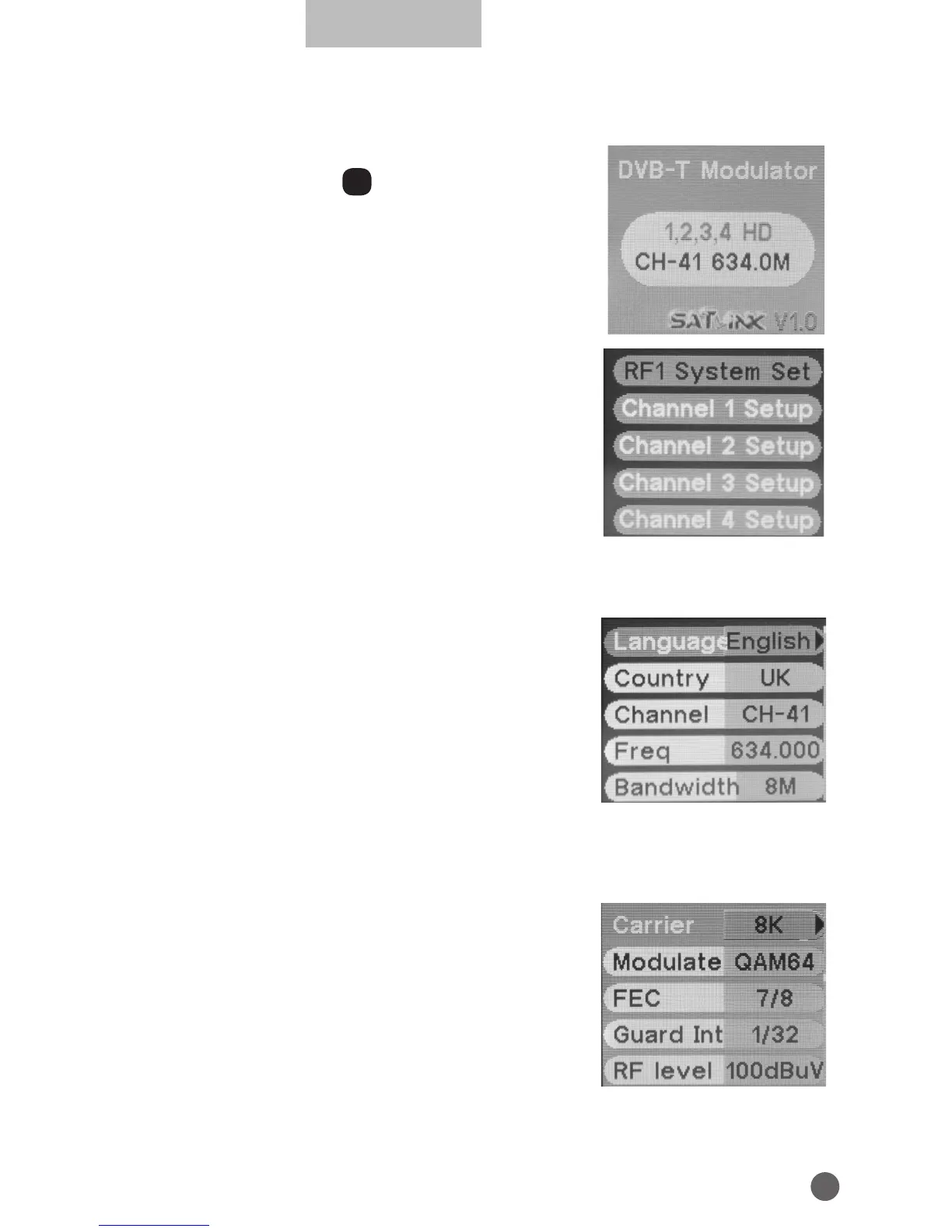
3. THE MENU OSD INSTRUCTION
Modulator will initialize to the boot interface after
power on, and press OK into the main menu.
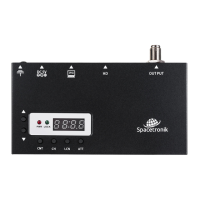
There are 5 options in main menu:
• RF1 System Set
• Channel 1 Setup
• Channel 2 Setup
• Channel 3 Setup
• Channel 4 Setup
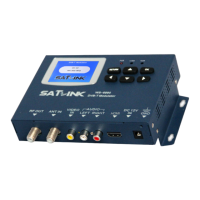
3.1 RF1 SYSTEM SET
• Language: press
AB
key to change OSD
language.
• Country: press
AB
key to enter country list, and
use
YZ
key to select a country, then press OK
to confirm.
• Channel: press
AB
key to change the channel
number.
• Freq: frequency setting in range of 50~860MHz, press
AB
key to move
cursor and press
YZ
key to change numbers.
• BandWidth: press
AB
key to select bandwidth of 6/7/8MHz.
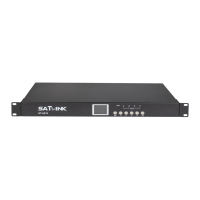
• Carrier: carrier setting, press
AB
key to select
2K or 8K.
• Modulate: modulation mode setting, press
AB
key to select QPSK, 16QAM or 64QAM.
• FEC: FEC code rate setting, press
AB
key to
select 1/2, 2/3, 3/4, 5/6 or 7/8.
• Guard Interval: guard interval setting, press
AB
key to select 1/4, 1/8, 1/16 or 1/32.
• RF Level: RF output level setting, press
AB
key to change value in range of


 To Next Page