1312
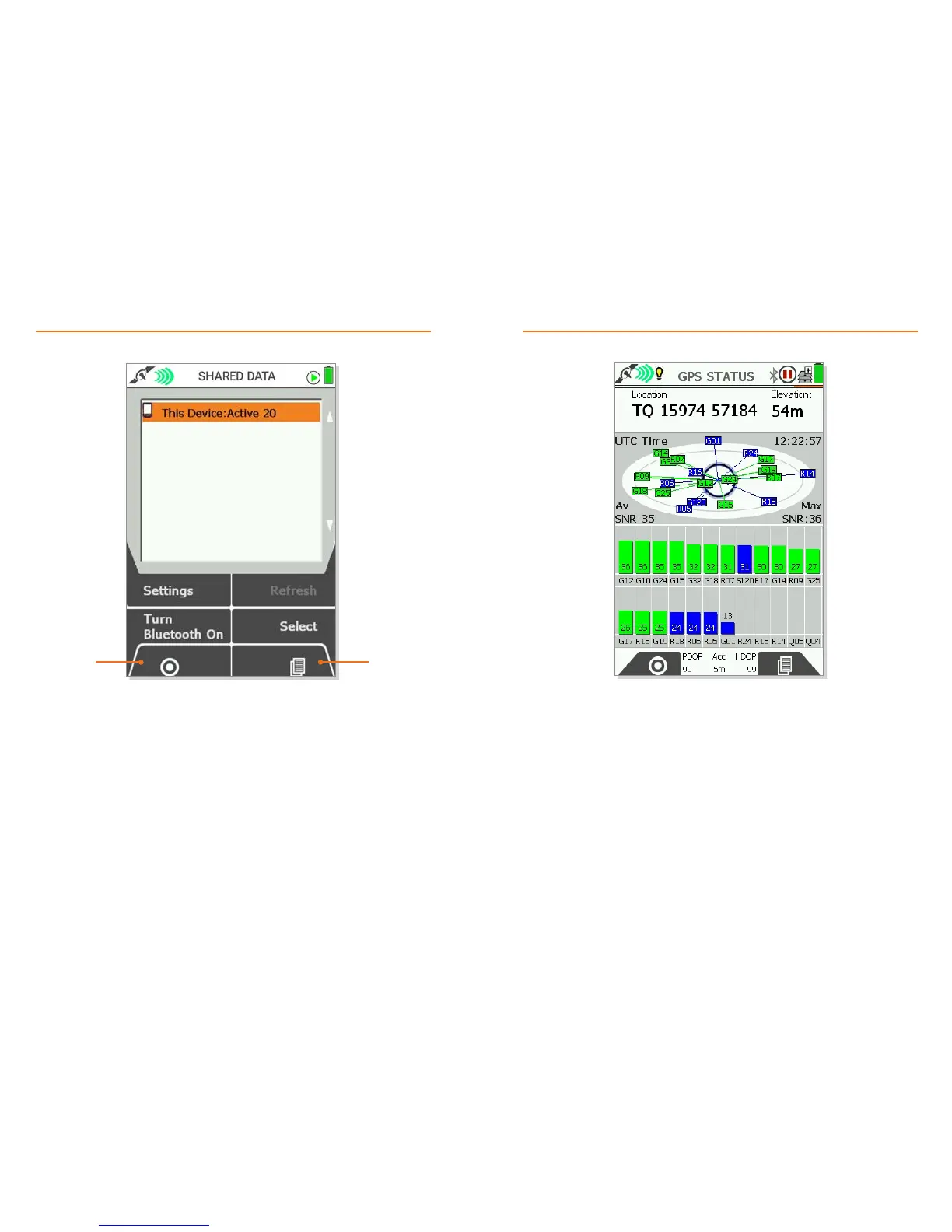
• The SHARED DATA screen shows nearby Active 12 & 20 devices
(that may have data that can be shared).
• This Device - here you can view the routes & OOIs on your device which you have enabled
sharing on. To enable sharing on a route/OOI:
• (Main Menu > OOI Menu > List All OOIs > *select the OOI you want to be sharable* > Edit > Share)
• (Main Menu > Routes Menu > *select Internal or SD Storage* > *select the route you want to be
sharable* > Edit > Share Route)
• Other Devices - These are nearby Active 12 & 20 devices listed below This Device. Highlight a
device using the joystick and press Select to see what Routes/OOIs may be available to Fetch to
your device.
• Turn Bluetooth Off - Toggles Bluetooth on/off
• Bluetooth Devices - View all nearby Bluetooth enabled devices. Shows as Settings if Bluetooth
is off.
• Location – Gives your current location. Format depends of your choice Position Display Format
(Main Menu > Settings > GPS Settings)
• Elevation – Gives your current elevation. Measurement depends on your choice of units
(Main Menu > Settings > Units and Set Speed).
• UTC Time – Gives the current time in Coordinated Universal Time.
• Av SNR & Max SNR – Indicates the current average and maximum Signal to Noise ratio.
• Accuracy – Gives current accuracy of the GPS signal. Measurement depends on your choice
of units (Main Menu > Settings > Units and Set Speed). Until a GPS lock is acquired, “Acquiring
GPS” is shown in place of Accuracy.
• The GPS Status screen shows a live graph of the number & type of satellites the device can
currently see and their relative signal strength.
• A minimum of 4 satellites are needed for a GPS lock, which is indicated when the signal bar
turns from dark blue to bright green. Satellite lock times may vary, subject to conditions (e.g.
weather, tree cover, GPS satellite position relative to your location, etc).
• For more detailed information on the data shown on this screen, please see the full user guide.
• If the device has not currently obtained a satellite lock, the date, time, and location of the last
known GPS lock are shown in place of Elevation.
Primary Screen: GPS STATUSPrimary Screen: SHARED DATA
NextGPS map



 To Next Page