10
Infinity & Infinity HD (Micro-6) Owner’s Manual Part No. 000842, 30-m06-2017
Operating from the Cab Operating Panel (COP) Controls
1 If equipped with a key switch, insert the key into the key switch on the Cab
Operating Panel and turn the key to the ON position.
2 Press the selected Landing button once and release. The elevator will
automatically travel to and stop at the selected landing.
3 Turn the key (if equipped) to the OFF position and remove the key.
4 Unlock the wheelchair wheels (if applicable) and exit the cab.
If the cab is equipped with a gate, the gate must be closed after
exiting the cab. If the gate is left open, all controls will remain
inoperable.
An “entry” and “exit” timer allows approximately 9 seconds
before the Hall Call buttons become operational. This delay
allows time for a person to enter/exit the cab.
Cab Lights
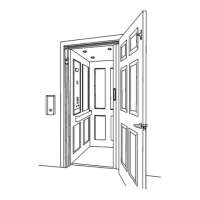
If the cab door is left open and the cab lights turn off, there are two ways to get
the lights back on again:
• Enter the cab, close the door and gate and then press a Landing
button.
• Press a Hall Call button before entering the cab.
5. EMERGENCY LIGHTING
In the event of a main power failure, the emergency COP light will turn on
automatically.
If one of the cab ceiling lights burns out, replace the bulb with a
10W bulb ONLY.



 To Next Page