8
Infinity & Infinity HD (Micro-6) Owner’s Manual Part No. 000842, 30-m06-2017
3. OPTIONS
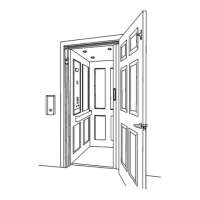
Automatic Door Opener
1 Press the Landing Hall Call button to call the elevator. The entrance door will
open automatically once the elevator stops at the landing.
2 Press the Remote Control (if equipped) to open the entrance door once the
elevator stops at the landing.
3 Push ’n’ Go allows the entrance door to open automatically with a slight
push to the door itself. The door timer is inoperative when this feature is
activated.
Automatic Gate Opener
1 Press the Landing Hall Call button to call the elevator. The gate will open
automatically once the elevator stops at the landing and the entrance door
is fully open.
2 Manually open the entrance door; the gate will open automatically once
the entrance door is fully open.
If the cab is equipped with a gate, the gate must be closed after
exiting the cab. If the gate is left open, all controls will remain
inoperable.
An “entry” and “exit” timer allows approximately 9 seconds
before the Hall Call buttons become operational. This delay
allows time for a person to enter/exit the cab.



 To Next Page