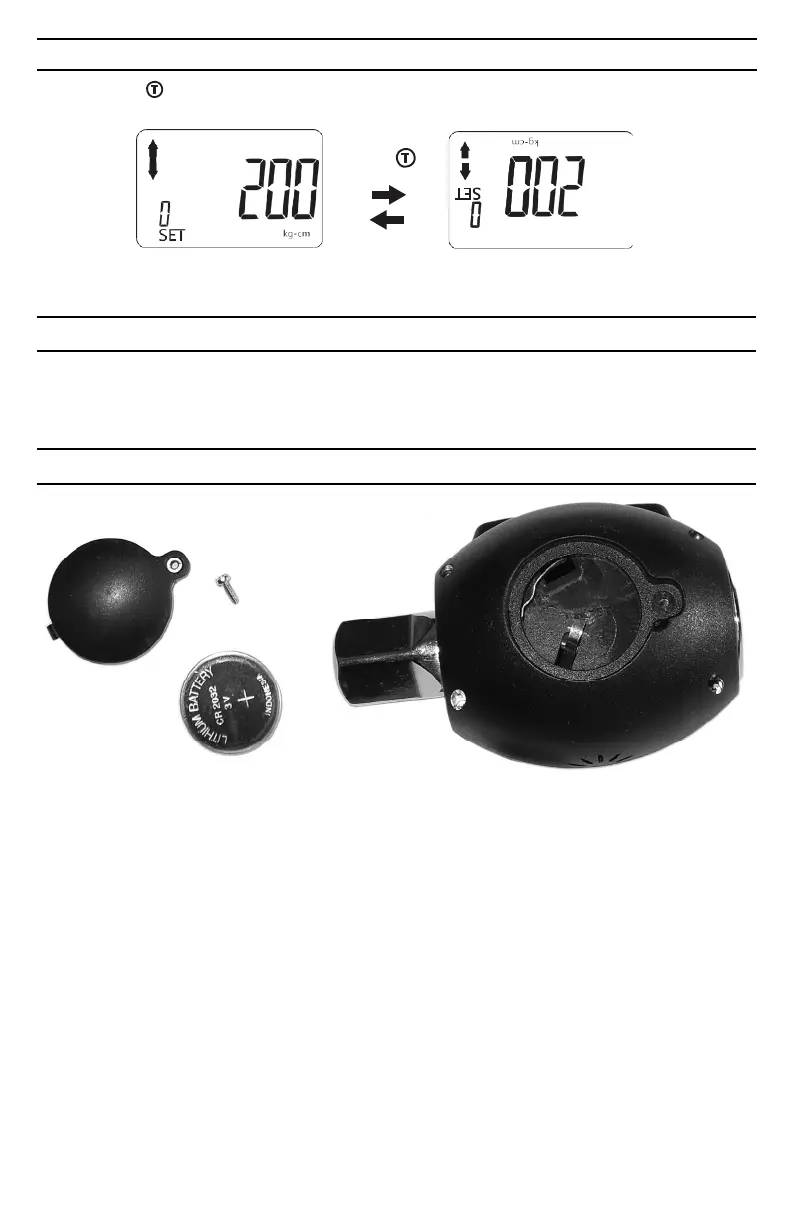
CHANGING ORIENTATION OF DISPLAY
Press and hold button for 2 seconds to toggle the orientation of the display readout.
Press
POWERING OFF DIGITAL TORQUE ADAPTER
Press and hold Mode button for 2 seconds to turn unit off.
NOTE: This tool will automatically enter sleep mode after 3 minutes of inactivity.
BATTERY INSTALLATION AND REPLACEMENT
1. Requires one (1) DC 3V, CR2032.
2. Unscrew battery cover fastener with a jewelers’ phillips screwdriver.
3. Remove the battery cover.
4. Remove the old battery.
5. Clean battery terminals.
6. Install fresh battery in the digital torque adapter (with the “+” sign end facing upward).
7. Replace the battery cover and screw tight.
Note
• Remove battery if stored for a long period of time.
• Oil, water, dirt and sweat can prevent a battery’s terminals from making electrical contact. Wipe
both terminals before installing batteries.
Battery disposal
Only dispose of battery when fully discharged.
DO NOT dispose of battery in a fire.
Dispose of expended batteries and packaging materials in an environmentally responsible manner.


 To Next Page