13
D100 BT
SETTING OF ALARM
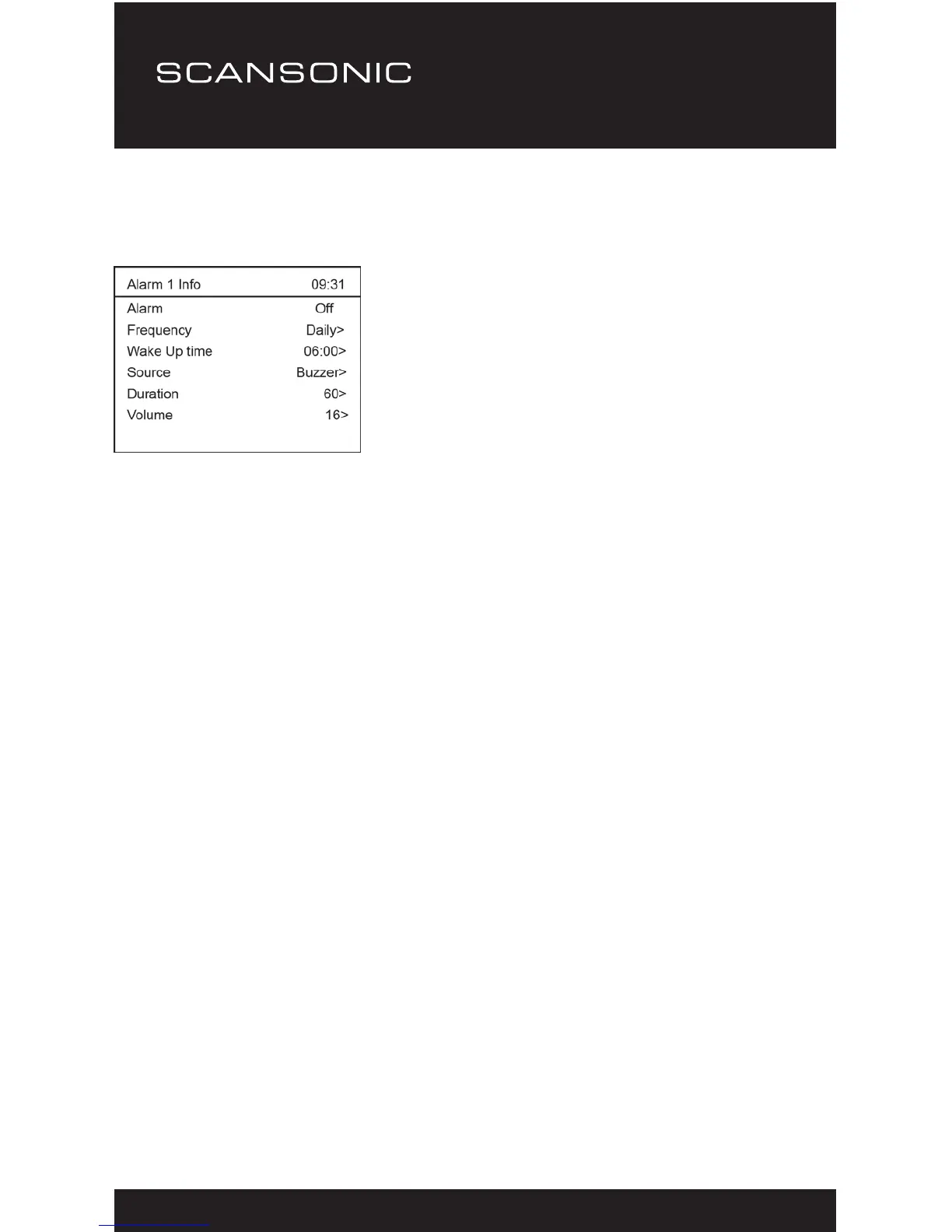
1. Press <Alarm1> or <Alarm 2> button to start the setting.
Setting can be done in Standby too.
2. Press <Select> to set the Alarm Off or ON.
3. Press ▲ or ▼ to go to next setting.
4. Frequency: Daily, Once, Weekends or Weekdays
5. Wake up time: Press <Select> button, use ▲ or ▼ to set the
hour, press <Select> to skip to the minute setting then press
<Select> again to conrm.
6. Source: You can set the alarm sound source as Buzzer, Digital
Radio (DAB) or FM. If you choose sound source of Digital Radio
(DAB) or FM, an additional option ‘Preset’ will pop up for you to
select whether to use the “Last listened” or from “Preset station”.
7. Preset: Either set the wake to DAB or FM by “Last listened”
station or from “Preset station” station.
8. Duration: You can set the alarm duration in the range of
15 minutes to 120 minutes.
9. Volume: You can set the alarm sound level as you prefer.
10. To cancel the alarm, press the <Alarm 1> or <Alarm 2> or
<Power> button.


 To Next Page