Need help?
Do you have a question about the Scansonic D100 BT and is the answer not in the manual?
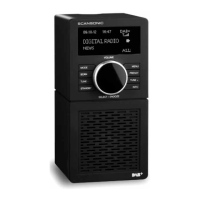
The primary visual interface of the radio, showing station information and menus.
Receives signals from the remote control for operating the radio.
Connect external powered speakers or audio systems using a 3.5mm plug.
Connect the wire antenna for receiving DAB and FM radio signals.
Connection port for the DC power adapter to supply electricity.
Main switch to turn the radio on or off, controlling power supply.
Controls for powering the device on/off and muting audio.
Buttons for recalling and storing favorite radio stations.
Buttons for menu navigation, selection, and mode switching.
Buttons for setting the clock and viewing station information.
Buttons for setting sleep timer and scanning for stations.
Controls for display brightness and accessing the main menu.
Button to recall stored preset radio stations.
Instructions for connecting the power adapter and turning the radio on.
Describes the automatic scan for radio stations upon first power-up.
How the device automatically updates its date and time from broadcasts.
Lists the available modes: Digital Radio (DAB), FM Radio, and Bluetooth.
Steps for selecting DAB mode, scanning, and playing stations.
How to view image slideshows transmitted with DAB broadcasts.
How to view the list of received DAB radio stations.
Initiates a full scan for available DAB stations.
Allows manual tuning to specific DAB frequencies and checking signal strength.
Deletes DAB stations that are no longer received from the list.
Adjusts audio levels for clearer sound in noisy environments.
Options for setting and automatically updating the device's time and date.
Controls for display timeout, brightness level, and dim level.
Allows selection of the menu display language.
Resets the radio to its factory default settings, erasing all user configurations.
Options for software updates and checking the current software version.
How to view broadcast information for DAB stations using the INFO button.
Dynamic Label Segment displays scrolling text info from broadcasters.
Scans for the next available FM station.
Fine-tuning FM frequencies with specific increments.
Accessing FM settings like Scan, Audio, and System.
Choose between scanning for strong stations only or all stations.
Select between "Stereo allowed" or "Forced mono" audio output.
FM system settings mirror DAB options: Time/Date, Backlight, Language, etc.
Viewing RDS information like station name, audio format, and radio text.
How to save favorite DAB radio stations to presets.
Methods to recall saved favorite DAB stations from the list or by number.
How to set the radio to turn off automatically after a selected time.
Procedure to cancel the sleep timer by selecting the "OFF" option.
How to start setting Alarm 1 or Alarm 2, including enabling/disabling.
Setting the alarm frequency (daily, weekly) and wake-up time.
Selecting the alarm sound source (Buzzer, DAB, FM) and duration.
Adjusting alarm volume and how to cancel an active alarm.
Steps to connect the radio adaptor to a Bluetooth-enabled device.
How to play music from a connected Bluetooth device through the radio.
Details on model, radio modes, power, audio, and dimensions.
Advice on handling potential electromagnetic interference.
List of items provided with the Scansonic D100 BT radio tuner.
Guidance on the disposal and recycling of electronic waste.
 General
| Bluetooth | Yes |
|---|---|
| Display | LCD |
| Headphone Jack | Yes |
| Type | Radio |
| Power Source | Battery/AC adapter |
| Presets | 20 |

 To Next Page