D100 BT
6
Main Menu
There are other options available under DAB mode.
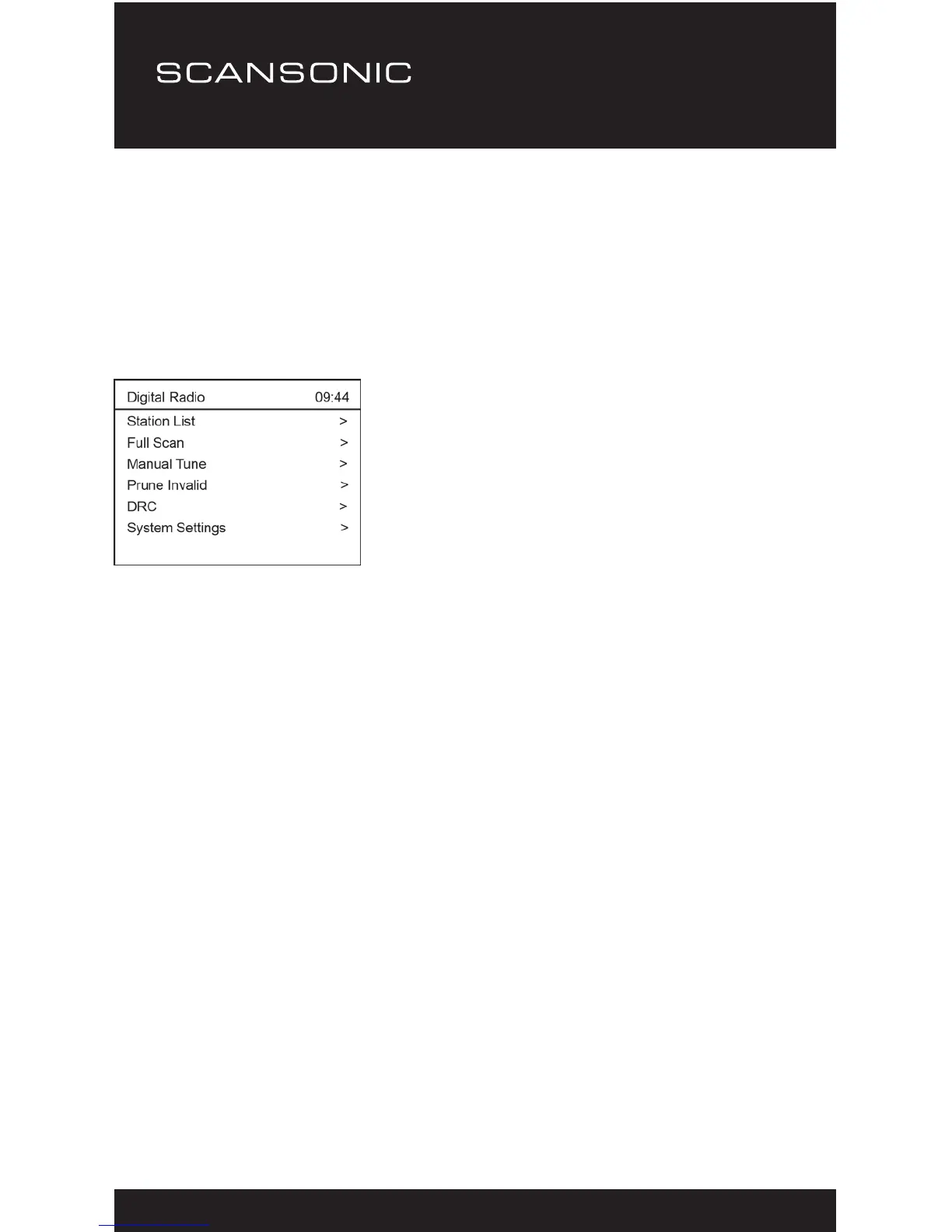
Press the <Menu> button, it will enter into the menu as follow.
Press <▲> and <▼> to select different option, you can press
<u> key or <Select> to enter the sub-menu when there is > sign
displayed.
Station List
Select it to see the full list of the received DAB stations.
If you want to exit the station list, press the <Menu> again.
Full scan
It will pick up the DAB stations available from 5A to 13F.
Alternatively press the <Scan> button on the remote control.
Manual tune
This function allows you to check whether a specic frequency can
be received in your area and the corresponding signal strength.
When this option is selected, it will show a list of DAB frequencies.
Choose a frequency and it will display a bar of signal strength. If
the bar of strength is grayed out, it means the frequency cannot be
received in your area.


 To Next Page