- 11 -
www.SCEPTRE.com
SCEPTRE A32 Series User Manual
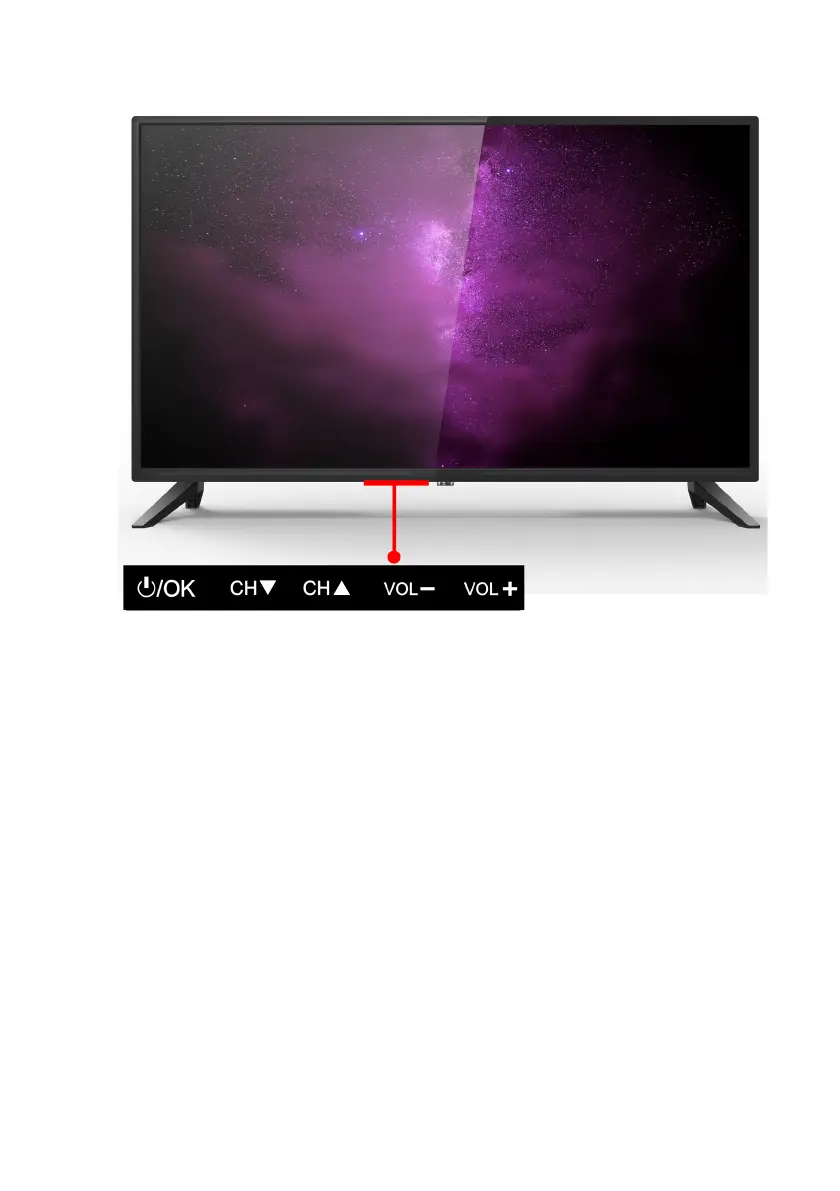
Display Control Buttons
1. POWER – Turn on the display by pressing the button once. Press and hold the
button again to turn off the display. While the display is on, pressing the button will
turn on the OSD. If the OSD is active, this button functions as select for the menu.
2. CH(
▼) – This button changes the display channel down. If the OSD is active, this
button functions as down for the menu.
3. CH(
▲) – This button changes the display channel up. If the OSD is active, this
button functions as up for the menu.
4. VOL(-) – This button decreases the display’s volume. If the OSD is active,
pressing this button will move the selection left.
5. VOL(+) – This button increases the display’s volume. If the OSD is active,
pressing this button will move the select right.



 To Next Page