- 18 -
www.SCEPTRE.com
SCEPTRE A32 Series User Manual
Connection Suggestions
If You Have Antenna …
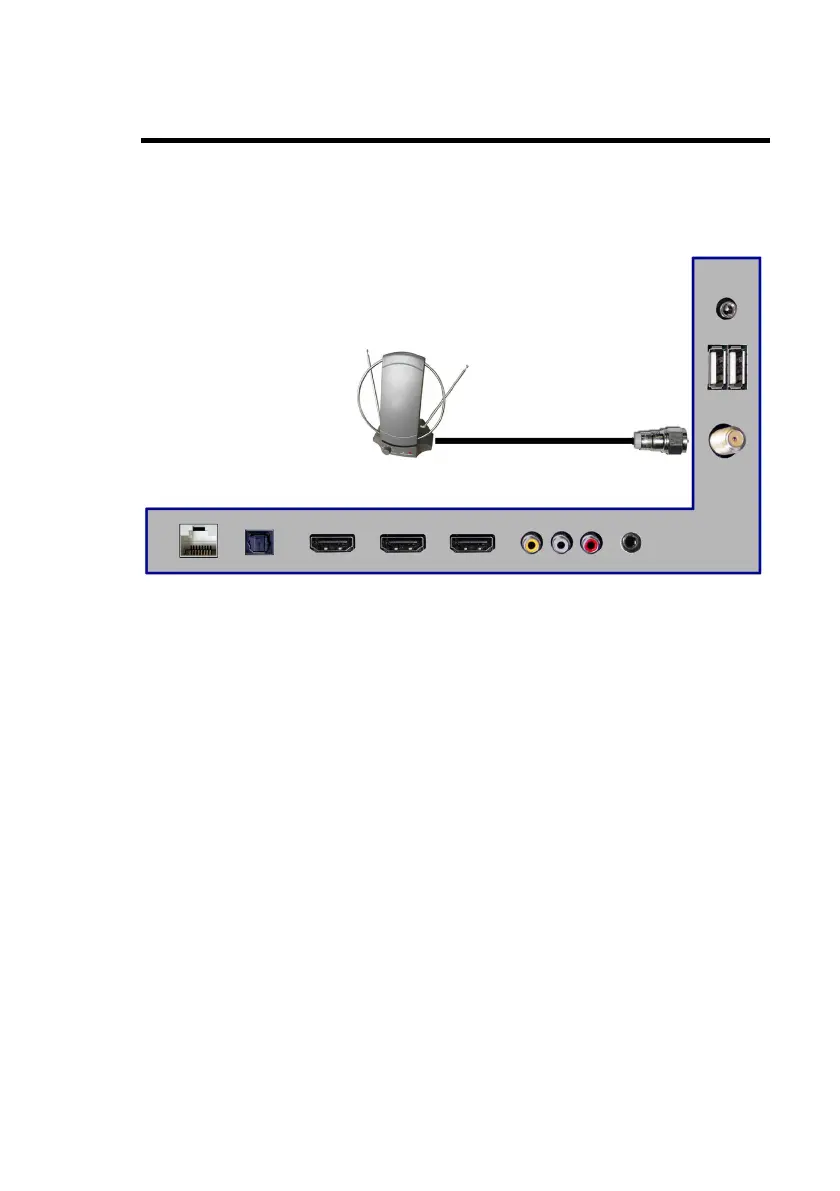
1. Make sure the power of Sceptre Android TV is turned off.
2. Connect the Coaxial RF cable from your antenna to the DT port on the
back of your Android TV.
3. Turn on the Android TV.
4. Follow the first time on screen instructions.
Please Note:
• Not all broadcasts are in Full High Definition (HD). Please refer to
your local broadcasting stations for more information.
• The Android TV’s tuner is designed for Android TV therefore
requires a stronger signal than normal Displays. If you cannot
achieve that signal level with your antenna or cable, your Android
TV might lose picture or sound.


 To Next Page