- 22 -
www.SCEPTRE.com
SCEPTRE A32 Series User Manual
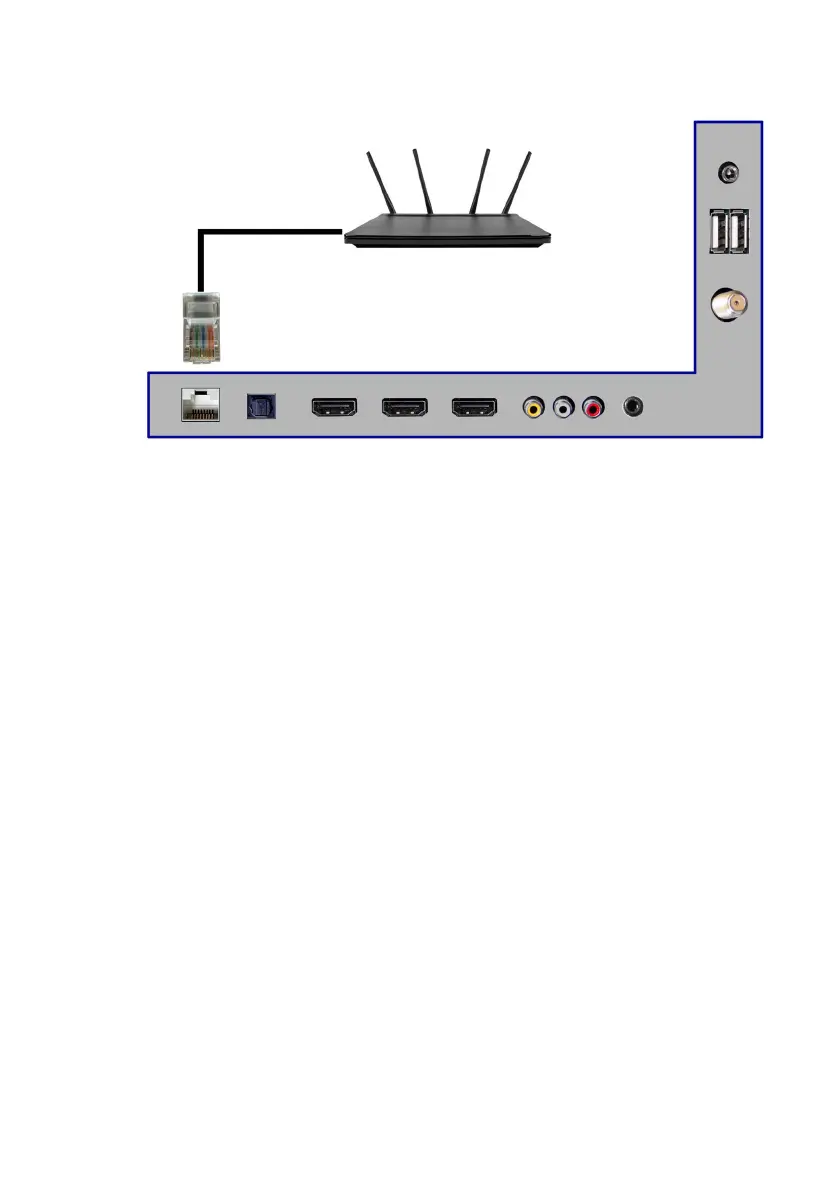
Connecting to Internet Router with Network Cable…
1. Obtain a 100/10 BASE-T network cable.
2. Connect one end to the back of your router.
3. Connect the other end to the back of the TV labeled RJ45.
4. Turn on the Android TV.
Please Note:
• For access to internet, a paid internet service is needed.
• Follow Google Android TV’s wired internet instructions online
to setup wired internet correctly.


 To Next Page