humimeter RH2 aW value measuring chamber user manual
Page 18
5. The measuring process
5.1 Preparing a measurement
To do so: The device has to have nearly the same temperature than the product being
measured. It is recommended to let your humimeter device adjust to the surrounding
temperature for at least 30 minutes before the measurement.
• Switch on the device (see "4.1 Switching on the
device").
• Connect the desired sensor to the device (see "4.3
Exchanging the sensors").
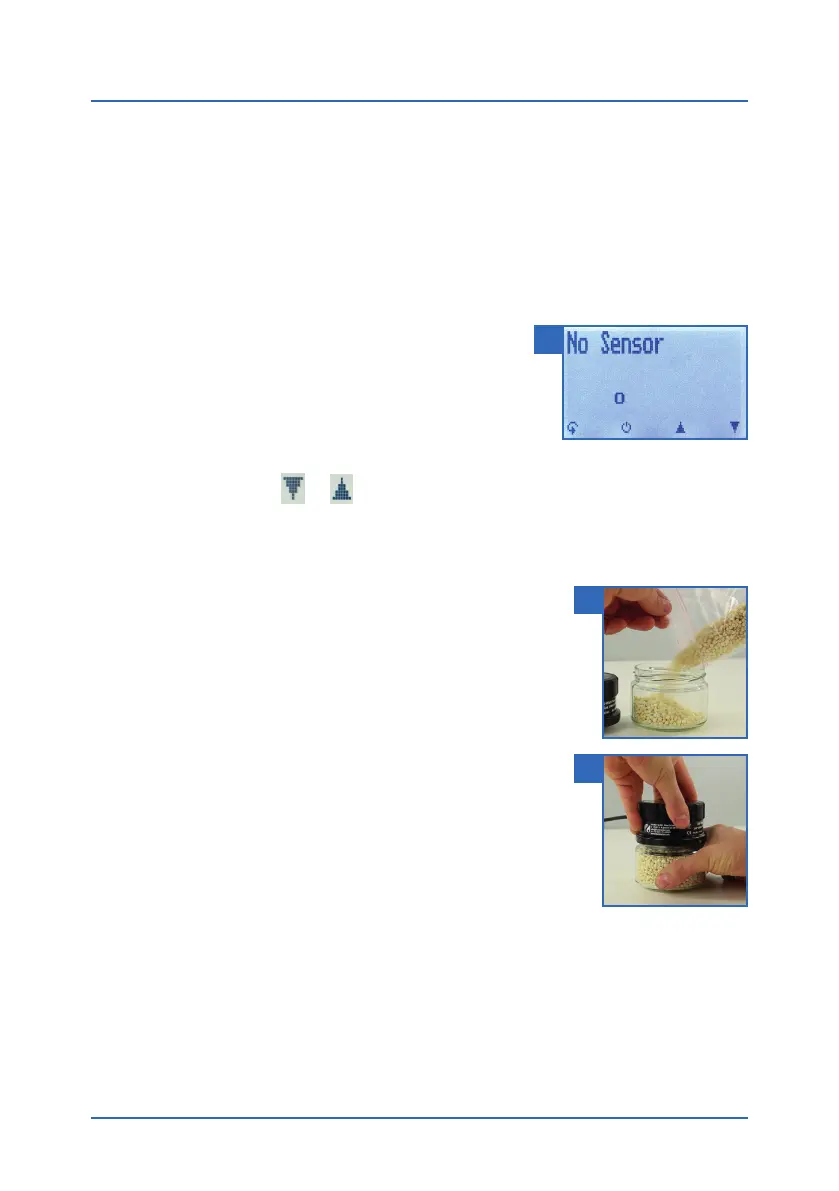
» If no sensor is connected, the display will show No
Sensor (figure 9).
• Select the desired product type (see "7. Product
types") by pressing
or (see "4.2 Selecting the product type").
5.2 Taking a measurement
To do so: Let the device adjust to the surrounding temperature
for at least 30 minutes (see "5.3 Adjustment behaviour of the
sensor").
• Fill the screw-top jar to at least two thirds with material
(figure 10).
» In case of coarse material the screw-top jar should be
filled at least half-way. The higher the filling quantity,
the quicker the adjustment.
» If the filling quantity is too low, this can lead to devia-
tions in the measurement result.
» The material in the screw-top jar must not come into
contact with the metal protective grid! The material
must not enter the inside of the protective grid!
• Close the water activity measuring chamber tightly
(figure 11).
» Let the water activity measuring chamber and the material adjust until the dis-
played measuring value does not change any more over a longer period.
» In case of unpeeled materials such as nuts, the adjustment time may be longer,
as it may take longer until the material releases moisture in its surroundings for
the measurement.
9
10
11



 To Next Page