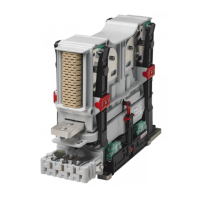
User Manual, Power contactors, series CT1115/08 and CT1130/08
Rev. 2.2 Page 24/26
Auxiliary contacts
If the auxiliary switches have to be replaced all switches of one type (S826
or S870) should be replaced.
Disconnect the main cables/current bars
Remove the Upper Module.
Remove the protection caps.
Dismount the contactor.
Removal of the auxiliary switch subassembly
Remove the 2 knurled thumb screws and the 2 Allen head screws M4.
Note the mounting position of the subassembly and the individual
switches. Pull the subassembly out in the direction of the arrow.
CC CT1130/08
Protection cap, coil terminal
CA CT1130/08
Protection cap, auxiliary switches
AS 870
Switch group with 2x S870 (order 1 per contactor as appro-
priate)
S826 a L
Snap action switch S826 (order 2 or 4 per contactor as ap-
propriate)
Only original spare parts are to be used as a replacement


 To Next Page
 Loading...