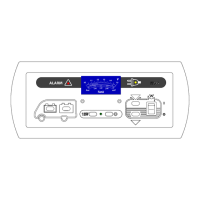
Instruction Manual MP 22-T Display Panel
8
Date: 28.05.2014 831.416 BA / EN
3.3.3 Tank fill levels
1
2
5
3
4
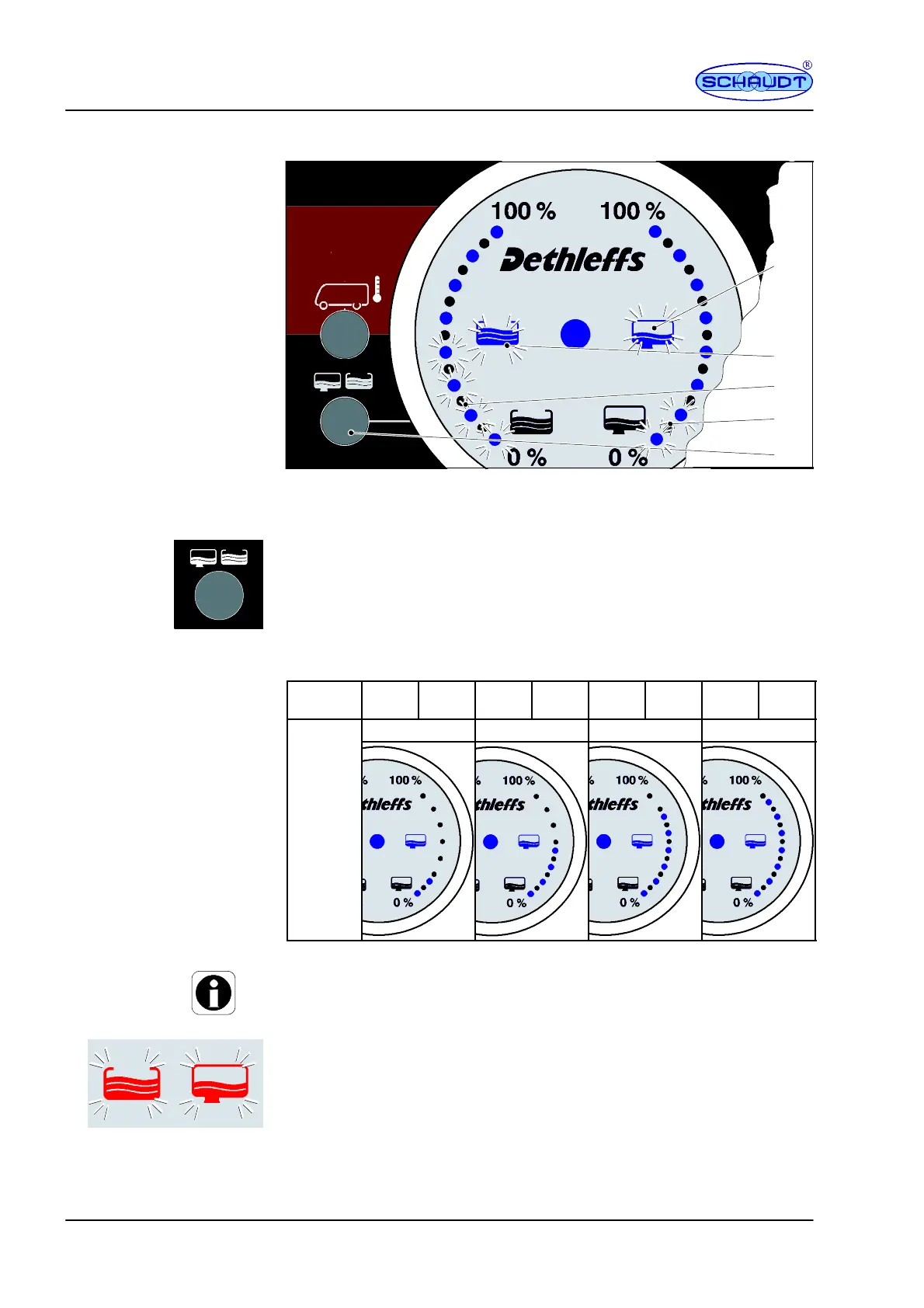
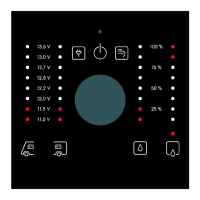
Bild 5 Tank display -- example: W ater tank 50% full, wastewater tank 25% full
"
Press the ”Tanks” button once (underneath the two tank symbols, Fig. 5,
Pos. 5).
F The ”Water Tank” symbol lights up (Fig. 5, Pos. 2).
F The ”Wastewater Tank” symbol lights up (Fig. 5, Pos. 1).
F The fill level of the water tank is displayed in the ”Tanks” display field
(left scale, Fig. 5, Pos. 3), 50% in this example.
F The fill level of the waste water tank is displayed in the ”Tanks” display
field (right scale, Fig. 5, Pos. 3), 25% in this example.
Blue LED 1. LED
(0%)
2. LED 3. LED 4. LED 5. LED 6. LED 7. LED 8. LED
(100%)
25 % 50 % 75 % 100 %
Fill level
No LEDs light up if the tank is empty.
Y The display goes out after approx. 20 seconds if no more buttons are
pressed.
If one of the LEDs is flashing red, this has the following meaning:
F The ”Water Tank” symbol is flashing (Fig. 5, Pos. 2). The water tank is
empty.
F The ”Wastewater Tank” symbol is flashing (Fig. 5, Pos. 1). The waste-
water tank is full.
If the symbol for the fill level and the LEDs of the scale flash whilst a tank fill
level is being displayed, a sensor fault has occurred with that tank. This
means that one of the fill level sensors currently below the fill level currently
being displayed is not returning a measurement signal.
Fill level of water and
wastewater tank


 To Next Page