www.scheer-heizsysteme.de
MH-SERIES
Wi - connection
Before using your Wi thermostat for the rst time, you must congure the Wi signal and settings through
your smartphone or tablet. This will allow communication between your connected devices.
Step 1: Download the APP „smart life“
Fig. 1-1 Fig. 1-2 IOS Fig. 1-3 Android
Search for IOS devices in the Apple Store, for Android devices in the Google Play Store for “Smart Life” and load
them. Alternatively, you can scan the QR code (Fig. 1-2).
step 2: Register your account
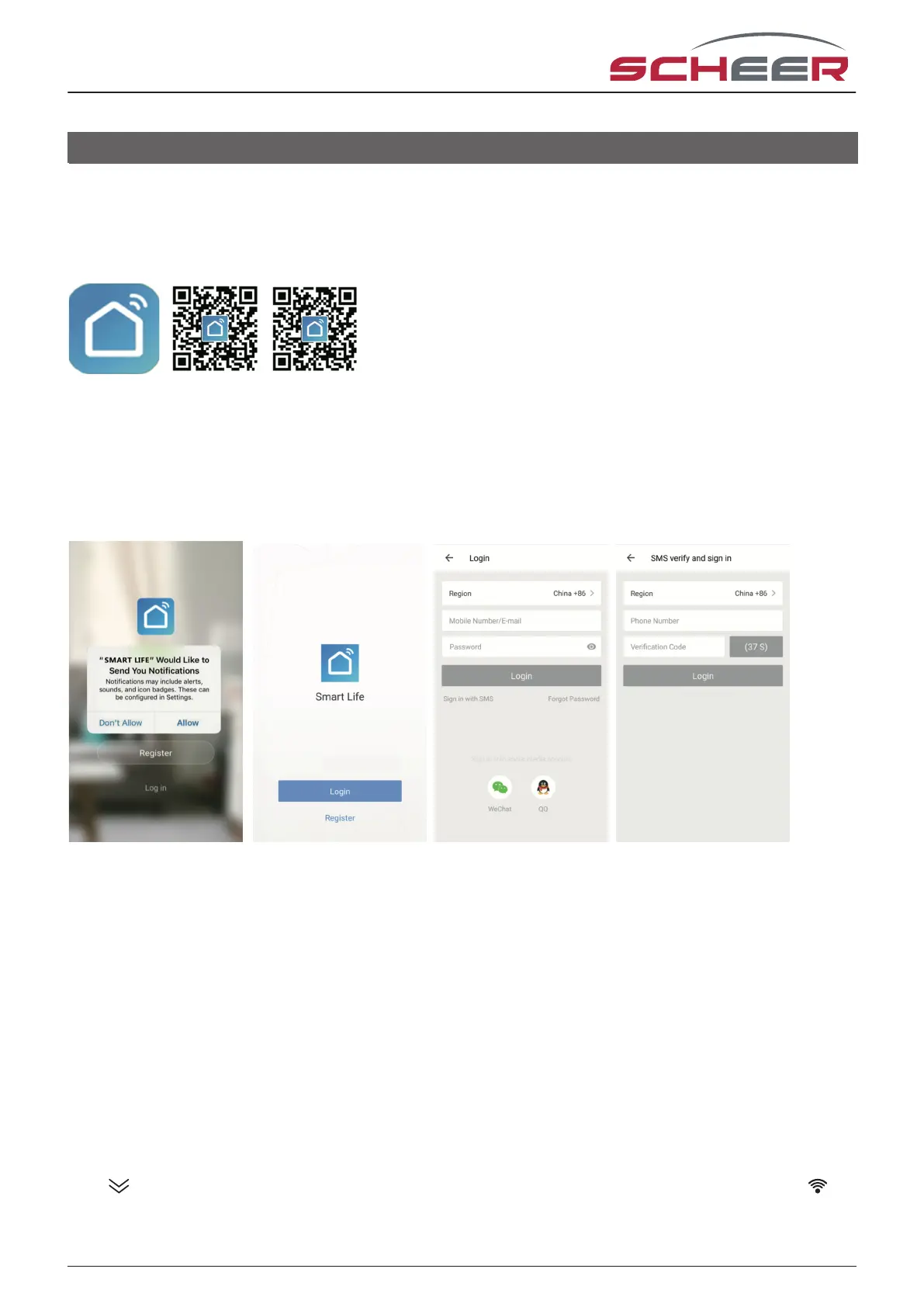
Fig. 2-1 Fig. 2-2 Fig. 2-3 Fig. 2-4
Open „Smart Life“, you will get a piece of notication (Fig2-1) Click Allow to go into the page of registration (Fig
2-2). Press register and enter your phone no. or email (Fig 2-3) then you can get a verication code. Input your
password and conrm (Fig 2-4) to complete your registration. lf you have an account, please log in.
Schritt 3: Connect your Wi signal
Connect in EZ mode. If your router does not support this or your Wi signal is weak and you can‘t establish a
connection to the thermostat, try the AP mode.
EZ-Modus
On your thermostat
Hold for eight (8) seconds. While the thermostat is switched o the backlight will be on and the icon will
ash one time per second.
15



 To Next Page