www.scheer-heizsysteme.de
MH-SERIES
In the App
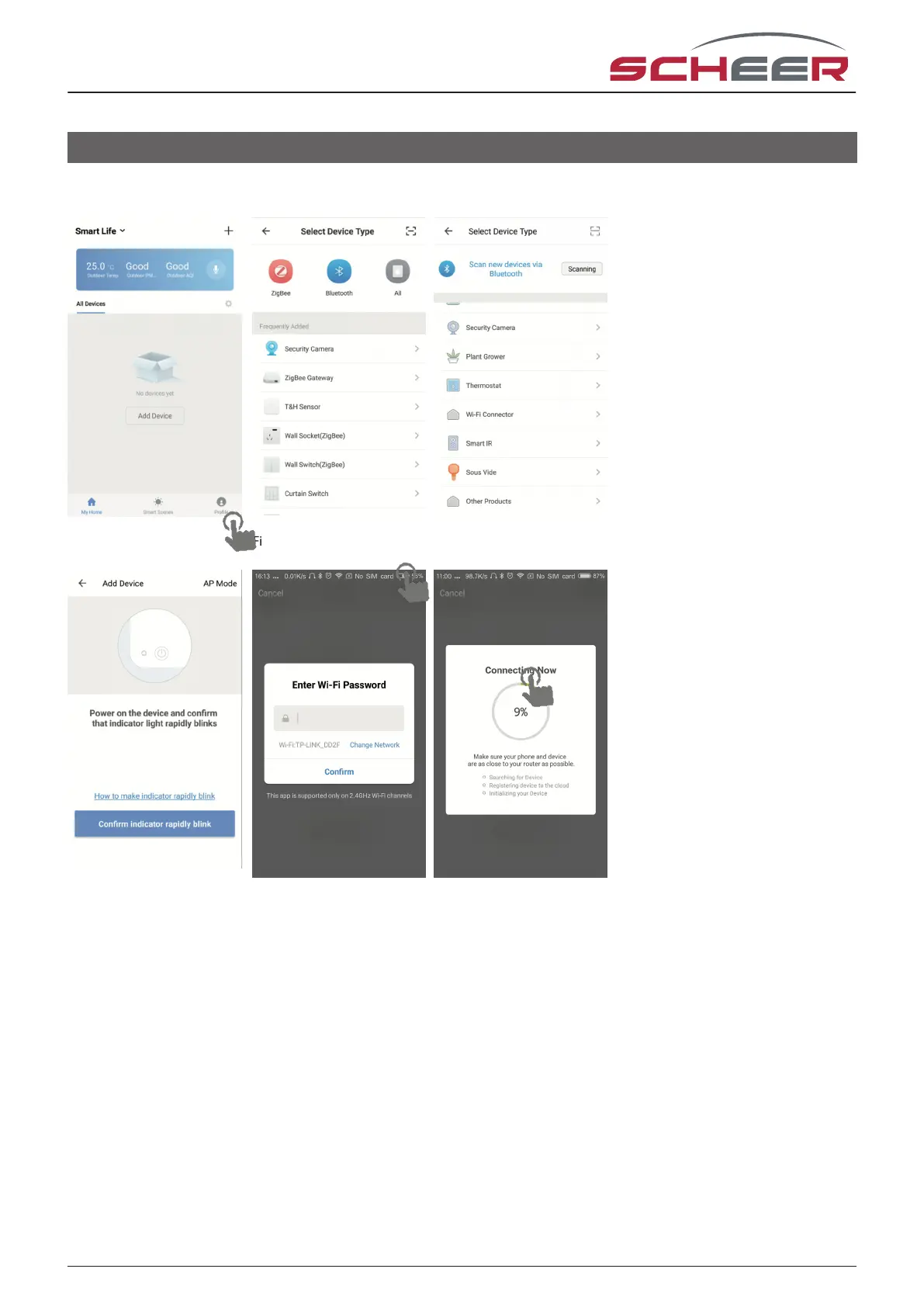
Fig. 3-1.1 Fig. 3-1.2 Fig. 3-1.3
Fig. 3-2 Fig. 3-3 Fig. 3-4
Press the „+“ on the upper right corner of the page (see Fig 3-1-1) to add your device. Click Conrm, when the
indicator rapidly blinks (Fig 3-2),f then select your network and go back to your app to enter the password of
your network Fig 3-3) and conrm. The app will connect automatically (Fig 3-4). This may typically take up to
5~90 seconds to complete. Your room name can be edited when the device is connected (Fig 4-4).
Wi - connection
16



 To Next Page