www.scheer-heizsysteme.de
MH-SERIES
Programming the termostat via APP
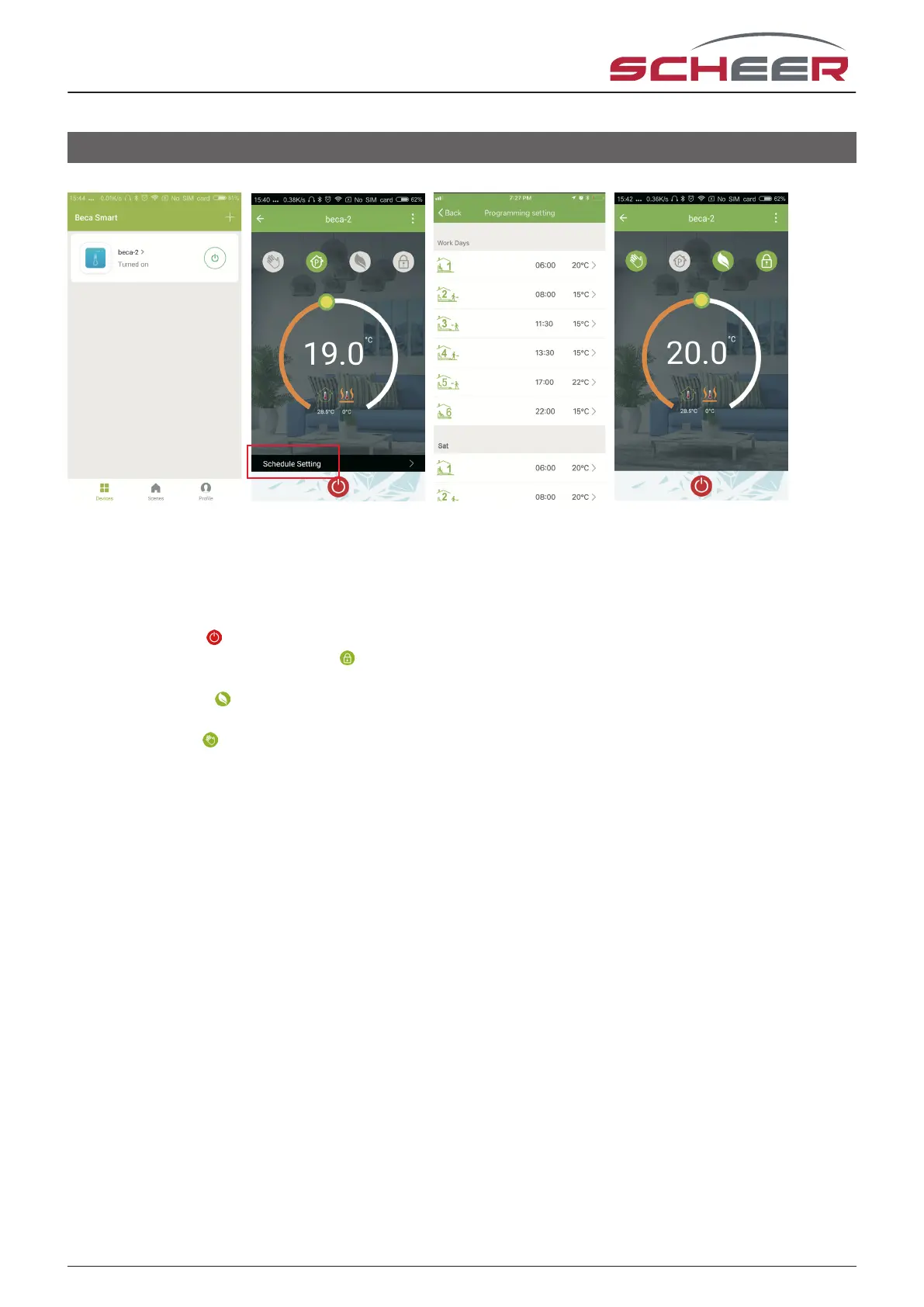
Fig. 5-1 Fig. 5-2 Fig. 5-3 Fig. 5-4
When your thermostat is connected successfully, it will display on the homescreen (Fig 5-1) of the APP. The
round button is to turn on/o your thermostat.
Click the three dots (upper right corner) (Fig. 5-2) to begin programming your thermostat.
• On / o switch : switches the device on and o.
• Locking / unlocking the buttons : If the button is green, the screen is locked, if it is grey, the screen is
unlocked
• Economy mode : in this mode, the temperature is maintained at 20 °C. This temperature can‘t be chan-
ged.
• Manual mode : In this mode, the room temperature can be set manually (time program deactivated)
• Time program mode: The temperature follows the temperatures set in the time program, depending on
the preset heating plan.
• The yellow slider can be used to set the room temperature in manual mode. The current room temperature
is displayed a few seconds after the adjustment.
• In time program mode, click on the Schedule Setting (at the bottom of the page) to go to the Schedule
page (see Fig. 5-2), where you simply click on the Working Days (Mon - Fri) and then click the time / temp to
adjust it to your preferred schedule.
• You can set the time and temperature for 6 periods (Fig. 5-3).
• After clicking the Weekend (Saturday - Sunday) settings at the top of the page, repeat the steps.
• Once your schedule is set, click SAVE and the app will send the schedule to the thermostat and report that
the schedule has been saved.
18



 To Next Page