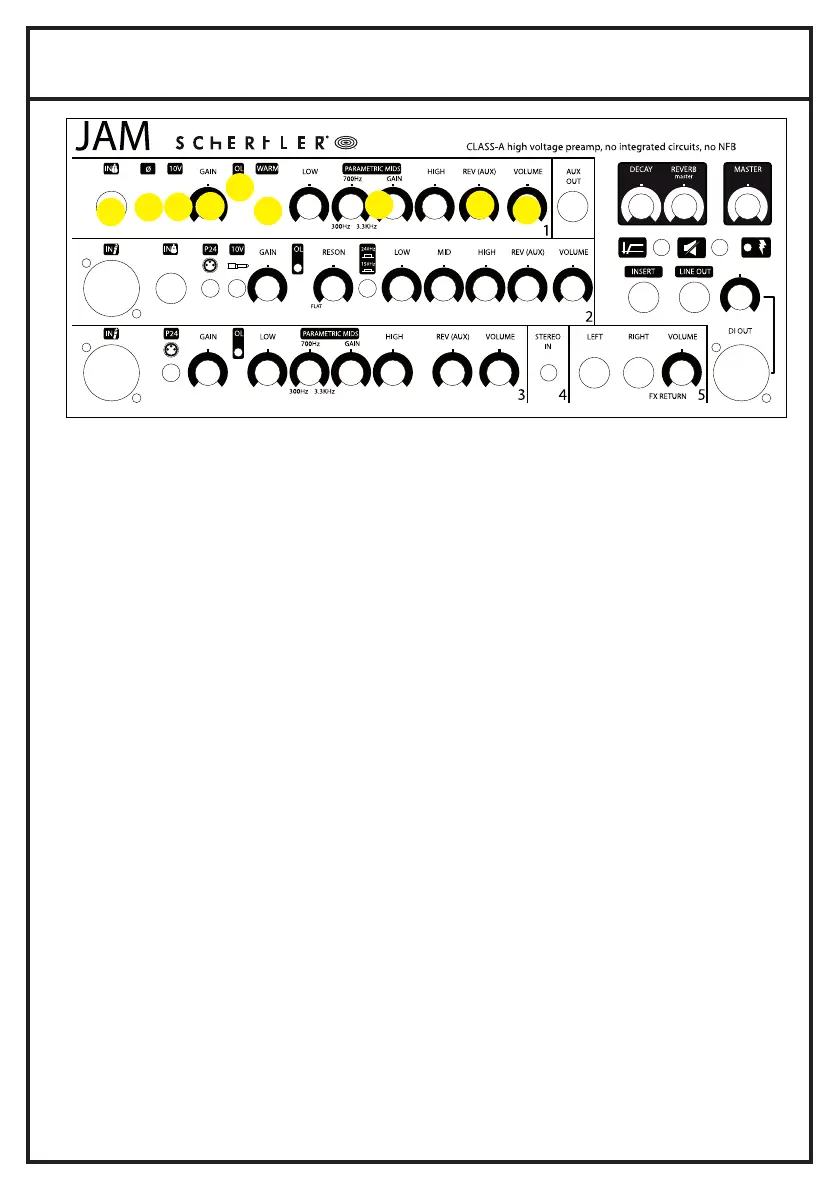
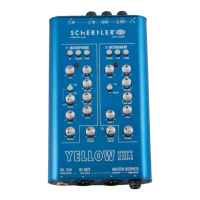
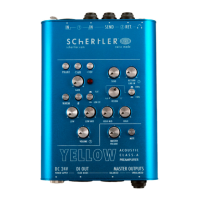
1. FRONT PANEL INSTRUMENT IN
1.1.
1.4.
1.3.
1.5.
1.2.
1.6.
1.7. 1.8.
1.1. INSTRUMENT IN
Unbalanced input for the connection of jacks (6.3mm or 1/4”), with optimal sensitivity for high level signals. The electronics will adapt to any situation.
No special action is required.
1.2.PHASE
In case of feedback, or unwanted effects between different channels use the phase reverse switch.
1.3. 10V
Phantom power supplies the Jack connector with 10V for powering electret microphones.
1.4. GAIN
This variable gain preamplifier adjusts the sensitivity level to ensure the best possible processing of the INSTRUMENT IN signal through the channel.
It is important that this input level should be set and optimised in the best way to achieve the cleanest sound possible.
1.5. OVERLOAD
This LED (when lit) indicates that the level of the input signal is too high and it might introduce distortions
1.6. WARM
When engaged, this low-pass filter damps higher frequencies to produce a warmer sound when using bridge-mounted pickups such as the
SCHERTLER STAT-Series for violin, viola, cello and double bass..
1.7. HIGH, MID, LOW
These controls are devoted to high, medium and low frequency regulation. Offering cut and boost of ±15dB, they allow a wide range of tonal
variations to be explored. Parametrics MIDS regulation offers the possibility to cut or boost a frequency range between 300Hz and 3,3kHz. When the
controls are positioned centrally there is no cut or boost of the selected frequency band.
1.8. REVERB
This rotary control sets the level of the digital reverb on the channel.
1.9. VOLUME
This rotatory control regulates the channel volume.
1.9.


 To Next Page