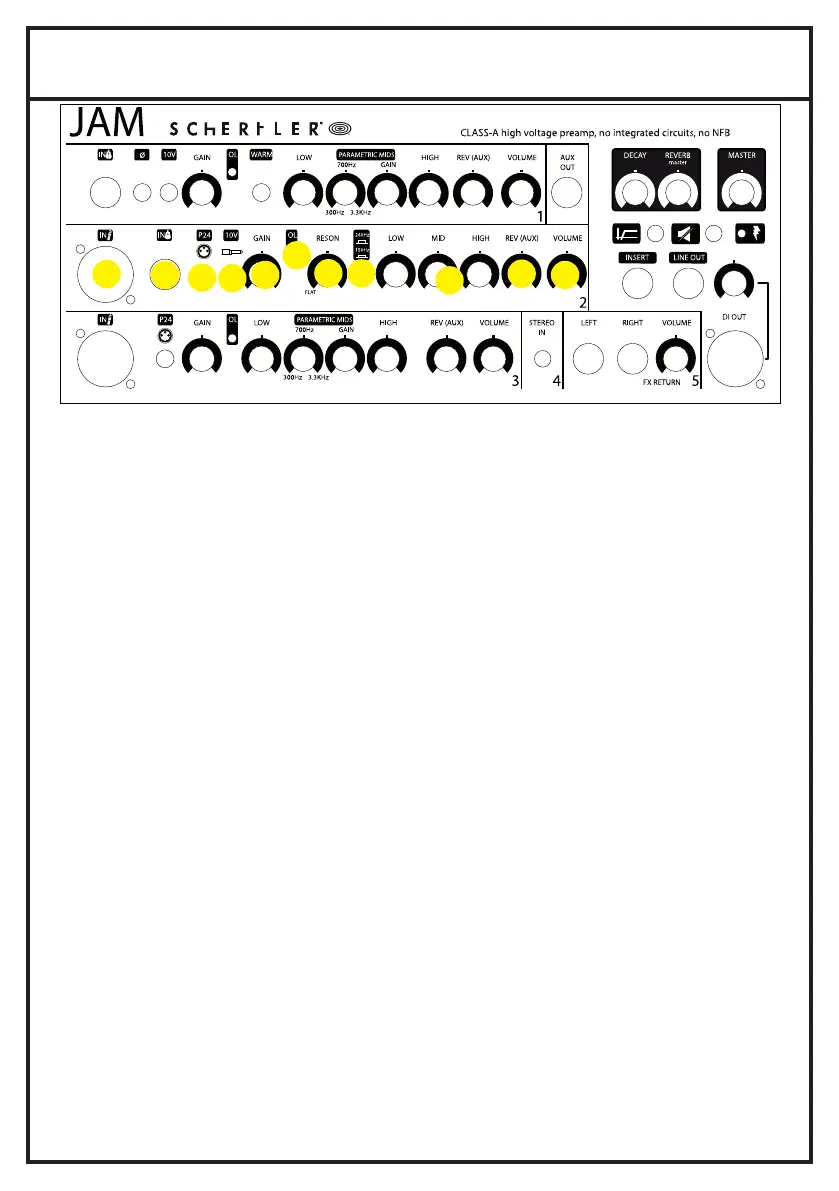
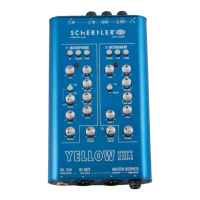
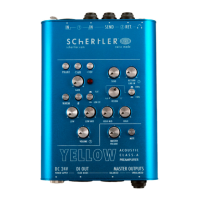
2. FRONT PANEL MIC or INSTRUMENT IN
2.1.
2.4.
2.3.
2.5.
2.2.
2.6.
2.1. MIC INPUT
This input is electronically balanced for XLR type connections. The new MIC/DYN channel is now conceived for any kind of signal sources. You can plug in
vocal microphones. The electronics will adapt to any situation. No special action is required.
2.2. INSTRUMENT IN
Unbalanced input for the connection of jacks (6.3mm or 1/4”), with optimal sensitivity for high level signals, the electronics will adapt to any situation.
No special action is required.
2.3. P24
The amplifier's XLR input provides 24V phantom power for use with a condenser microphone. Most condenser (and dynamic) microphones, along with
some preamps, can be safely phantom powered. In certain cases however, phantom power can cause damage to a device.
This tends to occur with unbalanced microphones, preamps or stompboxes that have been modified for balanced XLR use.
For any doubt, please contact us to check the compatibility of your audio device before using the amplifier
2.4. 10V
Phantom power supplies the Jack connector with 10V for powering electret microphones.
2.5. GAIN
This variable gain preamplifier adjusts the sensitivity level to ensure the best possible processing of the MIC and the INSTRUMENT IN signal through the
channel.
It is important that this input level should be set and optimised in the best way to achieve the cleanest sound possible.
2.6. OVERLOAD
This LED (when lit) indicates that the level of the inputsignal is too high AND it might introduce distortions
2.7. RESON
The Resonance (notch) filter cuts the frequncy of 150Hz/240Hz, to reduce low-frequncy feedback. Left: no attenuation (flat), Right: maximum
attenuation. Use the reson switch to select the resonant frequency of the instrument (240Hz/150Hz)
2.8. RESON switch
2.9. HIGH, MID, LOW
These controls are devoted to high, medium and low frequency regulation. Offering cut and boost of ±15dB, they allow a wide range of tonal variations
to be explored. When the controls are positioned centrally there is no cut or boost of the selected frequency band.
2.10. REVERB
This rotary control sets the level of the digital reverb on the channels.
2.11. VOLUME
This rotatory control regulates the channel volume
2.7.
2.8.
2.9.
2.10.
2.11.


 To Next Page