Why do the Gain and Mode lights
both ash after I turn Lyr+ on?
The two lights ash to let you know Lyr+ is
coming up to its correct operating point. Lyr+
monitors operational parameters as it is turning
on, and only connects the output when everything
is ne. This can take up to 40 seconds.
When I switch gain, the lights ash again?
The gain light ashes after you change gain,
while Lyr’s microprocessor protection system
mutes the output, and monitors operational
points until all is settled and ready to go.
I get a ashing light when switching mode too.
Also normal. Lyr+ will ash the mode light while
it is stabilizing when changing modes. This can
take up to 40 seconds.
What’s with all the clicking noises
when I turn the volume?
That’s the sound of the mechanical relays in the
relay-switched stepped attenuator. Also normal.
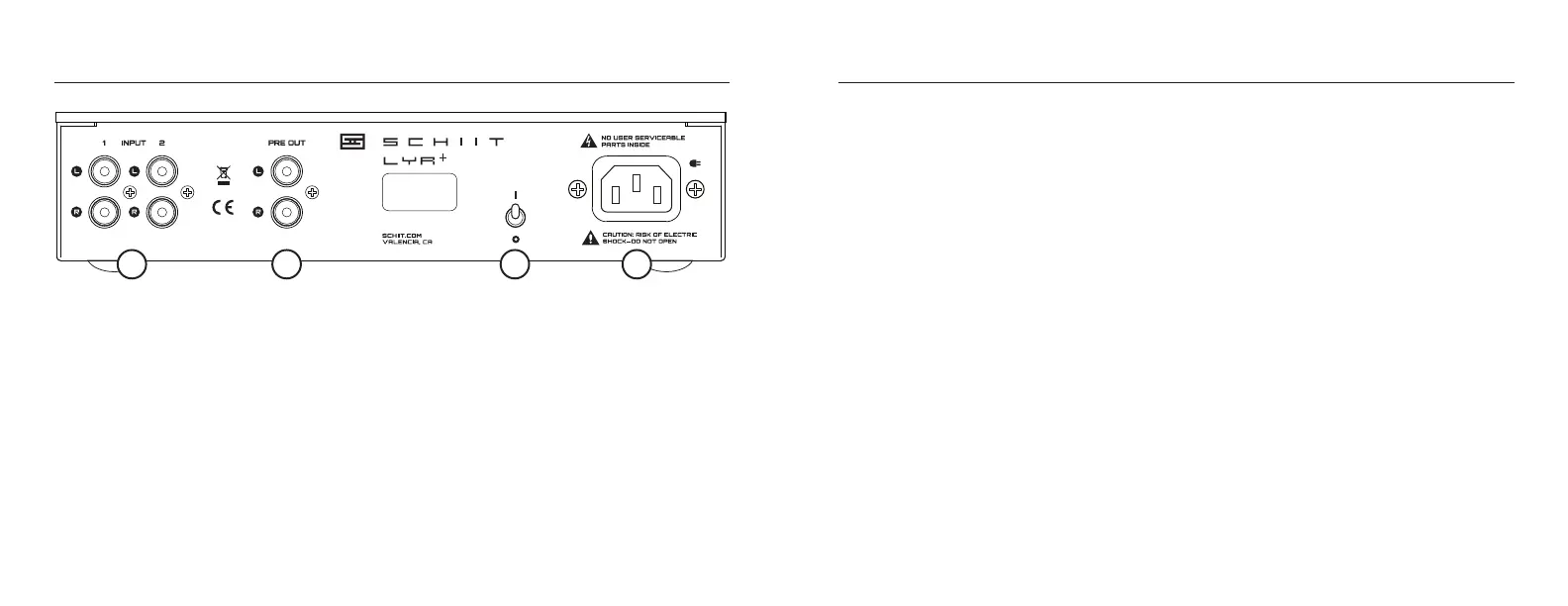
3 On-Off Switch. Up is on. Down is off. Pretty
simple, right?
4 AC Input. Plug the power cord in here. Plug the
other end into an outlet of the correct voltage.
Trying to run a 115V product on 230V will blow the
fuse and generally make for a bad, bad day.
1 RCA Inputs.
Connect up to 2 inputs to Lyr+ using RCA cables.
The inputs are conveniently numbered “1” and
“2” to match the front panel indicators. Select the
input you want to listen to using the front panel
button or the remote control.
2 Preamp Output.
Optionally, connect this output to a separate
power amp (or subwoofer) using RCA cables. You
can switch on and off the preamp output using
the front panel button or the remote control.
012345678
115VAC 30W
ASSY IN USA
VOLUME
INPUT PREOUT
MUTE
GAIN
MODE
FAQCONNECTIONS
1 2 3 4
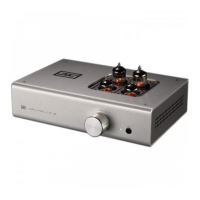
What kind of tubes can I use in Lyr+?
Use only 6SN7-type tubes, including 6N8S,
5692, and (of course) 6SN7.
Can I leave Lyr+ on all the time?
You can, but it would be best to do it with no
tube inserted. The tube heater is on all the
time, and leaving it powered on all the time will
shorten the tube lifespan.
The Lyr+ clicks and I don’t hear any music,
then it clicks back on, over and over again.
Lyr+ is running into protection. This can mean
a shorted headphone cable or an incompat-
ible cable, like a TRRS cable with a bad 1/4”
converter. Try Lyr+ with a different headphone,
check you headphone cables, and, if you want
to use a TRRS headphone, we sell a connection
kit here: schiit.com/trrs
It doesn’t turn on, what do I do?
Plug it in to a different AC socket. Ensure you
are not currently in a blackout. Then email us if
it still doesn’t work.


 To Next Page