Operation
123
Note
If you want to find a specific parameter (e.g. date), proceed
as follows:
1 Press the <RCL> key repeatedly until
Sto disp
ap-
pears on the display.
2 Press the <run/enter> key.
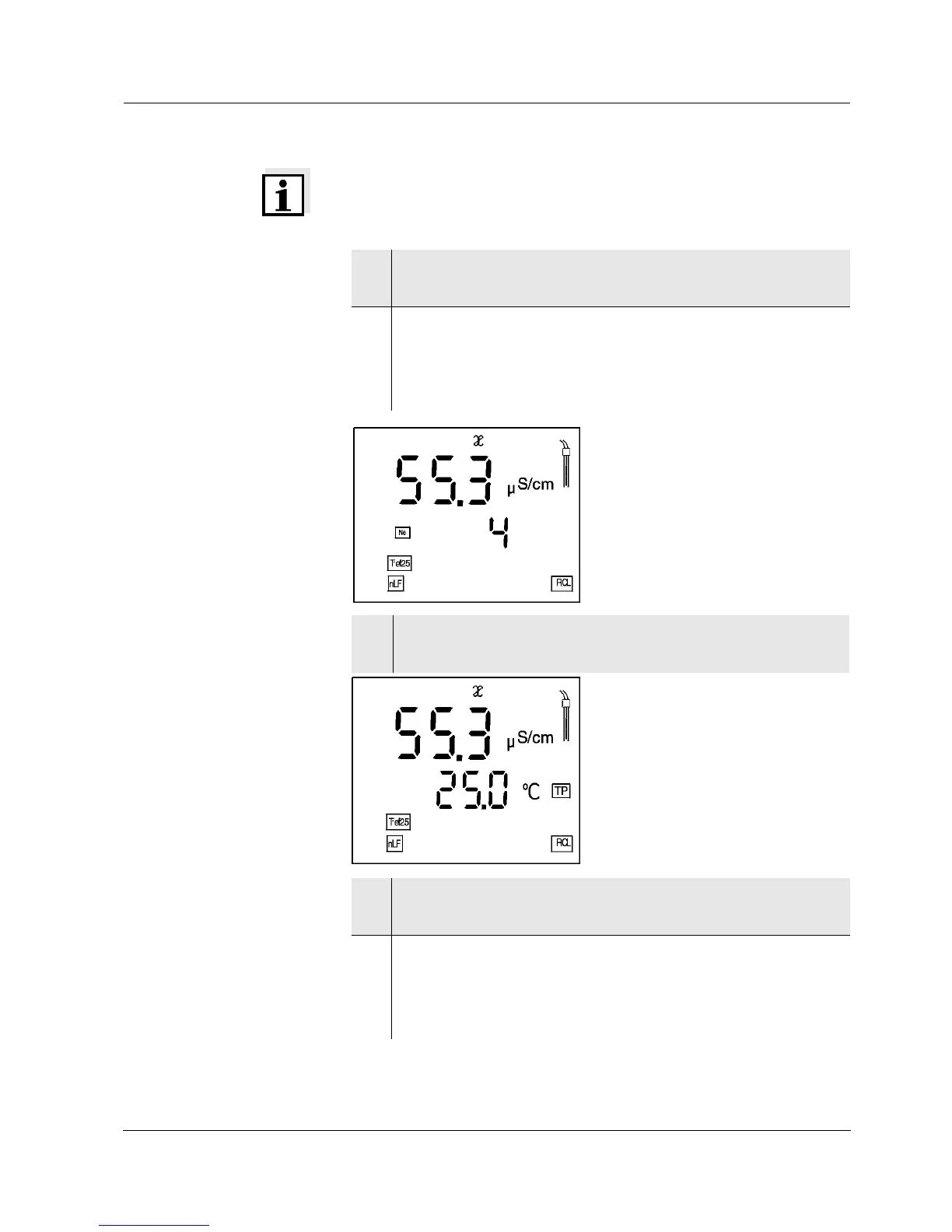
A measured value appears on the display.
The I. D. number of the data record appears for ap-
prox. 2 s.
3 After 2 s the respective temperature of the data
record appears on the display.
4 Select the parameter (e.g. date) by pressing
<run/enter>.
5 Press <
▲> or <▼> repeatedly until the required date
appears on the display.
After approx. 2 s, the temperature of the displayed
measured value appears.


 To Next Page