2 Machine parameters
Setting of machine parameters
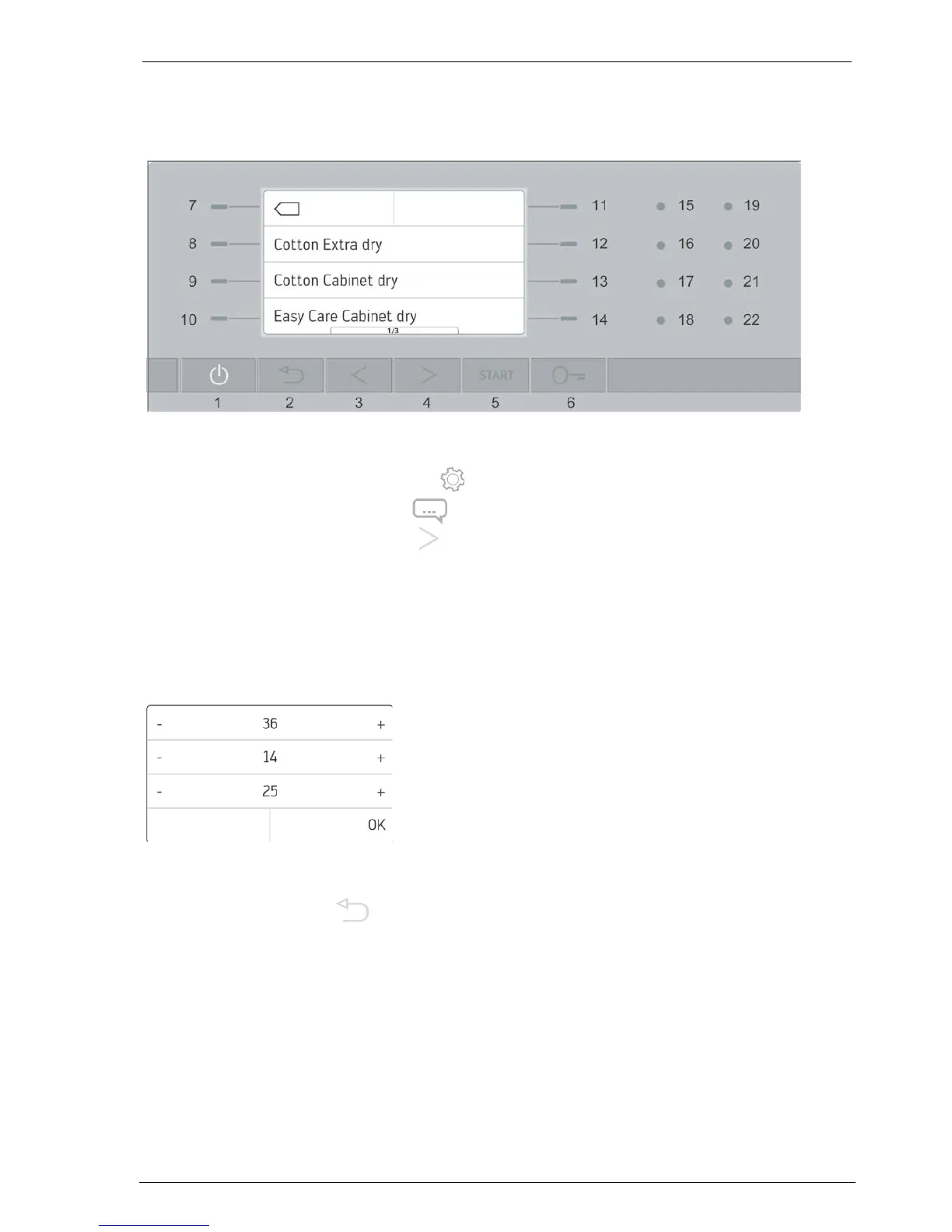
To start theSettings menu, press the 11 button in the main menu.
(MFH: first of all hold down button 11 for 2 secs until the Settings menu appears)
By pressing down the arrow button 4 for a long time (5 seconds), you can access page 2 of
the settings menu.
Select Service Function and enter the service code 36-14-25 (01-02-03 field trial).
Important
This service code may only be handed over to authorised service organisations!
There is a separate code available for application technicians, facility managers and
administration, who would like to read out the operating data (see chapter Operating data).
The Machine Parameter menu appears. Select the individual machine parameters according to
the information in chapter Model overview and machine parameters.
Pressing the Back button (or after no more than 2 minutes after the last entry) exits the
Settings menu.
When exiting the menu, changes must be confirmed with Yes or discarded with No.
2.1 Machine type
On setting the machine type, the control system is adjusted to suit the different machine sizes.
Nominal values for temperatures, moisture measurement, extra drying times of the individual
programmes. Time tables for the preview of the programme duration.



 To Next Page