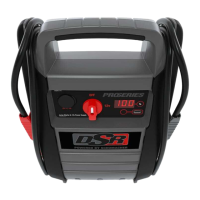
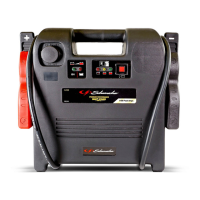
EasyManua.ls Logo

Schumacher Electric BE01255 - User Manual

Schumacher Electric BE01255
8 pages
Print Icon
To Next Page IconTo Next Page
Loading...
CONTAINS SEALED, NON-SPILLABLE LEAD-ACID BATTERY. MUST BE DISPOSED OF PROPERLY.
WARNING: Possible explosion hazard. Contact with battery acid may cause severe burns and blindness.
Keep out of reach of children.
1. IMPORTANT SAFETY INSTRUCTIONS
WARNING – When using this product, basic precautions should always be followed, including the following:
1.1 Read all the instructions before using the product. Failure to do so could result in serious injury or death.
1.2 To reduce the risk of injury, close supervision is necessary when the product is used near children.
1.3 Do not put ngers or hands into the product.
1.4 Do not expose the power pack to rain or snow.
1.5 Use of an attachment not recommended or sold by the power pack manufacturer may result in a risk of re,
electric shock, or injury to persons.
1.6 To reduce risk of damage to the electric plug and cord, pull the plug rather than the cord when
disconnecting the power pack.
1.7 Do not use a battery pack or appliance that is damaged or modied. Damaged or modied batteries may
exhibit unpredictable behavior resulting in re, explosion or risk of injury.
1.8 Do not operate the power pack with a damaged cord or plug, or a damaged output cable.
1.9 Do not disassemble the power pack, take it to a qualied service person when service or repair is required.
Incorrect reassembly may result in a risk of re or electric shock.
1.10 To reduce the risk of electric shock, unplug the power pack from the outlet before attempting any instructed
servicing.
1.11 WARNING – RISK OF EXPLOSIVE GASES.
a. WORKING IN VICINITY OF A LEAD ACID BATTERY IS DANGEROUS. BATTERIES GENERATE
EXPLOSIVE GASES DURING NORMAL BATTERY OPERATION. FOR THIS REASON, IT IS OF
THE UTMOST IMPORTANCE THAT YOU FOLLOW THE INSTRUCTIONS EACH TIME YOU USE
THE POWER PACK.
b. To reduce risk of battery explosion, follow these instructions and those published by battery manufacturer
and manufacturer of any equipment you intend to use in vicinity of the battery. Review cautionary
markings on these products and on engine.
2. PERSONAL PRECAUTIONS
2.1 Consider having someone close enough by to come to your aid when you work near a lead-acid battery.
2.2 Have plenty of fresh water and soap nearby in case battery acid contacts skin, clothing, or eyes.
2.3 Wear complete eye protection and clothing protection. Avoid touching eyes while working near battery.
2.4 If battery acid contacts skin or clothing, wash immediately with soap and water. If acid enters eye,
immediately ood eye with running cold water for at least 10 minutes and get medical attention immediately.
2.5 NEVER smoke or allow a spark or ame in vicinity of battery or engine.
2.6 Be extra cautious to reduce risk of dropping a metal tool onto battery. It might spark or short-circuit battery
or other electrical part that may cause explosion.
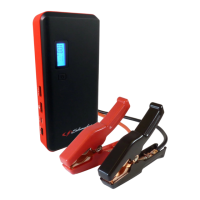
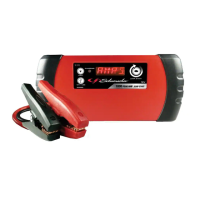
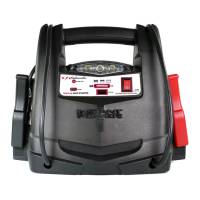
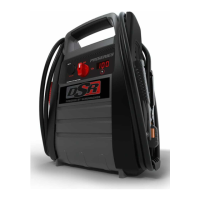
Jump Starter and Power Source
OWNERS MANUAL
PLEASE SAVE THIS OWNERS MANUAL AND READ BEFORE EACH USE.
This manual will explain how to use the jump starter safely and effectively. Please
read and follow these instructions and precautions carefully.
FOR MODELS
BE01255
FR01337
SJ1289
SPR1631
0099001923-04
For the manual with Spanish, visit www.batterychargers.com or call 1-800-621-5485.
Para obtener el manual en español, visite www.batterychargers.com o llame al 1-800-621-5485.


Questions and Answers

Summary

Important Safety Instructions

General Safety Precautions

Read all instructions before use. Avoid fingers in product, protect from rain/snow, use recommended attachments, and handle cords carefully.

Explosive Gas Hazard Warning

Batteries generate explosive gases. Follow instructions carefully to prevent explosion and injury from battery acid.

Personal Precautions

Safety Measures for Battery Handling

Have assistance nearby, keep water/soap for acid contact, wear eye protection, avoid sparks, and prevent dropping tools on battery.

Additional Safety Precautions

Metal Items and Ventilation

Remove metal items when near battery. Ensure good ventilation when charging to avoid explosive gas buildup.

Temperature and Service Safety

Avoid extreme temperatures above 265°F. Servicing must be done by qualified personnel with identical parts.

Cable Connection and Usage Restrictions

Connect cables properly, avoid touching clamps. Do not use with life support devices.

Product Features Overview

Component Identification

Details and labels for USB ports, buttons, display, light, outlets, and cables of the jump starter.

Charging the Internal Battery

Checking Battery Charge Level

Press the '% Battery %' button to view the charge status on the digital display. Recharge if below 100%.

AC Charging Procedure

Charge using an extension cord connected to a 120VAC outlet. Display shows charging progress; 100% indicates full charge.

12 V Charging While Driving

Charge via 12V port charging cable. Do not charge for over 30 mins unattended; risk of explosion. Monitor charge status.

Using the Portable Power

Digital Display Information

Check internal battery status or vehicle battery voltage. Display shows voltage when connected and ON.

Jump Starting a Vehicle

Connect clamps correctly, turn ON switch, crank engine up to 8 seconds. Turn OFF and remove after starting.

Work;Emergency Flex Light Usage

Position light, press button to turn on or flash. Press again to turn off. Charge unit after use.

USB Port Usage

Plug device into USB ports, press ON/OFF button. USB automatically shuts off if voltage is low.

Powering 12 V DC Devices

Use for 12V accessories. Ensure device is OFF before plugging in. Do not exceed 20A DC.

Air Compressor and Converter Usage

Using the Air Compressor

Connect hose, set PSI using buttons, and inflate. Do not run for over 10 minutes at a time. Allow to cool.

Before Using the Converter

Ensure ventilation, avoid flammable sources, keep dry, and operate in suitable temperatures (50-80°F).

Converter Operation and AC Device Powering

Using the Converter

Use devices drawing 200W or less. Be aware of starting wattage. Test compatibility with modified sine wave.

Powering a 110 V AC Device

Plug device into AC outlet, press converter button, then turn device on. Max continuous load is 200W.

Maintenance and Troubleshooting

Maintenance and Care

Clean clips and case after use. Recharge monthly. Store clips properly and avoid fully discharging the battery.

Troubleshooting Common Issues

Solutions for jump start failures, 12V device issues, compressor shutdown, and converter errors.

Accessories, Parts, and Warranty

Available Accessories and Parts

Information on 12V port charging cable, air compressor kit, and battery clamp replacement kits.

Repair and Replacement Information

Instructions for returns, repairs, and locating replacement parts online.

Limited Warranty Details

Details the one-year warranty for the unit and 90-day warranty for the battery, limitations, and disclaimers.

Summary

Important Safety Instructions

General Safety Precautions

Read all instructions before use. Avoid fingers in product, protect from rain/snow, use recommended attachments, and handle cords carefully.

Explosive Gas Hazard Warning

Batteries generate explosive gases. Follow instructions carefully to prevent explosion and injury from battery acid.

Personal Precautions

Safety Measures for Battery Handling

Have assistance nearby, keep water/soap for acid contact, wear eye protection, avoid sparks, and prevent dropping tools on battery.

Additional Safety Precautions

Metal Items and Ventilation

Remove metal items when near battery. Ensure good ventilation when charging to avoid explosive gas buildup.

Temperature and Service Safety

Avoid extreme temperatures above 265°F. Servicing must be done by qualified personnel with identical parts.

Cable Connection and Usage Restrictions

Connect cables properly, avoid touching clamps. Do not use with life support devices.

Product Features Overview

Component Identification

Details and labels for USB ports, buttons, display, light, outlets, and cables of the jump starter.

Charging the Internal Battery

Checking Battery Charge Level

Press the '% Battery %' button to view the charge status on the digital display. Recharge if below 100%.

AC Charging Procedure

Charge using an extension cord connected to a 120VAC outlet. Display shows charging progress; 100% indicates full charge.

12 V Charging While Driving

Charge via 12V port charging cable. Do not charge for over 30 mins unattended; risk of explosion. Monitor charge status.

Using the Portable Power

Digital Display Information

Check internal battery status or vehicle battery voltage. Display shows voltage when connected and ON.

Jump Starting a Vehicle

Connect clamps correctly, turn ON switch, crank engine up to 8 seconds. Turn OFF and remove after starting.

Work;Emergency Flex Light Usage

Position light, press button to turn on or flash. Press again to turn off. Charge unit after use.

USB Port Usage

Plug device into USB ports, press ON/OFF button. USB automatically shuts off if voltage is low.

Powering 12 V DC Devices

Use for 12V accessories. Ensure device is OFF before plugging in. Do not exceed 20A DC.

Air Compressor and Converter Usage

Using the Air Compressor

Connect hose, set PSI using buttons, and inflate. Do not run for over 10 minutes at a time. Allow to cool.

Before Using the Converter

Ensure ventilation, avoid flammable sources, keep dry, and operate in suitable temperatures (50-80°F).

Converter Operation and AC Device Powering

Using the Converter

Use devices drawing 200W or less. Be aware of starting wattage. Test compatibility with modified sine wave.

Powering a 110 V AC Device

Plug device into AC outlet, press converter button, then turn device on. Max continuous load is 200W.

Maintenance and Troubleshooting

Maintenance and Care

Clean clips and case after use. Recharge monthly. Store clips properly and avoid fully discharging the battery.

Troubleshooting Common Issues

Solutions for jump start failures, 12V device issues, compressor shutdown, and converter errors.

Accessories, Parts, and Warranty

Available Accessories and Parts

Information on 12V port charging cable, air compressor kit, and battery clamp replacement kits.

Repair and Replacement Information

Instructions for returns, repairs, and locating replacement parts online.

Limited Warranty Details

Details the one-year warranty for the unit and 90-day warranty for the battery, limitations, and disclaimers.

Overview

This document is an owner's manual for a Jump Starter and Power Source, designed for models BE01255, FR01337, SJ1289, and SPR1631. It contains a sealed, non-spillable lead-acid battery and emphasizes proper disposal.

Function Description

The device serves as a portable power source with multiple functionalities:

  • Jump Starting: Capable of jump starting vehicles with a 12V battery.
  • Portable Power: Provides 12V DC power for accessories, 110V AC household power via an inverter, and USB charging for electronic devices.
  • Air Compressor: Includes an integrated air compressor for inflating tires and other items.
  • Work/Emergency Light: Features a flexible LED light for illumination in work or emergency situations.

Important Technical Specifications

  • Battery Type: Sealed, non-spillable lead-acid battery.
  • USB Output: Up to 2A per side (4A total) at 5V DC.
  • AC Inverter Output: 110V AC, maximum continuous load of 200 watts (or devices drawing less than 1.7 amps of AC current). Uses a modified sine waveform.
  • DC Output: 12V DC power outlet, caution against running appliances that draw more than 20A DC.
  • Air Compressor: Rated for 100 PSI maximum.
  • Operating Temperature (Converter): Ideal between 50° and 80° F.

Usage Features

General Safety:

  • Read all instructions before use to prevent injury or death.
  • Close supervision is necessary when used near children.
  • Avoid exposing the power pack to rain, snow, fire, or excessive temperatures (above 265°F/130°C).
  • Do not use if damaged or modified.
  • Do not disassemble; refer to qualified service personnel for repairs.
  • Unplug from the outlet before servicing.
  • Working near lead-acid batteries is dangerous due to explosive gases; follow all battery manufacturer instructions.
  • Wear complete eye and clothing protection.
  • Avoid contact with battery acid; flush with water if contact occurs and seek medical attention if it enters eyes.
  • NEVER smoke or allow sparks/flames near the battery or engine.
  • Be cautious to avoid dropping metal tools onto the battery, which could cause sparks or short circuits.
  • Remove personal metal items (rings, bracelets, etc.) when working with a lead-acid battery to prevent short-circuit burns.
  • Ensure proper ventilation when charging the internal battery.
  • Do not allow output clamps to touch one another.
  • Not for use with life support devices or systems.

Internal Battery Charging:

  • Initial Charge: Charge immediately after purchase, after each use, and every 30 days to prolong battery life.
  • Checking Charge Level: Press the "Battery %" button; display shows percent of charge. Charge if under 100%. Most accurate after disconnecting from all devices for a few hours.
  • AC Charging: Flip AC connector down, plug in an 18 AWG or larger extension cord (not included) to a 120VAC wall outlet. Marching dashes indicate charging; "100" (pulsing) indicates full charge. Charging may take up to 72 hours. Charger automatically enters maintain mode when full.
  • DC Charging (While Driving): Use a 12V port charging cable (part number 94500109 – not included). Ensure car is running. Insert one end into the 12V DC power outlet and the other into the vehicle's accessory outlet. Do not charge for more than 30 minutes or leave unattended to prevent overcharging and explosion risk. Monitor charge with "Battery %" button. Disconnect when full.

Digital Display:

  • Shows internal battery charge percentage.
  • When connected to a vehicle (Jump Start switch OFF), shows vehicle's battery voltage.
  • When connected and Jump Start switch ON, shows equalized voltage between vehicle and internal battery.

Jump Starting a Vehicle:

  • IMPORTANT: Do not use without a battery installed in the vehicle, as it will damage the electrical system.
  • Turn ignition OFF.
  • Lay DC cables away from moving parts.
  • For negative-ground vehicles: Connect POSITIVE (RED) clamp to POSITIVE battery post. Connect NEGATIVE (BLACK) clamp to vehicle chassis/engine block, away from the battery.
  • For positive-ground vehicles: Connect NEGATIVE (BLACK) clamp to NEGATIVE battery post. Connect POSITIVE (RED) clamp to vehicle chassis/engine block, away from the battery.
  • IMPORTANT: If clamps are connected backwards, an audio alarm will sound. DO NOT turn the On/Off switch ON; reverse connections immediately.
  • Turn the switch to ON.
  • Crank engine for no more than 8 seconds. Wait 2 minutes before re-cranking if needed.
  • After engine starts, turn switch OFF and remove portable power from battery.
  • Recharge the portable power immediately after use.

Work/Emergency Flex Light:

  • Position jump starter on a flat, stable surface.
  • Ensure battery clamps are clipped on storage holders.
  • Remove flexible work light from storage clip and point as desired.
  • Press light button once to turn on, again to flash, and a third time to turn off.
  • Return flex light to storage clip after use.
  • Recharge after use. Automatically shuts off after 24 hours.

USB Ports:

  • Two left ports optimized for Android™ devices, two right ports optimized for Apple® devices.
  • Provide up to 2A per side (4A total) at 5V DC.
  • Ensure battery clamps are clipped on storage holders.
  • Plug device into a USB port.
  • Press USB port ON/OFF button.
  • Turn on USB device.
  • Press button again to turn off when finished.
  • Recharge after use. Automatically shuts off when internal battery voltage is low to protect devices.

Powering a 12V DC Device:

  • For 12V DC accessories with a 12V accessory plug.
  • Do not power a 12V device while charging the internal battery.
  • Ensure device is OFF before plugging into the 12V DC accessory outlet.
  • Ensure battery clamps are clipped on storage holders.
  • Open protective cover of DC power outlet.
  • Plug in device and turn on (if required).
  • Turn off device and unplug when finished.
  • CAUTION: Do not use for appliances drawing more than 20A DC.
  • Extended operation may drain battery; recharge immediately after use.

Air Compressor:

  • Read instructions for item to be inflated; avoid overinflation.
  • Remove hose from storage compartment.
  • Connect adapter to valve stem.
  • Press Compressor button.
  • Select desired PSI with "+" or "-" buttons, then press SET.
  • Compressor turns off when desired pressure is reached.
  • Unthread connector from valve stem.
  • Press Compressor button again to turn off display/LEDs.
  • Do not run for more than 10 minutes at a time; allow 10 minutes to cool down before re-use.
  • Return hose to storage compartment.
  • Allow unit to cool.
  • Recharge before storing.
  • Has built-in thermal protection; will shut off if overheated and restart when cool.
  • Automatically shuts off after 2 minutes of non-use.
  • Rated for 100 PSI maximum.

Using the Converter (110V AC Outlet):

  • Know the continuous wattage of the device; must be 200 watts or less (or less than 1.7 amps AC).
  • Some devices (TVs, fans, motors) require higher starting/peak power; converter can supply momentary surge but may shut down if surge capability is exceeded.
  • Do not use with products drawing higher wattage than converter can provide.
  • Ensure device is compatible with a modified sine wave converter.
  • Run a test to ensure compatibility.
  • Automatically shuts down on power overload to prevent damage.
  • IMPORTANT: When using with a battery charger, monitor charger temperature for 10 minutes; disconnect if abnormally warm.
  • Extension cords (16 AWG or larger, no longer than 50 feet) can be used.
  • Modified sine waveform is not identical to power company electricity; use caution with switch mode power supplies, linear power supplies, Class 2 transformers, line filter capacitors, shaded pole motors, fan motors, fluorescent/high-intensity lamps (with ballast), and transformerless battery chargers. These devices may run warmer or overheat.
  • Ensure battery clips are securely on storage holders.
  • Open protective cover of AC power outlet.
  • Ensure 110V AC device is OFF.
  • Plug in device and press Converter button.
  • Turn device ON.
  • Recharge after use.
  • WARNING: Risk of electric shock. Output is 110V AC and can shock/electrocute.
  • NOTE: Maximum continuous load 200 watts. Do not use with products drawing more than 200 watts.

Maintenance Features

  • Clean clips and case after each use.
  • Recharge the unit once a month when not in use.
  • Store clips on their support posts to prevent contact with metallic surfaces.
  • Never completely discharge the internal battery.

Troubleshooting

  • Won't jump start car: Check clamp connections (poor connection, reversed), internal battery charge, vehicle battery condition, or if portable power is turned on.
  • Won't power 12V device: Check if 12V device is turned on, internal battery charge, or if 12V device draws more than 20A/has a short circuit (may require fuse replacement by qualified service person).
  • Battery won't hold charge: Internal battery may be bad.
  • Compressor shuts off: May be overheated (allow to cool).
  • Portable power alarm on: Connections are reversed.
  • Converter on, but display shows Err: Jump starter battery not fully charged, or device draws more than 200W/has a short circuit.

Schumacher Electric BE01255 Specifications

General IconGeneral
BrandSchumacher Electric
ModelBE01255
CategoryRemote Starter
LanguageEnglish

Related product manuals