EasyManua.ls Logo

Schumacher Electric SC-10030A - User Manual

Schumacher Electric SC-10030A
38 pages
Print Icon
To Next Page IconTo Next Page
Loading...
00-99-000828/1009
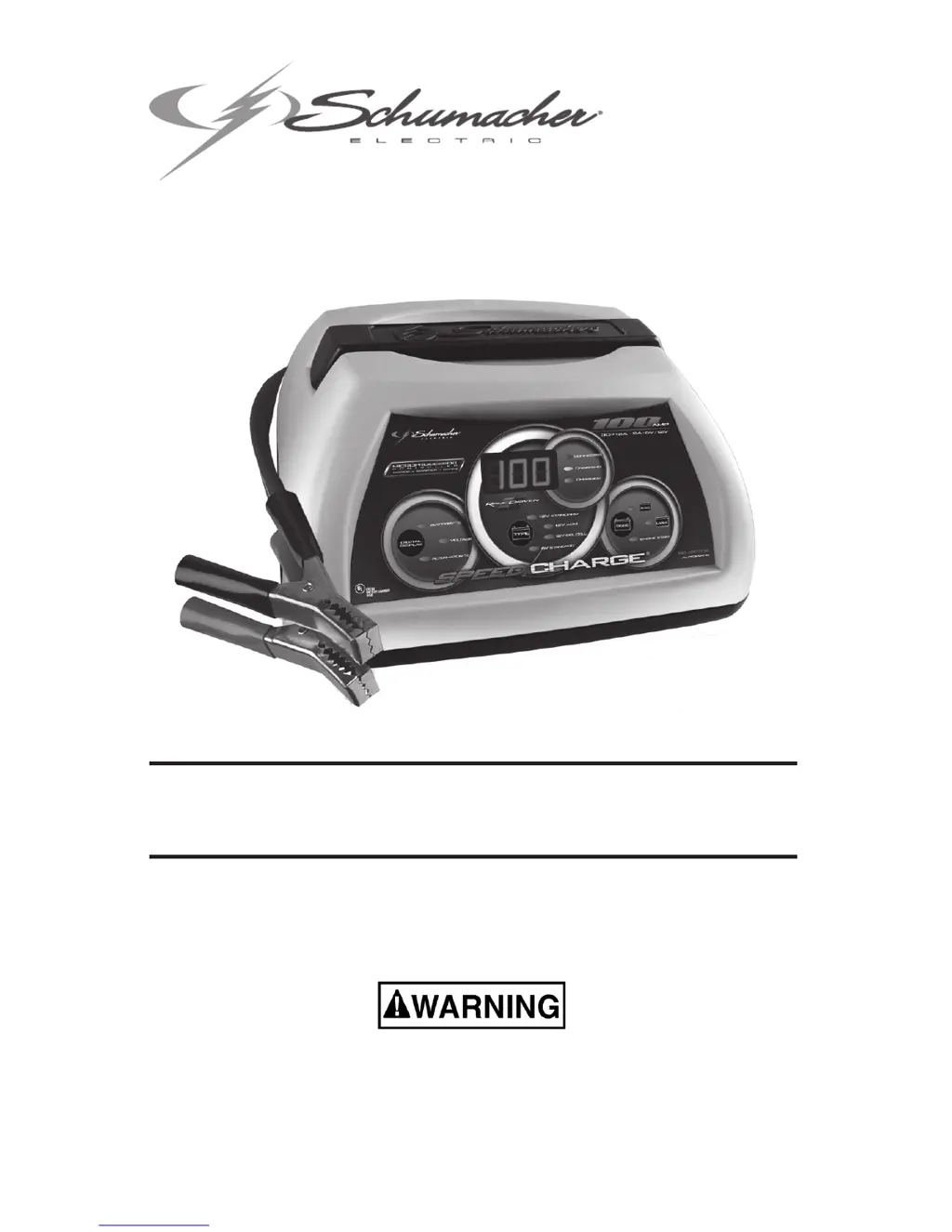
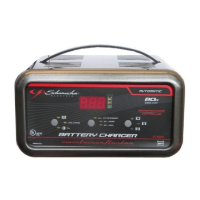
Model / Modelo: SC-10030A
Automatic Battery Charger / Cargador de batería automático
READ THE ENTIRE MANUAL BEFORE USING THIS PRODUCT. •
FAILURE TO DO SO CAN RESULT IN SERIOUS INJURY OR DEATH.
LEA EL MANUAL COMPLETO ANTES DE UTILIZAR ESTE PRODUCTO. •
CUALQUIER FALLA PODRÍA RESULTAR EN SERIAS LESIONES O PODRÍA
SER MORTAL.
OWNER’S MANUAL•
MANUAL DEL USUARIO•
Voltage / Tensión: 6, 12
Amperage/Amperaje:2,1230

Questions and Answers

  • W
    Walter JacksonAug 15, 2025
    What to do if my Schumacher Electric Battery Charger won't turn on?
    • D
      Donna RodriguezAug 15, 2025
      If your Schumacher Electric Battery Charger won't turn on, the AC outlet may be dead. Check for an open fuse or circuit breaker supplying the AC outlet. Also, check the power cord and extension cord for a loose-fitting plug.
  • M
    Michael FigueroaAug 18, 2025
    Why is my Schumacher Electric SC-10030A making a clicking sound?
    • J
      Jeffrey RobertsAug 19, 2025
      The clicking sound from your Schumacher Electric Battery Charger indicates the circuit breaker is cycling. This can occur if the settings are incorrect, so check them. The battery may not be accepting a charge or the current draw is too high. Inspect the cables and clamps for shorts and replace if necessary. If charging continues for more than 20 minutes, stop and have the battery checked. Shut off the charger and correct the lead connections.
  • S
    Sarah ShermanAug 22, 2025
    What to do if my Schumacher Electric Battery Charger is on but not charging?
    • J
      Jasmin LawsonAug 22, 2025
      If your Schumacher Electric Battery Charger is on but not charging, the clamps may not be making a good connection. Check for a poor connection at the battery and frame. Ensure the connecting points are clean and rock the clamps back and forth for a better connection.
  • J
    Jeffrey RileyAug 26, 2025
    Why does my Schumacher Electric Battery Charger make a loud buzzing or humming noise?
    • L
      Linda LeachAug 26, 2025
      A loud buzz from your Schumacher Electric Battery Charger is typically normal, caused by transformer laminations vibrating. A humming sound could indicate a shorted diode assembly or output rectifier assembly. Have the charger checked by a qualified technician.
  • D
    Donald ThompsonAug 28, 2025
    What to do if my Schumacher Electric Battery Charger's green light turns on too quickly?
    • J
      jonestroyAug 28, 2025
      If the green Charged LED lights quickly on your Schumacher Electric Battery Charger, the battery may already be fully or recently charged, causing a high voltage reading. If the battery is in a vehicle, turn the headlights on for a few minutes to reduce the battery voltage and try charging again. You can also reset the charger by briefly unplugging it or disconnecting the negative battery clip, then re-select the desired rate (SMALL or LARGE BATTERY) and battery type.
  • G
    gcohenAug 31, 2025
    What does it mean if the indicator lights are erratic on my Schumacher Electric SC-10030A Battery Charger?
    • B
      Benjamin MeyerAug 31, 2025
      Erratic indicator lights on your Schumacher Electric Battery Charger may indicate accidental activation of a special diagnostic mode. Ensure nothing is touching the control panel, then unplug the charger and plug it in again.
  • A
    April Chambers DDSSep 3, 2025
    Why does the digital display flash on my Schumacher Electric SC-10030A?
    • X
      xandersonSep 4, 2025
      If the digital display on your Schumacher Electric Battery Charger flashes before the battery is fully charged, the incorrect battery type may have been selected. Reset the charger by briefly unplugging it or disconnecting the negative battery clamp. Then, select the desired rate (SMALL or LARGE BATTERY) and battery type again, if necessary.
  • J
    Jesse FrancoSep 7, 2025
    Why is my car having a short start cycle with the Schumacher Electric SC-10030A?
    • L
      Luis YangSep 7, 2025
      A short start cycle when cranking the engine with your Schumacher Electric Battery Charger suggests it's drawing more than 100 amps. Crank time varies with the amount of current drawn. Wait 3 minutes before the next crank. Check for poor connections at the battery and frame, and ensure the power cord and extension cord have a snug fit. Also, check for an open fuse or circuit breaker at the AC outlet. For a severely discharged battery, charge for 10 to 15 minutes at the large battery rate.
  • J
    Joel BeckerSep 12, 2025
    Why don't my Schumacher Electric Battery Charger clips spark?
    • J
      Jose CollinsSep 12, 2025
      The lack of spark from your Schumacher Electric Battery Charger clips when touched together is normal. The charger is equipped with an auto-start feature.

Summary

Safety and Warning Information

Hazard Signal Words

Defines hazard levels using signal words like DANGER, WARNING, CAUTION, and IMPORTANT.

California Proposition 65 Warning

Notifies about chemicals known to cause cancer or birth defects.

Important Safety Instructions

Environmental and Usage Safety

Avoid rain/snow, use recommended attachments, pull plug not cord, proper extension cords.

Maintenance and Repair Safety

Unplug before maintenance, handle damaged cords/plugs, do not disassemble.

Personal Item Safety

Remove metal jewelry when working with batteries to prevent burns from short circuits.

Personal Precautions

Explosive Gas Hazard

Batteries generate explosive gases; follow instructions carefully to prevent explosions.

Battery Handling and Charging Rules

Follow manufacturer guidelines, avoid sparks, don't drop tools, use for lead-acid only, never charge frozen or overcharge.

Preparing to Charge

Acid Contact Safety Measures

Have assistance, keep water/soap, wear protective gear, and know first aid for battery acid contact.

Pre-Charge Battery Preparation

Remove grounded terminal first, ensure ventilation, clean terminals, add distilled water, and read all instructions.

Voltage and Cable Connection Checks

Determine correct battery voltage and ensure tight cable connections before charging.

Charger Location

Safe Placement Guidelines

Place charger away from battery, avoid acid drips, ensure ventilation, and do not place battery on charger.

DC Connection Precautions

Connection and Disconnection Procedures

Connect/disconnect clips with switches off, and attach clips correctly to battery/chassis.

Battery Connection in Vehicle

Cable Positioning and Safety Checks

Position cables safely, avoid moving parts, check polarity, and determine ground connection for correct hookup.

Vehicle Connection Steps

Connect positive and negative clips to the battery and chassis based on vehicle grounding type.

Disconnecting the Charger

Turn off switches, disconnect AC, remove clips in reverse order, and refer to charge time calculation.

Battery Connection Outside Vehicle

Battery Polarity and Cable Attachment

Check polarity, attach cable to negative post, connect positive clip, then position and connect negative clip away from battery.

Final Connection and Disconnection

Avoid facing battery during connection, disconnect in reverse order, and note marine battery charging requirements.

AC Connection for Charging

Electrical Requirements and Safety

Use a properly grounded 120V circuit and do not alter the provided AC cord or plug.

Extension Cord Guidelines

Specifies minimum AWG wire gauge for extension cords based on length.

Assembly and Storage Instructions

Cord Cleat Installation

Install included cord wrap cleats for cable storage.

Charger and Cable Storage

Wrap cables and store the charger in a dry location after unplugging.

Charger Controls Overview

Digital Display and Mode Button

Explains digital display functions and how to use the display mode button for various readings.

Battery Type Selection

Select battery type (Regular, Deep-Cycle, AGM, GEL) for optimal charging.

Battery Size and Charge Rate

Choose battery size (Small, Large) or Engine Start for appropriate charging rate.

Operating Instructions

Basic Charging Procedure

Ensure components, connect battery/AC, and select settings for charging.

Charging Status Indicators

Understand LED indicators for connection, charging status, abortion, completion, and maintain mode.

Charging Modes Explained

Learn about automatic, desulfation, and maintain modes for efficient battery charging.

General Charging Notes and Restarting

Notes on fan operation, restarting charging, and displayed voltage.

Engine Start Feature Usage

Instructions for jump-starting a vehicle using the engine start feature.

Engine Start Sequence Details

Details on the engine start sequence, including cranking time and cool-down period.

Battery Voltage Testing Procedure

How to use the built-in voltmeter to test battery state of charge.

Voltage Tester Status and Calculation

Understanding tester status LEDs and initial battery percentage calculation.

Alternator Performance Testing

How to test the alternator's output relative to normal alternators.

Calculating Charge Time

Charge Time Estimation Chart

Table to determine approximate battery charging times based on battery size and rating.

Maintenance Instructions

Routine Maintenance Procedures

Unplug before cleaning, wipe down components, check condition, and note no user-serviceable parts.

Storage Instructions

Proper Charger Storage

Store charger unplugged, upright, in a cool dry place, with clips stored properly.

Troubleshooting Guide

Charging and Indicator Issues

Solutions for common charging problems like no charge, erratic lights, or flashing display.

LED Behavior and Sound Issues

Troubleshooting for green LED behavior and clicking sounds, including potential causes and fixes.

Charger Noise and Engine Start Problems

Addresses charger noises and issues with starting the engine, including causes and solutions.

Power and Connection Troubleshooting

Solves problems with the charger not turning on, not charging, or clips not sparking.

Before Returning for Repairs

Pre-Repair Diagnostic Checks

Verify battery health, connections, outlet voltage, and understand cold/sulfated battery behavior.

Customer Support Contact

Contact customer service for troubleshooting assistance before returning the product.

Limited Warranty Information

Warranty Coverage Details

Manufacturer warrants the charger for 5 years against defects; transferability and limitations apply.

Warranty Exclusions and Limitations

Excludes accessory warranties, misuse, and limits liability for damages; provides contact info.

Schumacher Electric SC-10030A Specifications

General IconGeneral
ModelSC-10030A
CategoryBattery Charger
Input Voltage120V AC
Output Voltage6V/12V
Safety FeaturesReverse polarity protection, Overcharge protection
DisplayLED indicators
Battery TypeAGM, Gel
Charging ModesAutomatic, Manual
Cable Length6 ft
ClampsHeavy-Duty Clamps

Related product manuals