EasyManua.ls Logo

Schumacher SP1 - User Manual

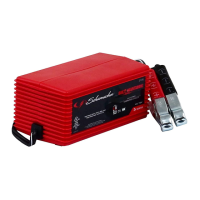
Schumacher SP1
43 pages
Print Icon
To Next Page IconTo Next Page
Loading...
0099001148-00
Model / Modelo: SP1
OWNER’S MANUAL
MANUAL DEL USUARIO
READ THE ENTIRE MANUAL BEFORE USING THIS PRODUCT.
FAILURE TO DO SO COULD RESULT IN SERIOUS INJURY OR DEATH.
ADVERTENCIA
LEA EL MANUAL COMPLETO ANTES DE UTILIZAR ESTE
PRODUCTO. CUALQUIER FALLA PODRÍA RESULTAR EN SERIAS LESIONES O
PODRÍA SER MORTAL.
DO NOT RETURN THIS PRODUCT
TO THE STORE!
Call Customer Service for Assistance: 800-621-5485
¡NO LO DEVUELVA ESTE PRODUCTO
A LA TIENDA!
Llame a Servicios al Cliente para Asistencia: 800-621-5485
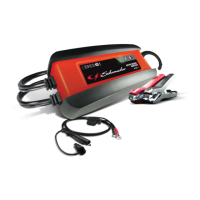
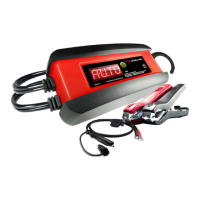
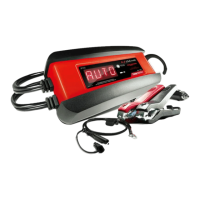
Automatic Battery Charger
Cargador de batería automático
Voltage / Tensión: 6, 12
Amperage / Amperaje: 2

Questions and Answers

  • H
    hernandezsharonJul 26, 2025
    What to do if my Schumacher Battery Charger won't turn on?
    • P
      Philip MooreJul 26, 2025
      If your Schumacher Battery Charger isn't turning on, there are several potential causes: * **AC outlet issue:** Check the fuse or circuit breaker supplying the AC outlet. * **Poor electrical connection:** Inspect the power cord and any extension cords for loose plugs. * **Reversed connections:** Unplug the charger and reverse the clips. * **Low battery voltage:** The charger has an automatic start feature. If the battery voltage is under 0.2 volts, the charger will not detect it and will not start the charging process. * **Defective Battery:** Have the battery checked or replaced.
  • S
    Steven WilliamsAug 1, 2025
    What to do if my Schumacher Battery Charger won't turn on even when properly connected?
    • R
      Rachel PatelAug 1, 2025
      If your Schumacher Battery Charger remains off despite proper connection, consider these possibilities: * **AC outlet issue:** Check for an open fuse or a tripped circuit breaker at the AC outlet. * **Poor electrical connection:** Ensure the power cord and any extension cords have a snug fit. * **Reversed Connections:** Unplug the charger and reverse the clips. * **Low battery voltage:** The charger's automatic start feature requires a minimum voltage of 0.2 volts to initiate charging. * **Defective Battery:** Have the battery checked or replaced.
  • C
    christiemyersAug 7, 2025
    What to do if the CHARGED LED is flashing on my Schumacher Battery Charger?
    • E
      Emma CarterAug 7, 2025
      If the CHARGED LED is flashing on your Schumacher Battery Charger, it means the battery is 80% charged. Refer to Section 10 OPERATING INSTRUCTIONS – Quick Charge.
  • S
    Stacy RogersAug 13, 2025
    What does it mean if the CHARGING LED is flashing on my Schumacher SP1?
    • T
      tperezAug 13, 2025
      If the CHARGING LED is flashing on your Schumacher Battery Charger, it indicates that the charger is in abort mode. See “Aborted Charge” in the OPERATING INSTRUCTIONS Section.
  • J
    Jessica MosesNov 18, 2025
    Why is my Schumacher SP1 making a clicking sound?
    • M
      Melissa ClarkNov 18, 2025
      An audible clicking sound from your Schumacher Battery Charger can indicate a few issues: * **Defective Battery:** The battery may not accept a charge, especially if deeply discharged. Have the battery checked. Allow charging to continue, giving the battery time to recover. If clicking persists for over 20 minutes, discontinue charging and have the battery inspected. * **Severely discharged battery:** Have the battery checked. The battery may not want to accept a charge due to a run-down state. Allow charging to continue until battery has a chance to recover sufficiently to take a charge. If more than 20 minutes, stop charging and have the battery checked. * **Reverse Connections:** The connections at the battery may be reversed. Turn off the charger and correct the lead connections...

Summary

Important Safety and Instruction Manual

Safety Signal Word Definitions

Explains hazard levels (Danger, Warning, Caution, Important) used in the manual.

California Proposition 65 Warning

Warning regarding chemicals known to cause cancer and birth defects.

1. Important Safety Instructions

Risk of Electric Shock or Fire

General safety rules to prevent electric shock and fire hazards during operation.

1. Important Safety Instructions

Explosive Gas Risks and Precautions

Guidelines for handling explosive gases near batteries and charger placement.

2. Personal Precautions

Battery Handling and Personal Safety

Precautions for personal safety, metal items, tools, and battery types.

2. Personal Precautions

Battery Acid Safety

Procedures for dealing with frozen batteries, overcharging, and battery acid exposure.

3. Preparing to Charge

Battery Preparation Steps

Steps for preparing the battery and charging area before charging.

3. Preparing to Charge

General Charging Preparations

Reading instructions, checking voltage, and ensuring tight connections.

4. Charger Location

Safe Charger Placement Guidelines

Instructions on where to place the charger to avoid explosion and acid contact risks.

5. DC Connection Precautions

Connecting DC Output Clips

Procedures for safely connecting and disconnecting DC output clips.

6. Steps When Battery is Installed in Vehicle

Vehicle Battery Connection Procedure

Step-by-step guide for connecting the charger to a battery installed in a vehicle.

6. Steps When Battery is Installed in Vehicle

Disconnecting from Vehicle Battery

How to safely disconnect the charger from a vehicle battery.

7. Steps When Battery is Outside Vehicle

Outside Vehicle Battery Connection

Procedures for connecting the charger to a battery removed from a vehicle.

8. Grounding and AC Power Cord Connections

AC Power Cord and Grounding Requirements

Guidelines for proper grounding, outlet use, and extension cord specifications.

10. Assembly Instructions

Pre-Use Assembly Steps

Instructions for preparing the charger by removing cord wraps and uncoiling cables.

11. Control Panel

LED Indicator Guide

Explanation of the meaning of each LED indicator on the control panel.

12. Operating Instructions

Charging Procedure Overview

Initial steps and prerequisites for safely charging the battery.

12. Operating Instructions

Using Quick-Disconnect Connectors

Instructions for connecting various quick-disconnect cable assemblies to the charger.

Connecting 50 Amp Battery Clips

Steps for connecting the 50 Amp battery clips to the battery.

Permanent Ring Connector Installation

Guide for permanently attaching ring connectors to battery terminals.

12 V Accessory Plug Usage

Instructions for using the 12V accessory plug.

12. Operating Instructions

Automatic Charging and Maintain Modes

Explanation of automatic charging, desulfation, and maintain modes.

Handling Aborted or Failed Charges

Procedures for dealing with aborted or failed charging cycles.

Battery Maintaining Guidelines

Advice on maintaining batteries, including potential issues with large batteries.

13. Calculating Charge Time

Charge Time Estimation Tables

Tables providing estimated charge times based on battery capacity and condition.

14. Maintenance Instructions

Routine Charger Maintenance

Steps for performing basic maintenance on the battery charger.

14. Maintenance Instructions

Servicing and User Serviceability

Information regarding unit servicing and parts not serviceable by users.

15. Moving and Storage Instructions

Proper Charger Storage and Handling

Guidelines for storing and moving the charger to prevent damage or injury.

16. Troubleshooting

Troubleshooting: No Sparking Clips

Addresses the issue of battery clips not sparking when touched together.

16. Troubleshooting

Troubleshooting: Clicking Sound or Buzzing

Explains common sounds like clicking or buzzing from the charger.

Troubleshooting: Flashing LEDs

Interprets flashing CHARGING or CHARGED LEDs indicating specific modes.

16. Troubleshooting

Troubleshooting: Charger Not Turning On

Solutions for the charger failing to turn on or start charging.

17. Before Returning for Repairs

Pre-Repair Troubleshooting Checks

Steps to take before returning the charger for repair, including battery condition checks.

17. Before Returning for Repairs

Contacting Customer Service for Unknown Problems

Instructions on contacting customer service for unresolved operating problems.

18. Limited Warranty

Warranty Terms and Conditions

Details of the limited warranty, coverage, and exclusions.

18. Limited Warranty

Warranty Activation and Registration

Information on how to activate the warranty and register the product.

Schumacher SP1 Specifications

General IconGeneral
Input Voltage120V AC
Weight1.5 lbs
Output Voltage12V
Battery Types SupportedAGM, Gel
Charging ModesMaintenance

Related product manuals