Date Code 20180212 Getting Started With the SEL-3355-2
5
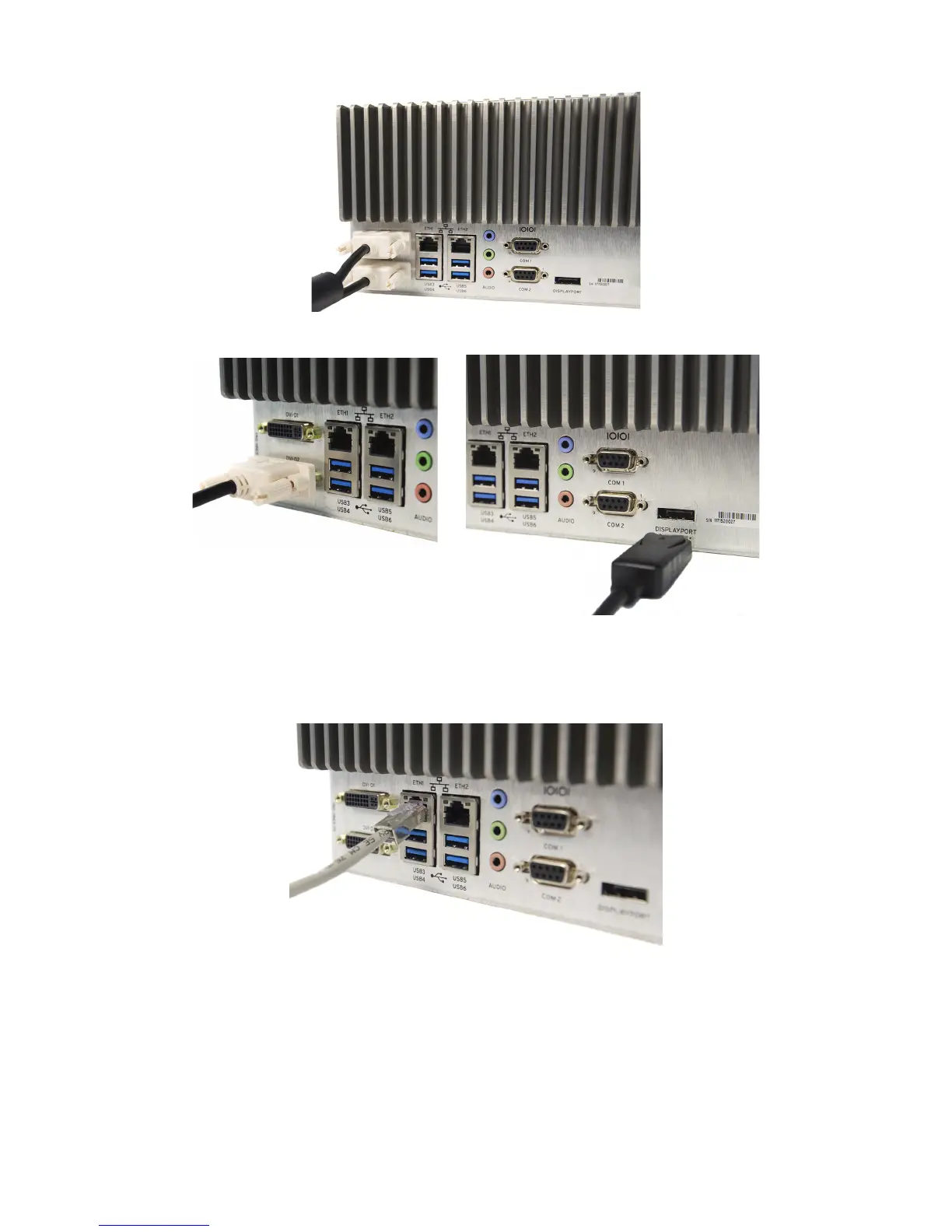
Figure 6 Dual DVI Connections
Figure 7 DVI-D With DisplayPort
Step 3. If you need network access, connect an Ethernet cable from a switch or router to either ETH1 or ETH2
as shown in Figure 8. Each port has two status indicator LEDs. The right LED illuminates yellow to
indicate a link or connection is present. The left LED flashes green during data transfer.
Figure 8 Ethernet Network Connection
Advanced features like Preboot eXecution Environment (PXE), Wake-on-LAN (WOL), or Intel
®
Active Management Technology (AMT) use ETH1. See the SEL-3355-2 Instruction Manual for more
details.
Step 4. If you need a serial port connection, the SEL-3355-2 has two onboard serial ports with the
following specifications:
➤ Data rates: 300 to 115200
➤ Data bits: 5, 6, 7, and 8


 To Next Page