23
Resistance Level Quick Buttons- Shifts the resistance levels to the setting quickly during a workout
Achievement Indicator Lights- when a workout result is reviewed, the achievement indicator light will activate.
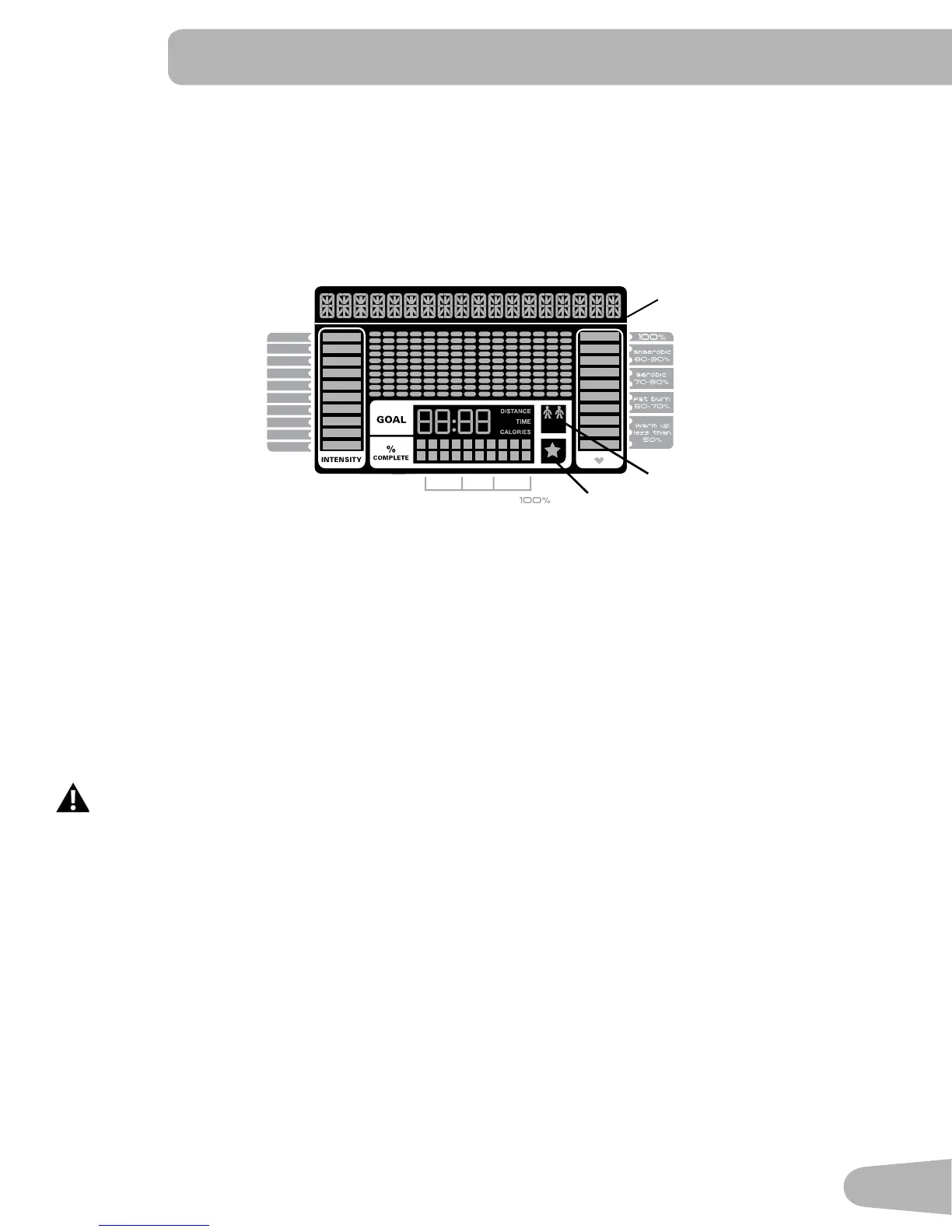
Schwinn Dual Track™ Display
Upper Display Data
Program Display
The Program Display shows information to the User and the grid display area shows the course profile for the program.
Each column in the profile shows one interval (workout segment). The higher the column, the higher the resistance level. The
flashing column shows your current interval.
Intensity Display
The Intensity Display shows the level of work at that moment based on the current resistance level.
Heart Rate Zone Display
The Heart Rate Zone shows which zone the current heart rate value falls into for the current User. These Heart Rate Zones
can be used as a workout guide for a certain target zone (anaerobic, aerobic, or fat burn).
Consult a physician before you start an exercise program. Stop exercising if you feel pain or tightness in
your chest, become short of breath, or feel faint. Contact your doctor before you use the machine again.
Use the values calculated or measured by the machine’s computer for reference purposes only.
Note: If no heart rate is detected, the display will be blank.
Goal Display
The Goal Display shows the currently selected type of goal (Distance, Time or Calories), the current value to achieve the goal,
and the percent completed toward the goal.
User Display
The User Display shows which User Profile is currently selected.
Achievement Display
The Achievement Display activates when a workout goal is reached or a workout milestone is surpassed from past workouts.
The Console display will congratulate and inform the User of their achievement, along with a celebratory sound.
10%
40%
70%
1
2
3
4
5
6
7
8
9
10
User Display
Achievement Display
Program Display




 To Next Page