EasyManua.ls Logo

Schwinn IC8 - User Manual

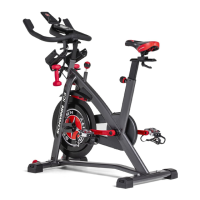
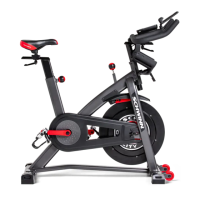
Schwinn IC8
28 pages
Print Icon
To Next Page IconTo Next Page
Loading...
ASSEMBLY MANUAL / OWNER’S MANUAL
IC4 / IC8
Workout with Other Fitness Apps
This tness machine has integrated Bluetooth
®
connectivity which allows it to work with a number of tness
apps. For our latest list of supported apps, please visit:
www.nautilus.com/partners

Questions and Answers

  • L
    Lisa RochaAug 14, 2025
    How to fix no speed or RPM reading on my Schwinn Exercise Bike?
    • E
      ereynoldsAug 14, 2025
      If your Schwinn Exercise Bike isn't displaying speed or RPM, check that all wires in the cable are intact and replace the cable if any are cut or crimped. Make sure the cable is securely connected and oriented properly, ensuring the latch lines up. Verify the speed sensor magnet is in place on the flywheel and that the speed sensor assembly is aligned with the magnet and connected to the data cable; realign the sensor if necessary, and replace it if damaged.
  • M
    Mary BrownAug 18, 2025
    What to do if Bluetooth heart rate is not displayed on my Schwinn IC8 Exercise Bike?
    • C
      Cindy BassAug 18, 2025
      If your Schwinn Exercise Bike operates but the Bluetooth Heart Rate isn't displayed, ensure the device is directly against your skin and the contact area is wet. If the device has replaceable batteries, install new batteries. Try moving the unit away from sources of interference like TVs or microwaves. If the heart rate still doesn't function after these steps, replace the device.
  • R
    Rebecca MoodyAug 21, 2025
    What to do if my Schwinn IC8 Exercise Bike has no display or a partial display?
    • D
      Donna MooreAug 21, 2025
      If your Schwinn Exercise Bike's display isn't working, ensure the unit is plugged into a functioning wall outlet. Check the adapter and connection for damage, replacing them if necessary. Make sure all wires in the cable are intact, replacing the cable if any are crimped or cut. Verify the cable is securely connected and properly oriented, with the small latch on the connector lined up and snapped into place. Inspect the console display for cracks or damage, replacing the console if damaged. If the console has a partial display and all connections are fine, replace the console.
  • M
    Michele HaasAug 25, 2025
    Why does my Schwinn IC8 console shut off while I'm using it?
    • M
      Matthew ShepardAug 25, 2025
      If your Schwinn Exercise Bike console shuts off during use, first ensure the unit is plugged into a functioning wall outlet and that the connection is secure and undamaged; replace the adapter or connection if necessary. Check the cable for any cuts or crimps and replace it if damaged. Make sure the cable is securely connected and properly oriented, with the latch lined up. Try unplugging the unit from the electrical outlet for 3 minutes, then reconnect it. Also, check that the magnet is in place on the pulley and that the speed sensor is aligned with the magnet and connected to the data cable; realign the sensor if needed, and replace it if damaged.
  • D
    David GomezAug 27, 2025
    Why is the speed always zero or stuck in pause mode on my Schwinn Exercise Bike?
    • C
      Carlos MitchellAug 27, 2025
      If the speed displayed on your Schwinn Exercise Bike is always “0” or stuck in pause mode, make sure the data cable is connected to both the console and the main frame assembly. Also, check that the RPM sensor magnet and the RPM sensor are in place.
  • J
    James ClementsAug 31, 2025
    What causes loose pedals or difficult pedaling on my Schwinn Exercise Bike?
    • C
      Courtney BradyAug 31, 2025
      If the pedals on your Schwinn Exercise Bike are loose, the unit is difficult to pedal, or the pedals seem to skip, ensure the pedal is tightened securely to the crank arm, making sure the connection is not cross-threaded. Also, confirm that the crank arm is tightened securely to the axle.
  • R
    Ronald BondSep 3, 2025
    How to stop my Schwinn IC8 Exercise Bike from rocking or being unlevel?
    • T
      triciacarrSep 3, 2025
      If your Schwinn Exercise Bike rocks or doesn't sit level, the levelers may be turned to level the machine. However, the adjustment may not compensate for extremely uneven surfaces, so move the machine to a level area.
  • R
    Robert TurnerSep 6, 2025
    How to fix seat post movement on Schwinn Exercise Bike?
    • J
      Jamie ButlerSep 6, 2025
      If you're experiencing seat post movement on your Schwinn Exercise Bike, ensure the adjustment pin is locked into one of the seat post adjustment holes and that the knob is securely tightened.
  • E
    ellisonwilliamSep 9, 2025
    Why is there a clicking sound when pedaling my Schwinn IC8 Exercise Bike?
    • C
      Caitlin GarzaSep 10, 2025
      If you hear a clicking sound when pedaling your Schwinn Exercise Bike, remove the pedals, make sure there is no debris on the threads, and then reinstall the pedals.

Summary

IMPORTANT SAFETY INSTRUCTIONS

SAFETY WARNING LABELS AND SERIAL NUMBER

SPECIFICATIONS AND ASSEMBLY PREPARATION

Specifications

Lists key technical specifications like user weight, machine weight, and dimensions.

PARTS LIST

ASSEMBLY INSTRUCTIONS

Attach Stabilizers to Frame

Instructions for securing the front and rear stabilizers to the main frame.

Attach Pedals to Frame

Attach Seat Post and Handlebar Post

Guidance on connecting the seat post and handlebar post to the frame assembly.

BEFORE YOU START

FEATURES OVERVIEW

Console Features

Emergency Stop

Explanation of how to use the emergency brake/resistance knob to stop the machine.

Bluetooth Heart Rate System

OPERATIONS

MAINTENANCE GUIDELINES

Checking and Adjusting Drive Belt Tension

Steps to check drive belt tension and adjust it if slipping occurs.

TROUBLESHOOTING

No Display or Unit Not Turning On

Troubleshooting steps for power-related issues or a blank display.

PRODUCT WARRANTY INFORMATION

Warranty Coverage and Terms

Explains what the warranty covers, its duration, and applicable terms.

Schwinn IC8 Specifications

General IconGeneral
BluetoothYes
Product typeSpin bicycle
Product colorBlack
Resistance systemMagnetic
Saddle adjustmentVertical/Horizontal
Maximum user weight149.7 kg
Number of resistance levels100
Training displayed parametersHeart rate
Display typeLCD
Weight and Dimensions IconWeight and Dimensions
Depth1237 mm
Width539 mm
Height1316 mm
Weight48100 g

Videos

How to connect your Schwinn IC8 to the Peloton App

Related product manuals