EasyManua.ls Logo

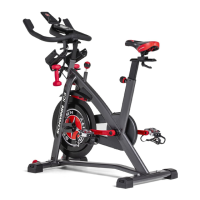
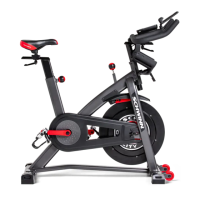
Schwinn IC2 - User Manual

Schwinn IC2
66 pages
Print Icon
To Next Page IconTo Next Page
Loading...
Schwinn
®
IC2 Bike
Service Manual
004-4774.070118.C
Service Manual
Section Code Section Page Number
1 Important Safety Instructions 2
1 Safety Warning Labels and Serial Number 3
1 Reading the Serial Number 3
1 Specifications 4
1 Maintenance 4
1 Moving the Machine 6
1 Leveling the Machine 6
1 Troubleshooting 7
1 Console Service Mode 8
1 Maintenance Parts Exploded View 9
1 Replacement Procedure Skill Level 10
Mechanical Procedures 11
2 Brake Lubrication 11
3 Brake Adjustment 14
4 Chain Tension Adjustment 16
Part Replacement 20
5 Pedals 20
6 Console 22
7 Handlebars and Handlebar Post 24
8 Brake Cover 27
9 Brake Assembly and Resistance Knob Assembly 29
10 Left Crank Arm 32
11 Speed Sensor 35
12 Chain Guard Covers 39
13 Retainer Clips 41
14 Drive Chain 45
15 Flywheel Assembly 52
16 Right Crank Arm and Sprocket Drive 60
Table of Contents
Nautilus, Inc., www.NautilusInc.com, 5415 Centerpoint Parkway, Groveport, OH 43125 U.S.A. - Customer Service: North America (800) 605-3369, csnls@nautilus.com | outside U.S.
www.nautilusinternational.com | © 2013 Nautilus, Inc. | ® indicates trademarks registered in the United States. These marks may be registered in other nations or otherwise protected by
common law. Schwinn and the Schwinn logo are trademarks owned by or licensed to Nautilus, Inc. | ORIGINAL DOCUMENT - ENGLISH VERSION ONLY
8019183.070118.A

Questions and Answers

  • E
    Emily CostaAug 12, 2025
    Why won't my Schwinn IC2 console power on?
    • R
      reyesmichaelAug 12, 2025
      First, ensure the batteries are correctly installed, and if they are, try replacing them with a new set. Next, inspect the cable for any visible damage like crimps or cuts; replace the cable if damaged. Also, check that the cable is securely connected and properly oriented, ensuring the small latch on the connector lines up and snaps into place. Finally, examine the console display for cracks or damage, and replace the console if necessary. If problems persist, contact Customer Care.
  • J
    Jonathan GuerreroAug 16, 2025
    What to do if the speed displayed is not accurate on my Schwinn Exercise Bike?
    • L
      Linda WallerAug 16, 2025
      If the speed displayed on your Schwinn Exercise Bike isn't accurate, it might be set to the wrong unit of measure. Try changing the display units from English to Metric or vice versa.
  • C
    Cheryl KingAug 20, 2025
    What to do if there is no speed/RPM reading on my Schwinn IC2 Exercise Bike?
    • C
      Corey JenkinsAug 20, 2025
      Check the cable for any cuts or crimps and replace it if damaged. Ensure the cable is securely connected and properly oriented, making sure the latch on the connector snaps into place. Verify the magnet is in place on the pulley. Also, check that the RPM sensor is aligned with the magnet and connected to the data cable; realign the sensor if needed or replace it if damaged.
  • J
    Jennifer HuynhAug 25, 2025
    How to fix seat post movement on Schwinn IC2?
    • A
      Amy HansenAug 25, 2025
      Ensure that the adjustment pin is locked into one of the seat post adjustment holes. Also, make sure the knob is securely tightened.
  • D
    Darrell HensleyAug 27, 2025
    Why does my Schwinn IC2 console shut off while in use?
    • B
      Brenda BrownAug 27, 2025
      Make sure all wires in the cable are intact, and replace the cable if any are cut or crimped. Ensure the cable is securely connected and properly oriented, with the small latch on the connector lined up and snapped into place. Also, verify that the magnet is in place on the pulley. If the issue continues, contact Customer Care.
  • M
    Mary HuffAug 31, 2025
    How to stop my Schwinn IC2 Exercise Bike from rocking?
    • G
      Glenn TaylorAug 31, 2025
      Adjust the leveling feet by turning them in or out to level the bike. If the surface is extremely uneven, move the bike to a more level area.
  • A
    Albert FletcherSep 4, 2025
    What to do if pedals are loose on Schwinn IC2?
    • W
      William JenkinsSep 4, 2025
      Ensure the pedal is securely tightened to the crank, being careful not to cross-thread the connection. Also, make sure the crank is securely tightened to the axle.
  • J
    Jessica BrownSep 7, 2025
    What causes rattling sound when pedaling Schwinn Exercise Bike?
    • A
      Ashley RodriguezSep 7, 2025
      Check the chain tension by opening the chain guard door to inspect the chain. The tension should not be too loose or too tight. Contact Customer Care for assistance.

Summary

General Information and Safety

Important Safety Instructions

Critical safety guidelines and warnings before servicing or using the equipment.

Safety Warning Labels and Serial Numbers

Details warning labels and explains serial number formats for identification.

Troubleshooting

Lists common issues, causes, and solutions for the bike.

Console Service Mode

Accessing and using the console's service mode for settings and statistics.

Specifications

Machine Dimensions and Weight Limits

Outlines physical dimensions and maximum user weight capacity of the bike.

Maintenance Procedures

Routine Maintenance Schedule

Schedule for daily, weekly, and monthly cleaning, checks, and lubrication.

Chain Lubrication Guide

Instructions on how to properly lubricate the drive chain with lithium grease.

Console Battery Replacement

Guide on replacing AA batteries for the console, including precautions.

Moving and Leveling the Bike

Instructions on safely moving and leveling the bike before use.

Maintenance Parts Exploded View

Component Identification Guide

Illustrated breakdown of bike components with a parts list.

Lubricate the Brake Pad

Brake Pad Lubrication Steps

Step-by-step guide for lubricating the brake pad, including tools and safety.

Adjust the Brake Assembly

Brake Assembly Adjustment Procedure

Instructions on how to properly adjust the brake assembly for correct resistance.

Adjust the Chain Tension

Chain Tension Adjustment Steps

Detailed steps to adjust the drive chain tension for proper functionality.

Replace the Pedals

Pedal Replacement Guide

Guide on how to safely remove and install new pedals on the bike.

Replace the Console

Console Replacement Procedure

Instructions for replacing the bicycle's console unit, including battery installation.

Replace Handlebar and Post

Handlebar and Post Replacement Steps

Procedures for replacing the handlebar and its supporting post.

Replace the Brake Cover

Brake Cover Replacement Guide

Steps to remove and replace the protective cover for the brake mechanism.

Replace Brake Assembly and Resistance Knob

Brake Assembly and Knob Replacement Steps

Detailed instructions for replacing the brake assembly and resistance knob.

Replace the Left Crank Arm

Left Crank Arm Replacement Procedure

Steps for removing and installing the left crank arm.

Replace the Speed Sensor

Speed Sensor Replacement Guide

Guide on replacing the speed sensor that measures pedaling speed.

Replace Chain Guard Covers

Chain Guard Cover Replacement Steps

Instructions for replacing the chain guard covers for protection and aesthetics.

Replace Flywheel Retainer Clips

Flywheel Retainer Clip Replacement Procedure

Procedure for replacing clips that secure the flywheel assembly.

Replace the Drive Chain

Drive Chain Replacement Guide

Step-by-step guide for removing and installing a new drive chain.

Replace the Flywheel Assembly

Flywheel Assembly Replacement Steps

Instructions for removing and installing the entire flywheel assembly.

Replace Right Crank Arm; Sprocket Drive

Right Crank Arm;Sprocket Drive Replacement Procedure

Procedure for replacing the right crank arm and the attached sprocket drive.

Schwinn IC2 Specifications

General IconGeneral
Product typeSpin bicycle
Transport wheelsYes
Saddle adjustmentHorizontal
Maximum user weight113 kg
Training displayed parametersCalories, Distance, Evolutions per minute (RPM), Speed, Time
Standard heart rate measurementNo
Resistance controlInfinitely
Weight and Dimensions IconWeight and Dimensions
Depth1140 mm
Width580 mm
Height1250 mm
Weight38000 g
Flywheel weight14061.4 g

Related product manuals