A
B
F
D
C
E
G
H
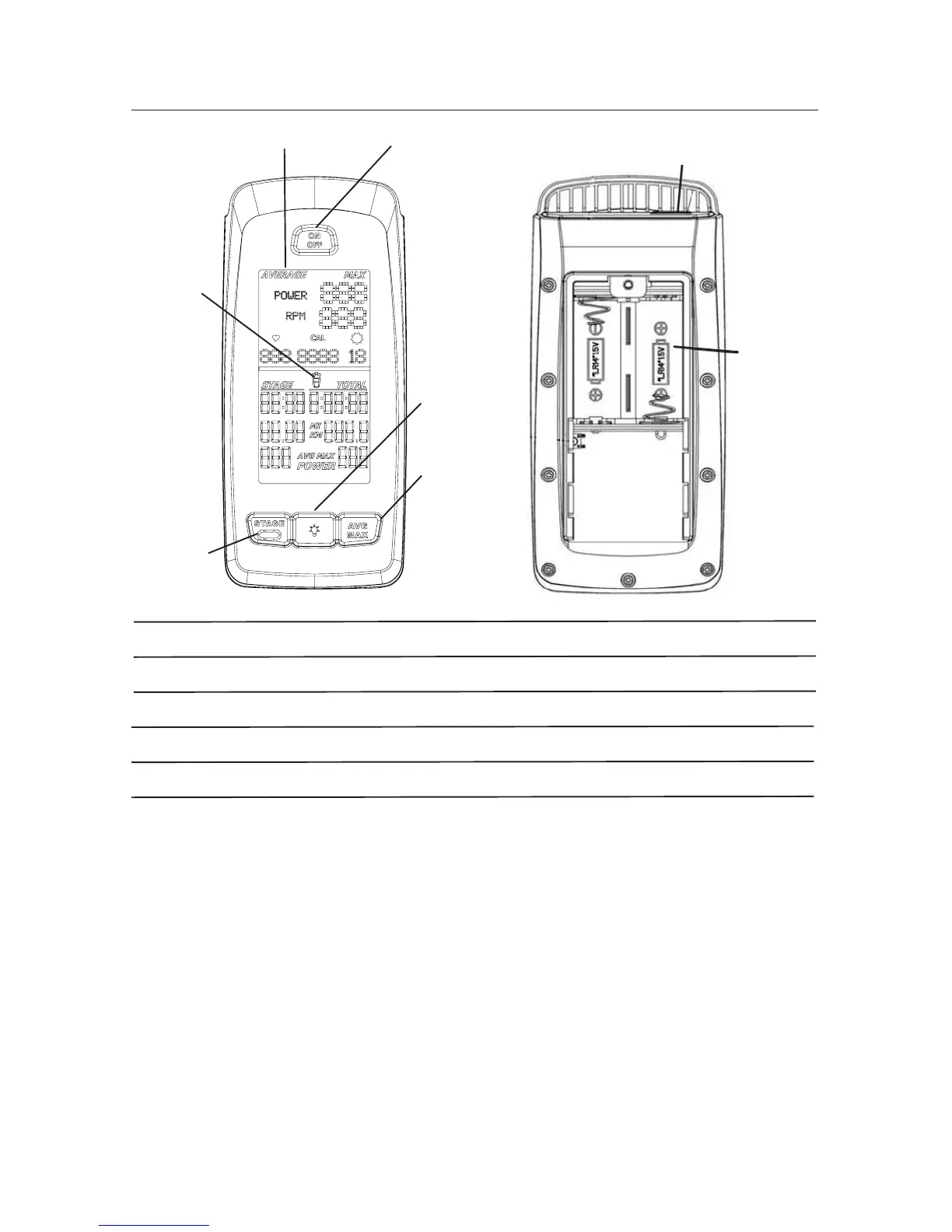
A Backlit LCD Display
B ON/OFF Button
C AVG/MAX Button
D Backlight Button
E STAGE Button
F Battery Level
G USB Port
H Battery Bay
Backlit LCD Display
During the workout, the multi-function, backlit LCD shows your workout measurements,
results, user setup data and console diagnostics.
To turn on the backlight, push the Backlight button. The backlight turns off after 10 seconds
to conserve the batteries. This backlight setting can be adjusted in the Service menu.
Heart Rate Monitor
The console receives heart rate data from the heart rate monitor (HRM).
The console can read heart rate data from an ANT+ 2.4GHz or Polar® compatible
5kHz wireless chest strap.
ANT+ 2.4GHz Wireless
The A
NT+ 2.4GHz Wireless Heart Rate Monitor (HRM) sends heart rate data to the
console after proximity linking occurs during the User Setup. The console can read the



 To Next Page