9
Power (Watts) Sensor
The Power sensor is an optional upgrade. The power sensor calculates rider Power
(Watts) production from the brake resistance mechanism.
For detailed instructions on how to install the Echelon2 console, RPM sensor, and
optional power upgrade kit, refer to the Installation Instructions included on the
CD that is in the console kit. Or go to the Schwinn Equipment website at www.
schwinnequipment.com/customer-resources and search for product information on
the Echelon2.
Pause Mode
The computer will go into Pause mode when the user stops pedaling. It will remain in Pause
mode for 5 minutes unless the rider begins pedaling. While in Pause mode, the timer will
continue running; however the computer will stop calculating Avg Power, Avg RPM, and Avg
HR. The computer will go back to Ride mode if the user starts pedaling within the 5 minutes.
If the user does not begin pedaling after 5 minutes have elapsed, the computer will enter
Summary mode. The computer will remain in Summary mode for 2 minutes, during which
time the display will flash ride results including Avg and Max values.
Use the appropriate instruction for monitoring equipment.
• USB storage device --install the device in the USB port.
HRM
Watch
Operations
User Setup Mode
In User Setup Mode the console collects user data to calculate and record workout data.
Proximity linking to the user’s HRM or A
NT+ watch also occurs while in User Setup.
Note: If you have an A
NT+ Sport Watch and paired ANT+ HRM, it is only necessary for
the console to link with the sport watch. However, if you have an
ANT+ Sport Watch and
EM 5kHz HRM, the console links to the watch and the HRM.
Visit www.thisisant.com for a directory of compatible devices. The Schwinn console uses
the A
NT+ Fitness profile.
• A
NT+ watch --link to the console. Move the watch to 2”-4” (5-10 cm) or less
from the A
NT+ Link Here icon on the console and hold it there until
proximity linking is
complete.
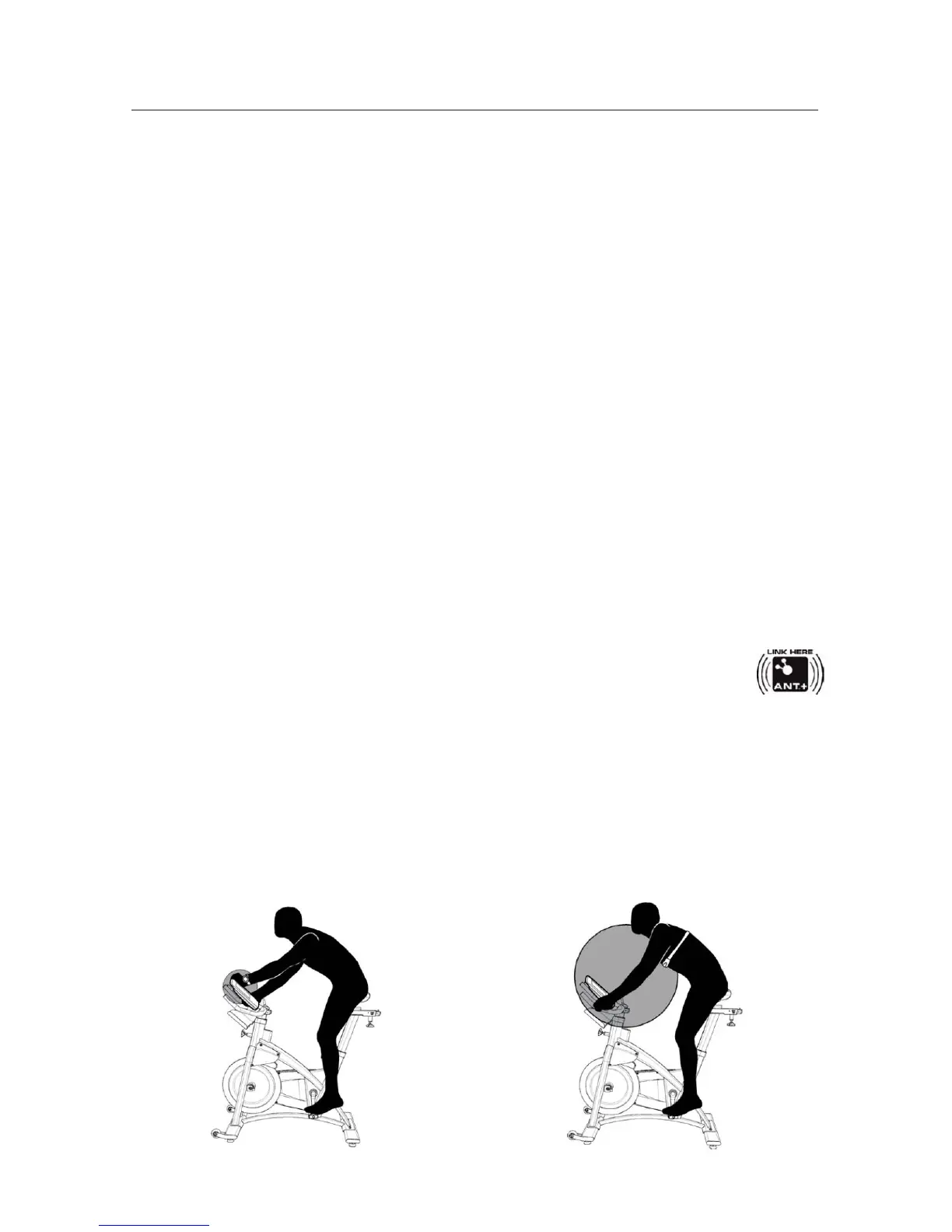
• ANT+ HRM --link to the console. Lean into the console so that the HRM is 7.5”-31”
(20-80 cm) from the A
NT+ Link Here logo, until a value is displayed.
ANT+



 To Next Page