16
Console Features
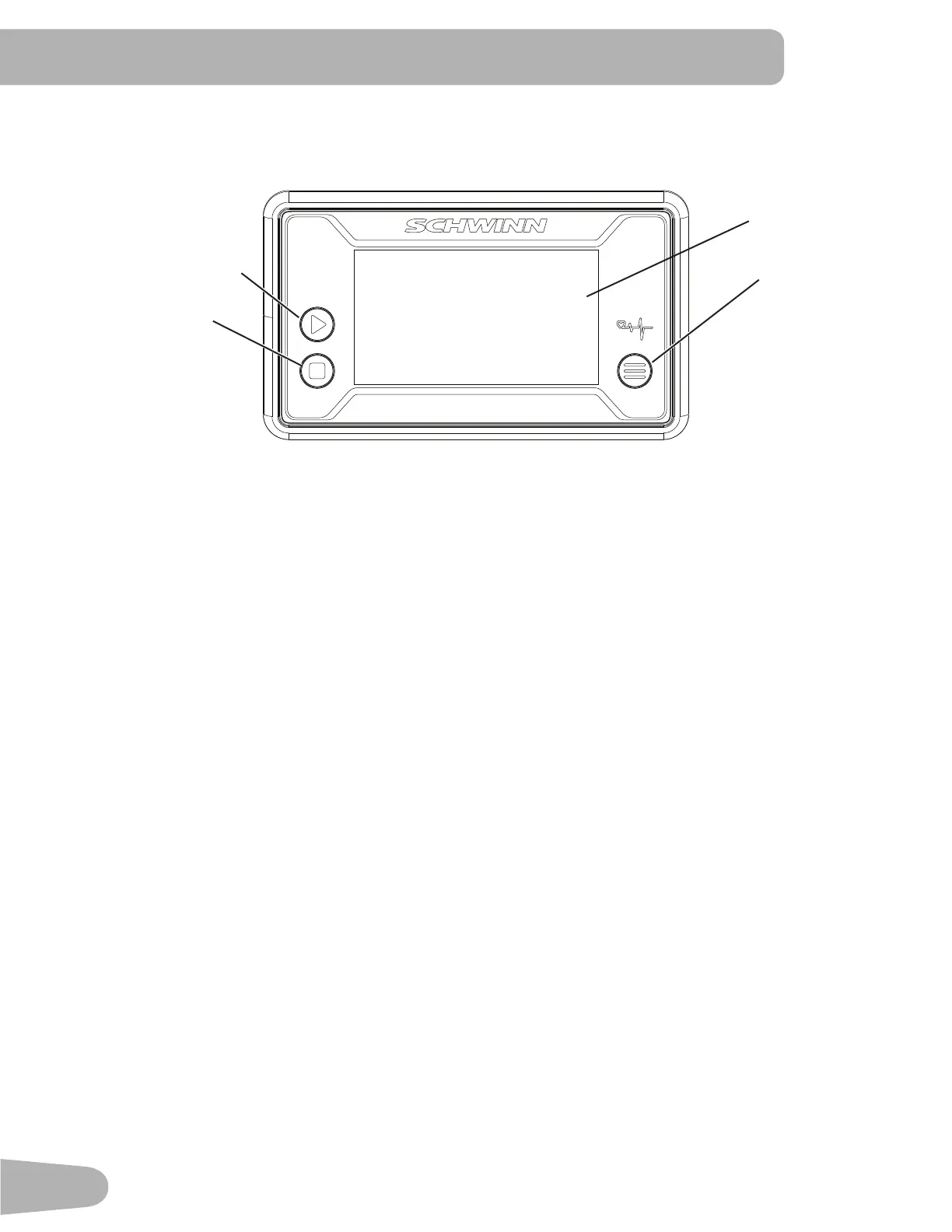
The Console provides information about your workout on the display screens.
Keypad Functions
MODE button- Selects functions. Push and hold the button for 3 seconds to go to SCAN mode and cycle through the
functionsautomatically—TIME,CNT,DIST,TOTAL,CAL,RPM,PULSE.Eachfunctionisdisplayedfor6seconds.Toexit
SCAN mode, push the MODE button.
SETbutton-Setsthevalue(TIME,COUNT,DISTANCE,CALORIES).
RESET button- Push to reset TIME, COUNT, DISTANCE, CALORIES.
The console will beep when a button is pushed.
Program Data Display
TIME
TheTIMEdisplayeldshowstherowingtimefromstarttonishofworkout.Tosetatimegoalfortheworkout,push
MODEuntilTIMEappears.PushSETtosetthetimegoal(minutes).Duringtheworkout,thedisplayshowstheremaining
time. When it reaches zero, the console will sound an alert.
Themaximumtimeis99minutesand59seconds.
COUNT (CNT)
TheCNTdisplayeldshowsthenumberofrowingstrokesfromstarttonishofworkout.Tosetagoalfortheworkout,
push MODE until CNT appears. Push SET to set the rowing strokes in increments of 10. During the workout, the display
shows the remaining strokes. When it reaches zero, the console will sound an alert.
Themaximumcountis9999.
DISTANCE (DIST)
TheDISTdisplayeldshowstherowingdistancefromstarttonishofworkout.Tosetadistancegoalfortheworkout,
push MODE until DIST appears. Push SET to set the distance in increments of 0.10 km. During the workout, the display
shows the remaining distance. When it reaches zero, the console will sound an alert.
Themaximumdistanceis99.99km.
RESET
MODE
Data Display
SET



 To Next Page