WARNING! Electrical Shock Hazard. Be sure to turn off power to the module before
replacing the filter.
Required Materials
• Dust Filter
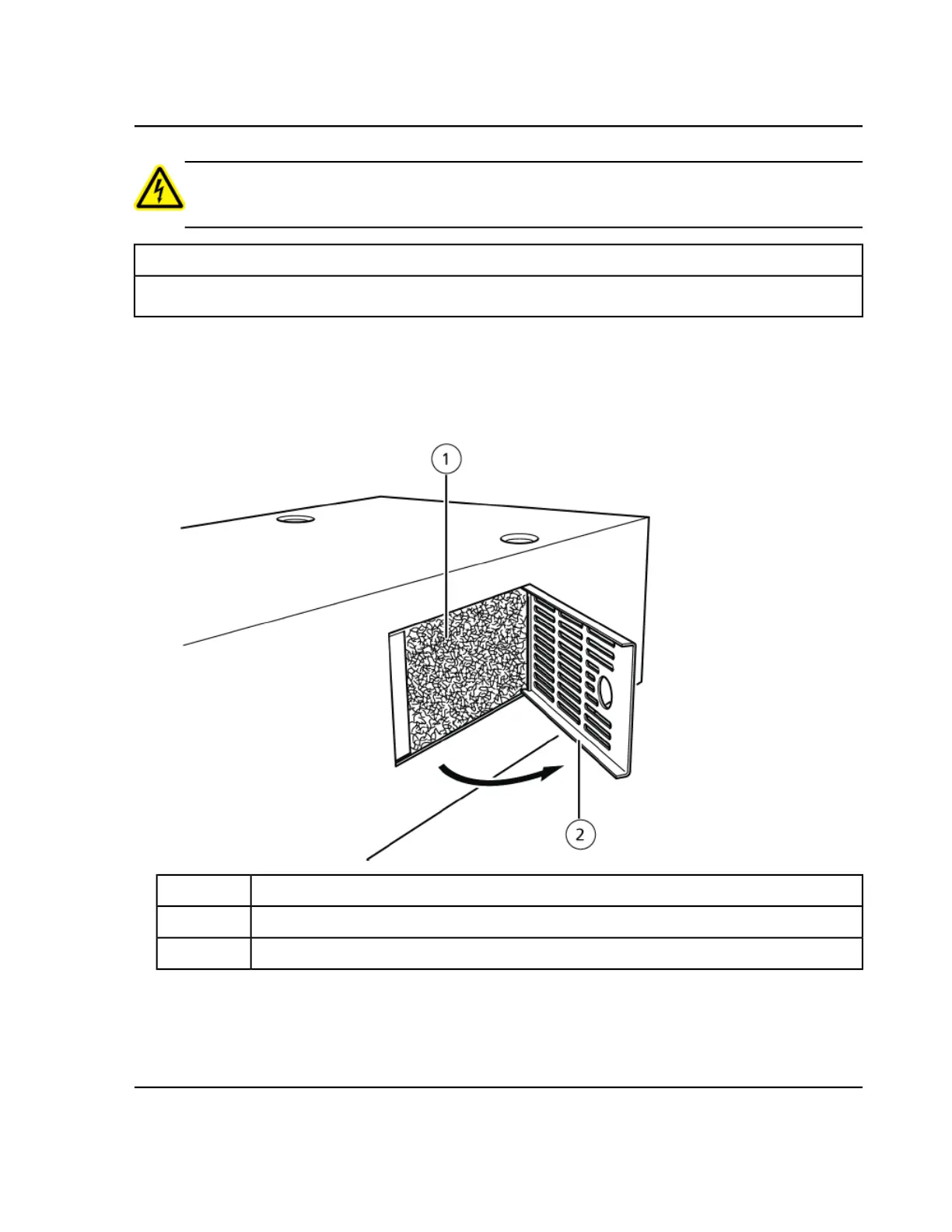
1. Hooking a finger into the hole in the filter cover on the right side, remove the filter cover, and then remove
the filter.
Figure 5-10 Opening the Cover
DescriptionItem
Dust filter1
Filter cover2
2. Replace the filter and then return the filter cover to its original position.
Align the catch on the filter cover with the chassis of the module when fitting the cover.
Operator GuideExionLC™ PDA Detector
RUO-IDV-05-1842-B32 of 47
Service and Maintenance Information


 To Next Page