WIRING INSTRUCTIONS
1. Disconnect the negative battery cable from the battery to avoid any short circuits.
2. Remove and unplug factory stereo. (If needed, call Scosche Tech Support 1 (800) 621-3695 x3 for
stereo removal steps.)
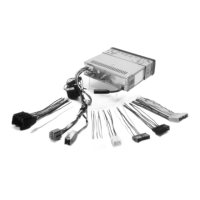
3. Match and connect the appropriate wires from the FD5000SW harness to the appropriate wires of the
plugprovidedwithyourstereo.Forexample,connecttheyellow+12VConstantleadfromyourstereo
to the yellow wire of the FD5000SW harness. (See wiring diagram section for additional information.)
NOTE: If your vehicle is equipped with steering wheel controls and you are installing a compatible aftermarket
stereo,seepages8-9forconnectioninformation.
4. NotethattheRED+12Vaccessorywireandtheorangeilluminationwireforyouraftermarketstereoare
coming from the FD5000SW module itself, not the vehicle harness.
5. If your aftermarket stereo does not have all matching color-coded wires for the FD5000SW interface
harness, then cap or tape unused wires separately to avoid short circuits.
6. Reconnectthenegativebatterycable,closealldoorsandremovethekeyfromvehicleignition.
7. Allowthevehicletocometoa“resting”or“sleep”stateforafewminuteswithoutanykeyinserted,
door/hood/trunk open and all vehicle accessories turned to the OFF position.
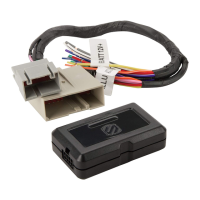
8. Connectthesmallblack8-pinharnesstotheFD5000SW interface module (black plastic box).
9. Connect the FD5000SW connector to the Factory Harness.
10.Asyouinstallyournewstereo,placetheFD5000SW interface module in the dash cavity.
(Optional: Cable ties or double sided tape can be used to secure the module, but are not included)
5


 To Next Page