May 2008
Page 58
CU1526, CU2026, CU3030
Service Manual
Removal and Replacement
Fan Blade and/ or Motor
1. Disconnect electrical power.
2. Go thru all steps to remove the ice storage bin.
3. Unplug fan motor from harness.
4. Remove four 3/8" hex head cap screws
securing fan motor brackets to shroud.
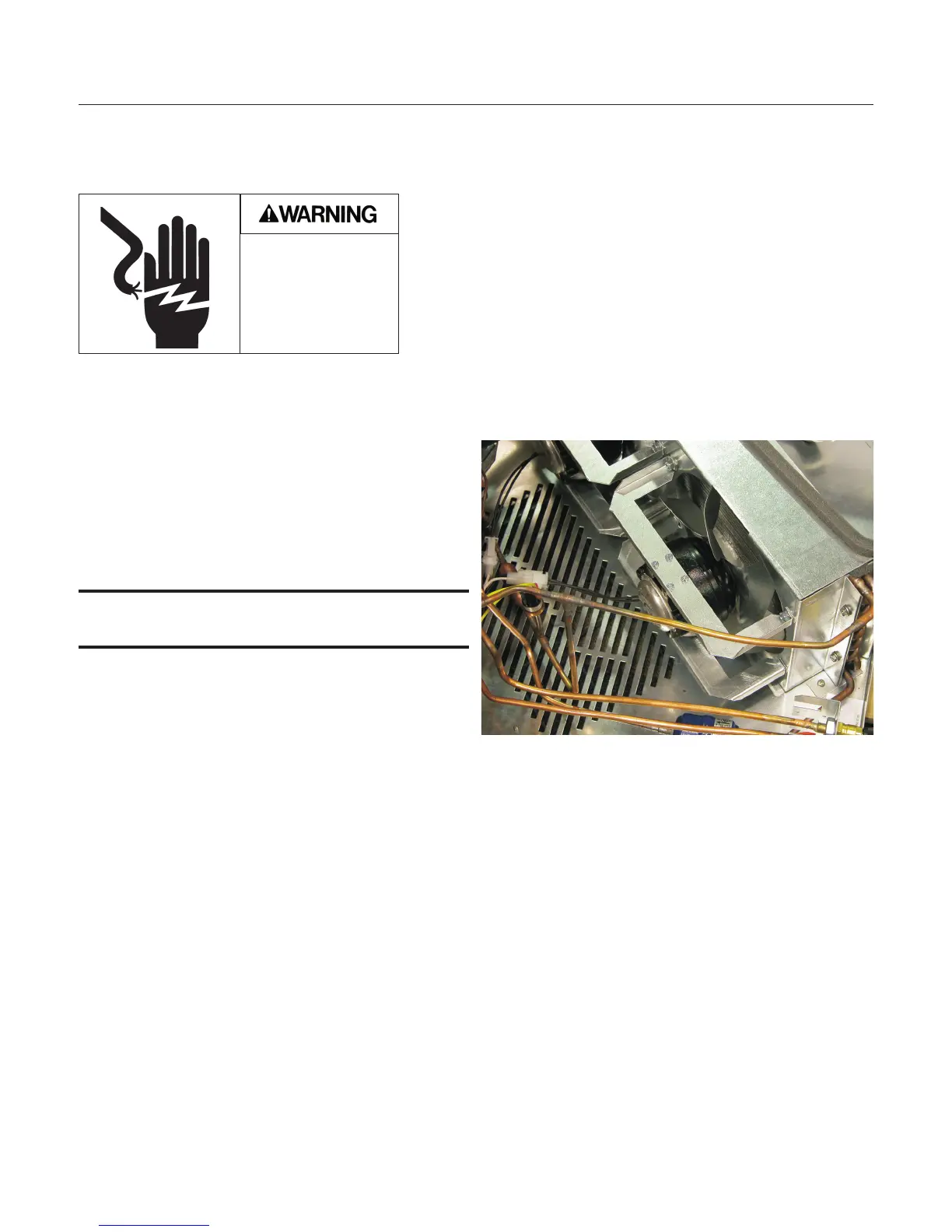
5. Remove fan blade. If installing new fan blade,
replace blade at this point and reverse to
reassemble.
Note: Fan blade mounts so it is cupped to blow air
into condenser. See photo.
6. Remove mounting screws securing fan motor
to brackets.
7. Replace fan motor.
8. Attach fan blade to motor.
9. Return brackets to motor.
10. Reattach fan motor assembly to shroud.
11. Reconnect fan motor.
12. Return bin to chassis.
13. Reconnect power, restart unit. Check operation.
Electrical Shock
Hazard.
Disconnect electrical
power before
beginning removal
procedure.
Fan Blade or Motor Replacement



 To Next Page