Page 13 of 20
VI. TURNING OFF THE MACHINE
Switch off the appliance by pressing the Power ON/OFF button.
VII. AUTO-SHUT OFF
The Appliance is equipped with auto-shut off function (see D. FURTHER SETTING – III. MODE
SELECTION). The default auto-shut off time varies with the mode selected.
D. FURTHER SETTING
I. ADJUSTIING THE VOLUME OF YOUR COFFEE / HOT WATER
The desired volume of Espresso, Lungo and hot water can be memorized, ranging from 25ml to
250ml.
1. To make your coffee (either Espresso or Lungo) or dispense hot water, press and hold the
relative button, the appliance will make the drink.
2. When the drink reaches your desired volume, release the button. Two beep sounds will be
heard which indicates that the volume is memorized. You can get the exact volume of
coffee every time during future use.
3. Reset the volume to factory setting by selecting default setting (see D. FURTHER SETTING -
III. MODE SELECTION)
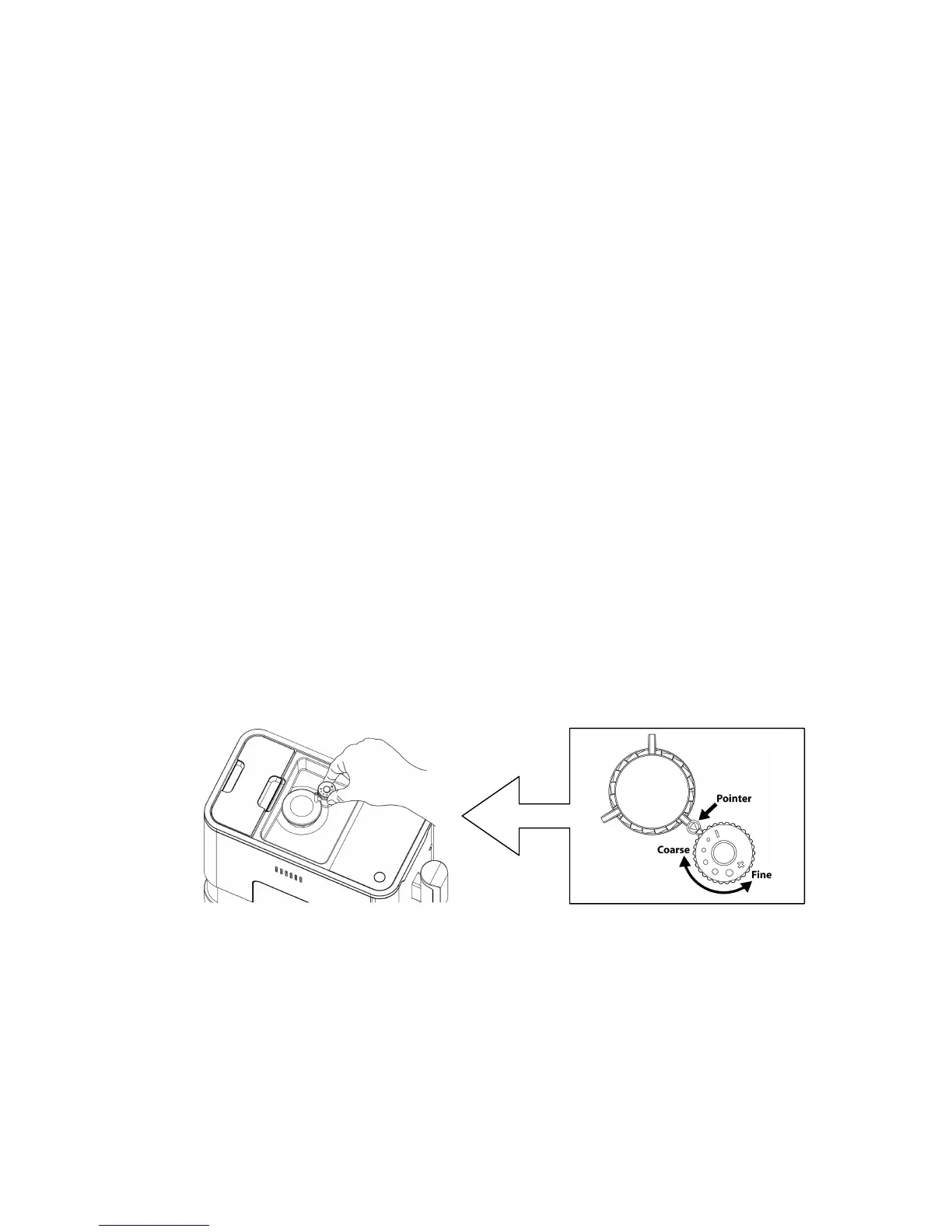
II. GRINDING ADJUSTMENT
You can adjust the grind size to suit your coffee taste by turning the knob in the coffee beans
container:
1. Only turn the knob for adjustment when grinder is in operation.
Caution: Never adjust the grinding when the grinder is not operating. It can damage the
grinder.
2. The dots on adjuster knob indicate the grinding fineness. Turn the knob to the pointer,
clockwise for a coarser grind and counter-clockwise for a finer grind.


 To Next Page