EasyManua.ls Logo

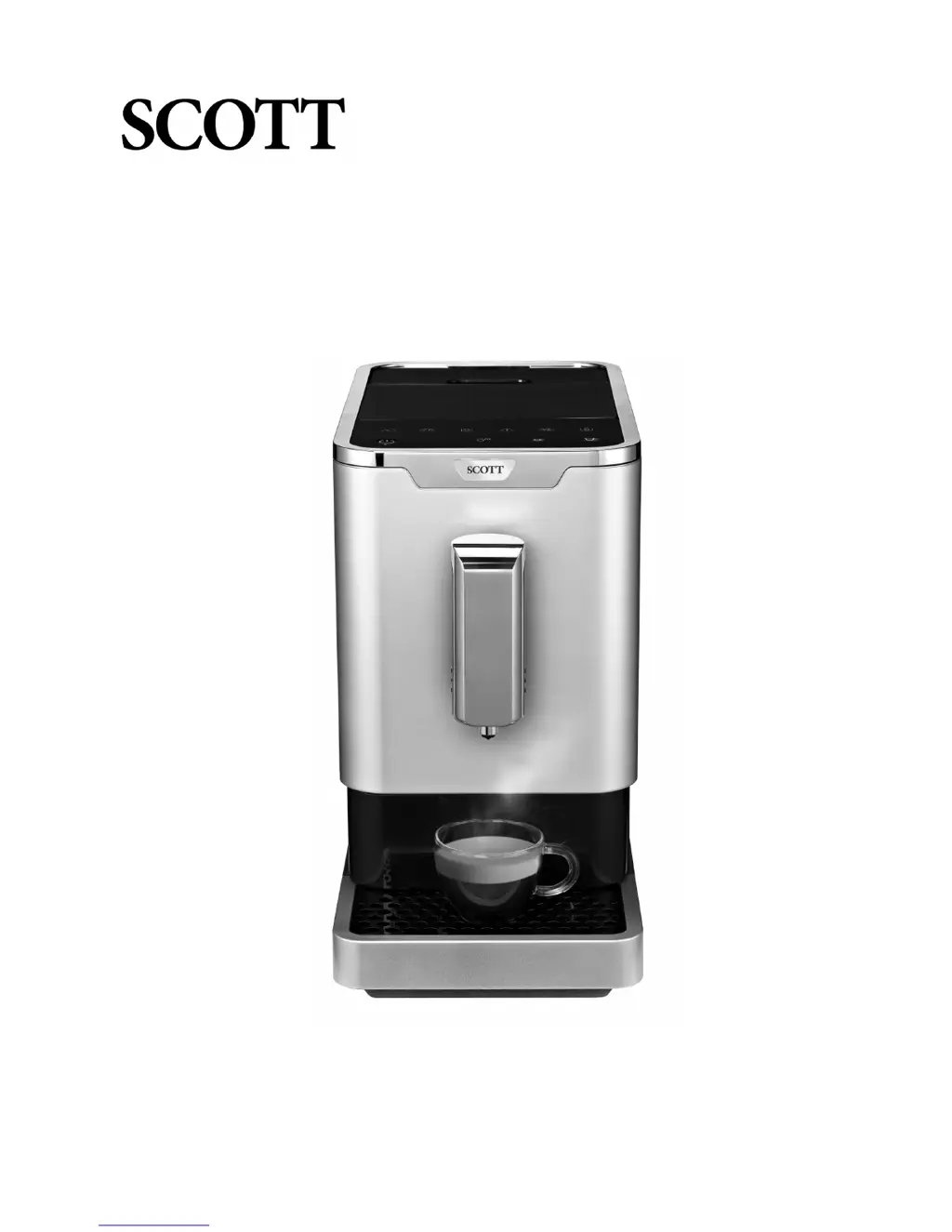
SCOTT SLIMISSIMO 20200 - User Manual

SCOTT SLIMISSIMO 20200
20 pages
Print Icon
To Next Page IconTo Next Page
Loading...
Page 1 of 20
SLIMISSIMO
Instruction Manual
Model no.: 20200

Questions and Answers

  • T
    Theresa KellerAug 15, 2025
    How to make my SCOTT SLIMISSIMO 20200 coffee hotter?
    • A
      astephensAug 15, 2025
      If your coffee isn't hot enough when using your Scott Coffee Maker, try these solutions: warm the cups beforehand and rinse the appliance at least three times before brewing.
  • A
    Anna WilliamsAug 18, 2025
    What to do if my Scott Coffee Maker delivers coffee too slowly?
    • J
      Jonathon ThorntonAug 18, 2025
      If your Scott Coffee Maker is delivering coffee too slowly, or just a drop at a time, the ground coffee might be too fine, blocking the water flow. Adjust the grind size to a coarser level.
  • M
    Michael JohnsonAug 21, 2025
    Why my SCOTT SLIMISSIMO 20200 Coffee Maker does not work?
    • K
      Katherine StevensonAug 21, 2025
      If your Scott Coffee Maker isn't working, make sure it's properly plugged into the mains supply and the cord and plug are in good condition. Then, press the Power ON/OFF button.
  • M
    Mrs. Rebecca ThompsonAug 25, 2025
    Why does my SCOTT SLIMISSIMO 20200 Coffee Maker take so long to heat up?
    • K
      Kristina MoralesAug 25, 2025
      If your Scott Coffee Maker is taking a long time to heat up, it's likely due to excessive scale buildup. Descale the appliance to resolve this issue.
  • E
    ethantaylorAug 27, 2025
    Why is the internal drip tray of my SCOTT SLIMISSIMO 20200 Coffee Maker filled with water?
    • S
      Sean McclureAug 27, 2025
      If the internal drip tray of your Scott Coffee Maker is filled with water, it is likely because the ground coffee is too fine, which blocks the water from coming out. Adjust the grind size to a coarser level.
  • A
    Andrew CameronAug 30, 2025
    What to do if my SCOTT SLIMISSIMO 20200 Coffee Maker panel keys are not responding?
    • S
      Samantha MartinezAug 30, 2025
      If you experience no or delayed response when pressing the function keys on your Scott Coffee Maker's panel, it could be due to electromagnetic interference or dirt on the panel. Try unplugging the appliance and restarting it after a few minutes. Also, clean the panel with the provided cloth.
  • P
    Philip SpenceSep 2, 2025
    Why doesn't my SCOTT SLIMISSIMO 20200 Coffee Maker coffee have cream?
    • L
      lisacontrerasSep 2, 2025
      If your coffee from Scott Coffee Maker has no cream, it might be because the coffee beans are not fresh. Try using fresh coffee beans.
  • S
    Sharon SanchezSep 5, 2025
    Why is there no alert when the water tank is removed from my SCOTT SLIMISSIMO 20200?
    • K
      Kimberly JohnsonSep 5, 2025
      If there's no alert when the water tank is removed or the water level is low in your Scott Coffee Maker, the area near the water tank connector might be wet. Wipe the water around the water tank connector.
  • P
    pbellSep 8, 2025
    Why is the first cup of coffee from my SCOTT SLIMISSIMO 20200 so poor?
    • C
      Christopher HortonSep 8, 2025
      If the first cup of coffee from your Scott Coffee Maker is of poor quality, it may be because the first run of the grinder doesn't deliver enough ground coffee into the brewing unit. Make another cup; the quality should improve.
  • D
    danafloresSep 12, 2025
    What to do if coffee won't come out of my Scott Coffee Maker?
    • C
      Carolyn SingletonSep 12, 2025
      If coffee isn't coming out of the spout of your Scott Coffee Maker, it's possible the empty system function was used previously. Press the hot water button until water comes out of the spout.

Summary

Scott Slimissimo Coffee Machine Instruction Manual

Important Information

Safety Do Nots

Getting to Know Your Coffee Machine

General Description and Components

Overview of the coffee machine's parts and included accessories with numbered labels.

Control Panel and Indicator Lights

Button Functions and Indicator Meanings

Explanation of control panel buttons and the meaning of various indicator light states.

Machine Installation Guide

Initial Setup and Placement

Instructions for removing packaging, placing the appliance, and ensuring adequate clearance.

Inserting the External Drip Tray

Procedure for correctly inserting the external drip tray into the machine.

First Time Use and Initial Cleaning

Operating the Coffee Machine

Making Coffee

Step-by-step guide on preparing Espresso or Lungo coffee, including cup placement and spout adjustment.

Filling the Water Tank

Instructions on how to refill the water tank when the low water level indicator is flashing.

Filling the Coffee Bean Container

Dispensing Hot Water

Daily Cleaning Procedures

Cleaning Drip Trays and Grounds Container

Steps for removing and cleaning the external drip tray and coffee grounds container.

Removing and Cleaning the Brewer

Reassembling After Cleaning

Machine Settings and Adjustments

Turning Off and Auto-Shut Off

How to switch off the appliance and information on its auto-shut off function.

Adjusting Coffee and Hot Water Volume

Guide to memorizing desired volumes for Espresso, Lungo, and hot water.

Grinding Adjustment

Instructions on how to adjust coffee bean grind size using the internal knob while the grinder is operating.

Mode Selection (Default, ECO, Speed)

Cleaning and Maintenance

Descaling Procedure

Step-by-step guide for descaling the coffee machine using cleaning agent.

Empty System Function

Manual Rinsing Cycle

General Appliance Cleaning

Cleaning Coffee Grounds Outlet

Troubleshooting Common Issues

Appliance Not Working or Unresponsive

Solutions for when the appliance does not work or the control panel is unresponsive.

Coffee Temperature and Quality Issues

Troubleshooting problems related to coffee temperature, cream, and overall quality.

Coffee Delivery and Indicator Problems

Resolving issues with coffee delivery speed, blocked outlets, and indicator light malfunctions.

Water Delivery and Indicator Troubleshooting

Recycling Electricals

SCOTT SLIMISSIMO 20200 Specifications

General IconGeneral
Grinder typeStainless steel grinder
Product typeCombi coffee maker
Built-in grinderYes
Capacity in cups- cups
Number of spouts1
Coffee maker typeManual
Appliance placementCountertop
Water tank capacity1.1 L
Coffee beans capacity150 g
Maximum operating pressure19 bar
Reservoir for brewed coffee-
Control typeTouch
Product colorBlack, Stainless steel
AC input voltage220 - 240 V
AC input frequency50 \\ 60 Hz