13
en
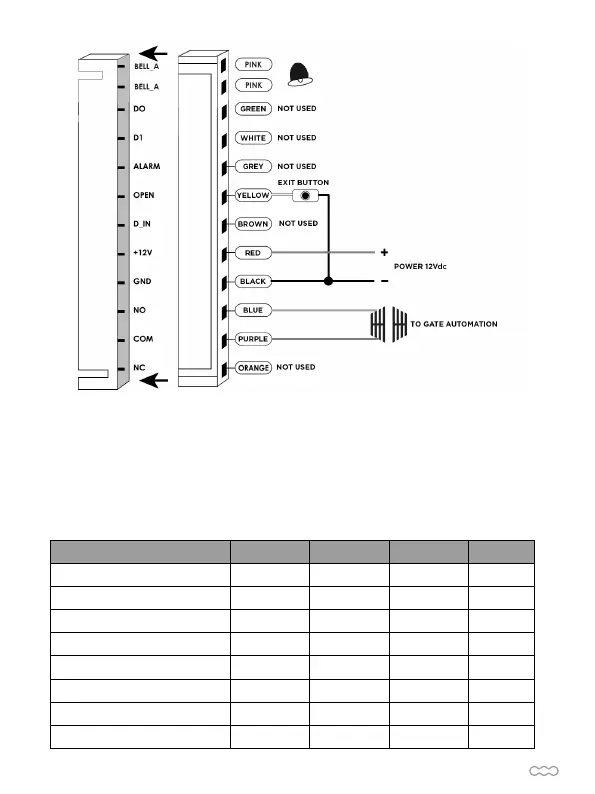
To gate automation
D- TO RESET TO FACTORY DEFAULT
E- INDICATIONS
a. Disconnect power from the unit
b. Press and hold # key whilst powering the unit back up
c. On hearing two “Di” release # key, system is now back factory settings
Please note only installer data is restored, user data will not be affected
.
Operation Status Red Light Green Light Yellow Light Buzzer
Open the door Bright DI
Stand by Bright
Press keypad DI
Operation successful Bright DI
Operation failed DI DI DI
Enter into programming mode Bright
In the programming mode Bright DI
Exit from the programming mode Bright DI


 To Next Page