EN ::: 29
EN
OPENING TWO LEAVES (the complete gate)
1- Take a remote control
2- Stand in front of the open electrical cabinet
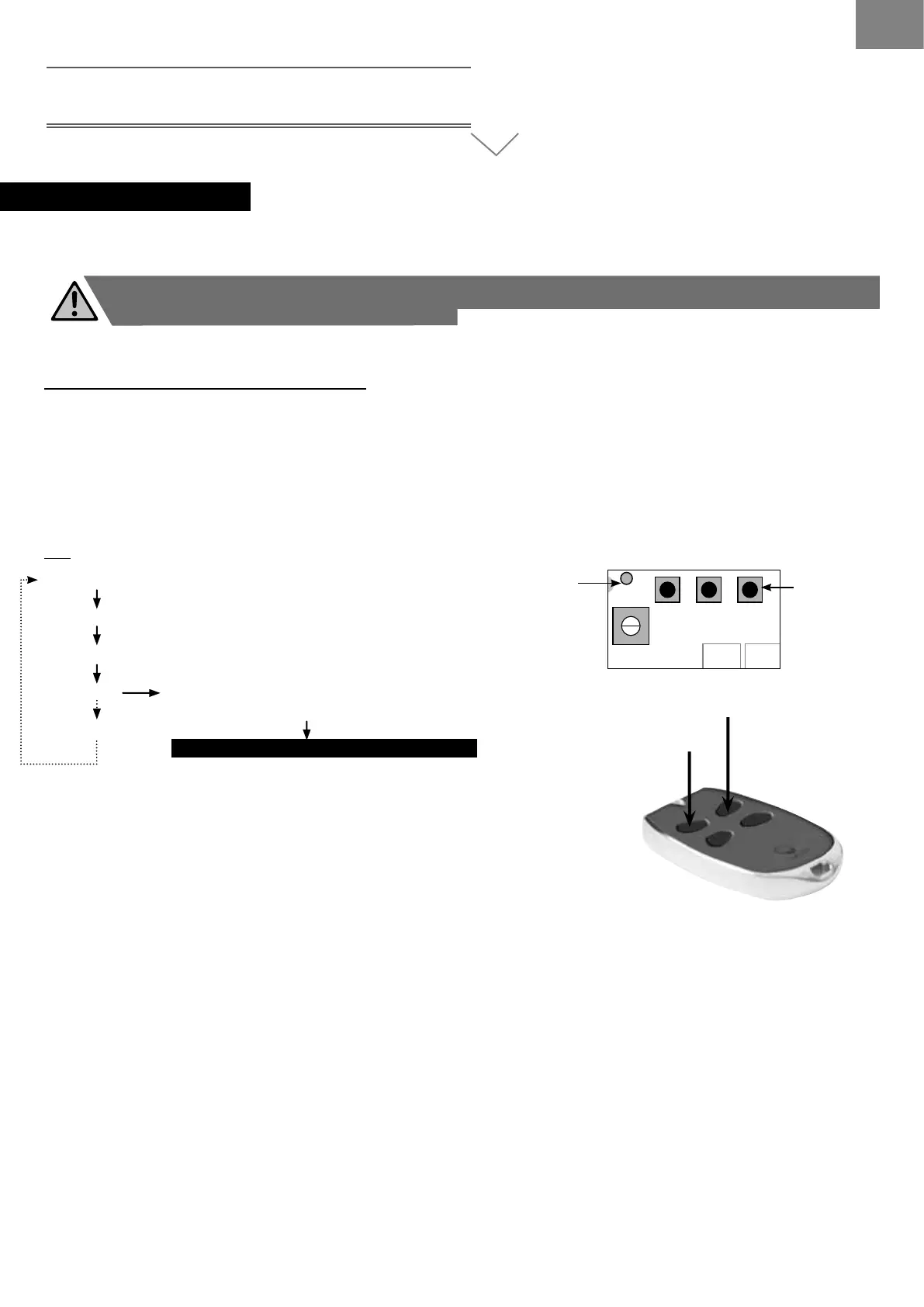
3- Locate P1 and DL1
4- Press key P1 for 2 seconds then release. DL1 lights up, goes out and lights up again
5- When DL1 has lit up again, press key 1 on your remote control (front left) for 2 seconds
6- Indicator DL1 goes out: your remote control is programmed
So :
Press P1 for 2 seconds and release
DL1 On
DL1 Off
DL1 On Press Key 1 (2 seconds)
on your remote control
Your remote control is programmed
> RECOGNITION OF THE REMOTE CONTROLS (maximum 12 radio accessories)
Setting up the remote controls does not sufce to make the system function correctly. You must perform
learning of the gate’s travel (see page 25).
DL1
RV1
1 2 3 4 5 6 7 8 9 10 11 12 13 14
FS1FS2 FS4
12V
24V
FS3
P2
TIME
P3
PAUSE
P1
CODES
F1
RL5 RL1 RL2 RL3
R6R5
R13
RL4
PD1
C1
~24Vac~ +BATT-
CTR52-01
JP1
Indicator
LED DL1
Keys
P1, P2 and P3
start again
DL1 Off
ACCESSORIES CONNECTION
REMOTE CONTROL
KEY 1
KEY 2


 To Next Page