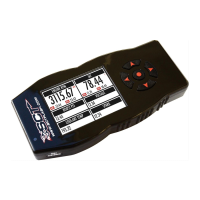
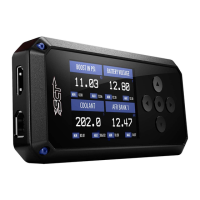
?
QUICK START
The most aggressive preloaded diesel tune. Good for everday use,
racing, economy but not recommended for any type of towing.
Less power than Performance. moderate gain over stock, safe for light towing.
Should be used when towing any significant load. Shifting is Towing centered.
For Heavy Loads, Engine and Boost left stock, Trans Only tune.
Exhaust brake to increase engine braking while coasting, lowers brake temps.
Keeps the torque converter locked during decel to aid in engine braking.
LoLocks the torque converter in 1st, 2nd and 3rd gear.
More aggressive shift schedule keeping the engine in its power band longer.
Removes the check engine light caused by deleting EGR mechanically.
Set the axle ratio to correct shift patterns and speedometer.
Set the tire size to correct shift patterns and speedometer.
Sets Idle speed in RPM.
On/Off setting disables traction control without using the tcs button.
Increase or Decrease the Increase or Decrease the WOT Shift points of each gear individually by mph.
% change in transmission pressure during shifts. (+=firmer) (-=softer)
Gas Vehicles preloaded tunes vary Performance levels by Octane.
Premium fuel will provide the best performance increase.
Adjusts the Octane based tunes to focus more on towing over performance.
Adjusts the Octane based tunes to focus on economy over performance.
Disables the Disables the Rear O2s and eliminates CEL caused by rear O2 removal.
Add or Remove Timing Advance to the entire RPM range.
Add or Remove Timing by RPM Range. (0-2000)(2000-4000)(4000-8000)
Add or Remove Fuel at Wide Open Throttle. (WOT)
Allows you to adjust for different sized injectors. (not available on all vehicles)
Updates tune to handle the CMCV/IMRC delete plates modification.
Lowers the Temperature at which the Fan turns on.
Sets Sets Rev Limit in RPM.
Remove, Increase or Decrease the vehicle speed limiter. (aka govenor)

 Need help?
 General

 To Next Page