Need help?
Do you have a question about the SCT X4 and is the answer not in the manual?
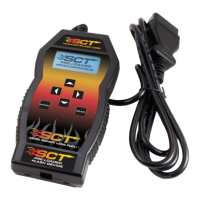
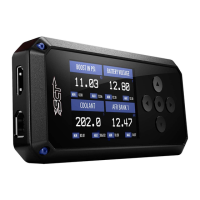
The SCT X4 device itself.
Cable for connecting the device to a computer.
Cable for connecting the device to the vehicle.
List of tools required for installation.
Information for contacting technical support.
Requirement for potential technical support.
Recommendation for initial setup duration.
Recommendation to read the full user manual.
Identifier needed for custom tunes.
Device's operating system version.
Version number of preloaded tunes.
Remaining vehicle unlocks for the device.
Device's pairing status with a vehicle.
Steps to install the software on a PC.
Process to update the device firmware.
Accessing vehicle identification and strategy information.
Reading and clearing diagnostic trouble codes (DTCs).
Connecting and powering up the device in the vehicle.
Selecting and adjusting pre-loaded tunes for vehicles.
Installing custom tunes provided by dealers.
Restoring the vehicle to its original factory tune.
Software interface for loading tunes.
Process of selecting and loading tune files.
Section where tunes appear before transfer.
Section where tunes are stored before programming.
Accessing monitoring and data logging features.
Setting up vehicle type for data logging.
Customizing displayed parameters and units.
Changing the number and arrangement of displayed gauges.
Most aggressive diesel tune for daily use, racing, or economy.
Less power than Performance, moderate gain, safe for light towing.
For towing significant loads, with towing-centered shifting.
For heavy loads, engine/boost stock, transmission only tune.
Exhaust brake for engine braking while coasting.
Keeps torque converter locked during deceleration.
Locks torque converter in 1st, 2nd, and 3rd gear.
More aggressive shift schedule for power band.
Removes check engine light from EGR delete.
Corrects shift patterns/speedometer for axle ratio.
Corrects shift patterns/speedometer for tire size.
Sets idle speed in RPM.
Enables/disables traction control.
Adjusts WOT shift points by gear.
Adjusts transmission shift pressure.
Performance varies by octane, 93 highest.
Focuses tunes on towing over performance.
Focuses tunes on economy over performance.
Disables rear O2 sensors and related CEL.
Adds/removes timing across entire RPM range.
Adds/removes timing by RPM range.
Adds/removes fuel at wide open throttle.
Adjusts for different sized injectors.
Updates tune for CMCV/IMRC delete plates.
Lowers fan turn-on temperature.
Sets rev limit in RPM while in drive.
Sets rev limit in RPM while in neutral.
Modifies vehicle speed limiter.
Recommendations for turning off vehicle systems.
Initial connection and menu screen guidance.
Warning against using other tuning devices.
Returning vehicle to stock before dealer service.
Warranty registration requirement.
Details the warranty coverage and limitations.
Instructions for powering the device via vehicle or computer.
Navigate to vehicle programming options.
Access monitoring and data logging features.
Access vehicle diagnostics functions.
View vehicle identification and strategy data.
Access device customization options.
Procedure to read diagnostic trouble codes.
Procedure to clear diagnostic trouble codes.
Step-by-step guide to installing preloaded tunes.
Guidance on selecting appropriate gasoline or diesel tunes.
Most aggressive diesel tune for daily use, racing, or economy.
Less power than Performance, moderate gain, safe for light towing.
For towing significant loads, with towing-centered shifting.
Exhaust brake for engine braking while coasting.
Keeps torque converter locked during deceleration.
Locks torque converter in 1st, 2nd, and 3rd gear.
More aggressive shift schedule for power band.
Removes check engine light from EGR delete.
Corrects shift patterns/speedometer for axle ratio.
Corrects shift patterns/speedometer for tire size.
Sets idle speed in RPM.
Enables/disables traction control.
Adjusts WOT shift points by gear.
Adjusts transmission shift pressure.
Performance varies by octane, 93 highest.
Focuses tunes on towing over performance.
Focuses tunes on economy over performance.
Disables rear O2 sensors and related CEL.
Adds/removes timing across entire RPM range.
Adds/removes timing by RPM range.
Adds/removes fuel at wide open throttle.
Adjusts for different sized injectors.
Updates tune for CMCV/IMRC delete plates.
Lowers fan turn-on temperature.
Sets rev limit in RPM while in drive.
Sets rev limit in RPM while in neutral.
Modifies vehicle speed limiter.
Features for monitoring vehicle data and logging.
Automatically checks for device updates.
Allows connection to a wireless network.
Adjusts screen brightness for daytime use.
Adjusts screen brightness for nighttime use.
Changes screen layout between Portrait or Landscape.
Changes the appearance of menu screens.
Automatically adjusts screen brightness.
Enables keypad beep sound.
Selects the startup screen (Main Menu or Gauges/Datalog).
Simulates programmer functions.
Deletes custom tunes and restores preloaded tunes.
Troubleshooting steps for the device not powering on.
Information on whether the programmer needs to remain connected.
Guidance on using the SCT programmer with other modules.
Information on tuning multiple vehicles with the device.
Clarification on tuning engine running status.
Recommendation to revert to stock before dealer visits.
Warning about using incorrect octane fuel with tunes.
Guidance on using pre-loaded tunes with major modifications.
 General
| Brand | SCT |
|---|---|
| Model | X4 |
| Category | Motherboard |
| Language | English |

 To Next Page