User’s Manual
3.0 Programming your vehicle
3.1 Installing a Preloaded Tune File
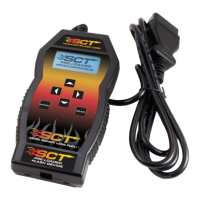
1. Connect the X4 to your vehicle’s OBD II service port using the OBDII cable provided in the packaging.
2. With the unit powered on and connected to the vehicle, highlight and select the “Program Vehicle” option.
3. Next you will be prompted with a “Street Use Notice” which you must agree to. If you approve and agree, press the center
button on the keypad to select “Contin
ue” to proceed.
4. You may be prompted to “Turn Key On”. If so, please turn the ignition key to the “On” position but do not start the vehicle.
Highlight and select “Continue”
5. A screen will appear asking you to select your vehicle. Using the Down arrow key, highlight and select the appropriate vehicle
model from the list of vehicles provided.
6. Next you will be prompted to adjust options. These options are items available from SCT to make minor adjustments to the
calibration being loaded. It is not necessary to make adjustments in this area. If you wish to make an adjustment, simply press the
option you would like to change and the screen will change to display the available values for that option. When you are satisfied
with the values of these options or if you do not wish to change them, simply press the right arrow to highlight “Approve”.
7. You will now be prompted with a screen to review your vehicle and options (if any selected). Press “Continue”.
8. The next screen, possibly two, will differ between vehicles. You will be prompted to “Turn key Off” and/or “Turn Key On”. It’s
important here to follow the prompts from the device.
9. X4 will now download the current file that is in your vehicle, referred to as the “Stock File”, and will proceed to upload the new
calibration you have selected, with all options applied if you have selected any, to your vehicle.
10. After this is complete, the device will display a “Download Complete” screen. You can now turn the key to the off position and
select “Done”.
11. For GM vehicles you may see a “Power Down ECU” screen while the vehicle completes some power down procedures.
12. You have now successfully tuned your vehicle!
Which tune file do I choose?
Gasoline Engine: Tunes are based on Octane, make sure you choose the correct octane rating based on the octane you are
running in your vehicle.
87 Octane
91 Octane
93 Octane
Diesel Engine: We offer a few tunes based on what you’re going to be doing with your truck.
Street: Less power than Performance. Moderate gain over stock, safe for light towing, under 5k lbs.
Performance: The most aggressive preloaded diesel tune. Good for everyday use, racing, or economy but not recommended
for any type of towing.
Tow: Should be used when towing any significant load. Shifting is towing centered


 To Next Page