SECTION 4:
UPDATING YOUR X4 DEVICE
INSTALLING THE UPDATE SOFTWARE
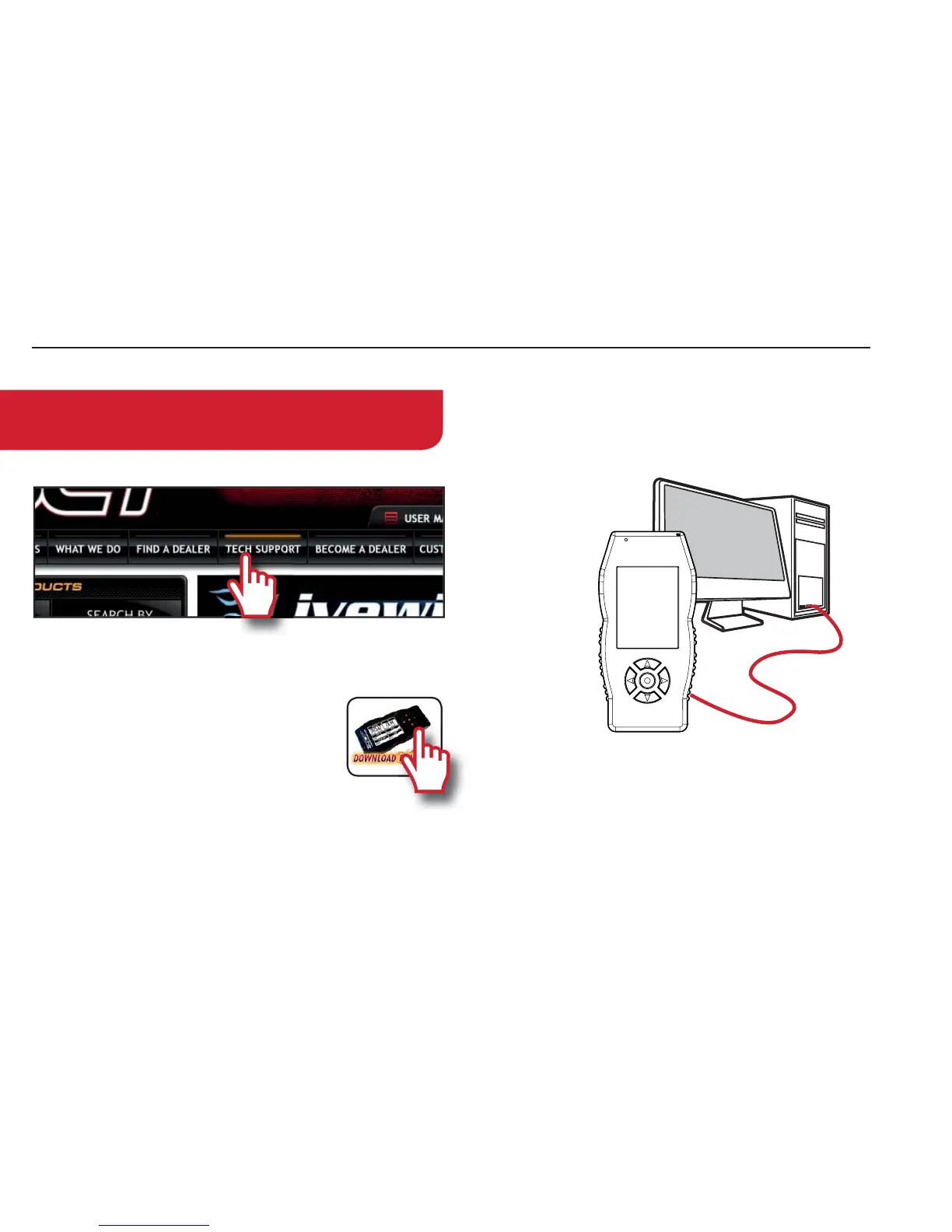
2. Click “7HFK6XSSRUW” tab at the top of the page.
3. Click the picture of the X4 (Part Number 7015/7416).
4.
Click the œ'RZQORDG1RZŔ button to
the left of the listing that r
eads “SCT X4
Power Flash Programmer Device Up-
date Software.Wait for that program to
download, then double click and “Run”
the 6&7'HYLFH8SGDWHUH[HÄSLPMP[KVLZUV[VWLU
automatically.
5. Follow the on-screen directions of the 6&7'HYLFH
8SGDWH6RIWZDUH,QVWDOOHU until it allows you to click
“Finish”.
6.
Follow the on-screen directions of the 6&7'ULYHUV
,QVWDOOHU until it allows you to click œ)LQLVKŔ.
7.
Your SCT Device Update Software and Drivers are now
fully installed and ready for use.
UPDATING YOUR X4 DEVICE
1. Connect your X4 Device to your
Windows™ based PC using the SURYLGHG0LFUR
86%ŠFDEOH<UMVY[\UH[LS`^LKVUV[VɈLYZ\WWVY[
for Apple computers at this time.
2.
Double click and open the 6&7'HYLFH8SGDWH
6RIWZDUH.
3.
Click œ$XWRPDWLFDOO\&KHFNIRU8SGDWHVŔ.
4. *VUÄYT[OL\WKH[LI`WY
LZZPUN[OLœ8SGDWHŔ button.
The update will now begin.
5. Let the updater run until it says œ<RXUGHYLFHLVQRZXS
WRGDWHŔ
6. You may now unplug your device from your computer
and load a tune to your vehicle!
NOTE: Make sure the X4 is unplugged from your
computer before starting this process.


 To Next Page