User’s Manual
• Light Sensor
• Audio
• Startup Function
• Demo Mode
• Factory Reset
2.2 Loading Email Custom Tunes to the X4
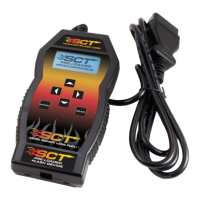
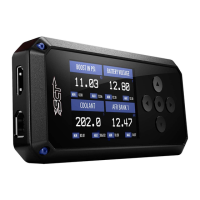
Before connecting your X4 to your PC Select the image of your device, then download
andcompletely install the SCT Device Updater.
Using the provided USB cable, connect your device to the back of your computer. (Allow
roughly 30 seconds for the drivers to install)
Save your custom tunes from your email to your desktop.
Using the shortcut icon on your desktop, open the SCT Device Updater software that you
just installed.
Now select “Load Custom Tune File” from the Basic Operations menu followed by
clicking on “Locate Custom Tunes.”
Select the desired tune from the list of tunes.
Your tune will appear under “Available Tunes” on the left window within the Updater.
You will need to transfer it to the X4 by using the arrow button in the middle of the SCT
Updater.
Press “Program” when ready to transfer the custom tune to the X4. Repeat steps 5-7 if you
wish to load more than one custom tune file.
2.3 Menu Navigation
Program Vehicle
• Engine Preloaded Tunes
• Custom Tunes
• Return to Stock
Gauges / Datalog
• Configuration
• Monitor
Diagnostics
• Read DTC
• Clear DTC
Vehicle Info
• VIN
• COMM
• ECU Strategy
Device Info
• Device Name
• Device Part #
• Serial Number
• Firmware Version
• Preloaded Tuning
• Custom Tuning
• Tune Revision
• Market by Country
• Unlocks Left
• Married Status
• Total Flashes
• Support Info
• Vehicle Batt (Battery Voltage)
• Vehicle Board FW
• Wi-Fi Version
• Misc
Device Settings
• Check Updates
• WIFI
• Display Brightness (Day)
• Display Brightness (Night)
• Display Orientation
• Theme



 To Next Page