SCUF Envision | 25 Quick Start Manual | English
DEVICE SETTINGS:
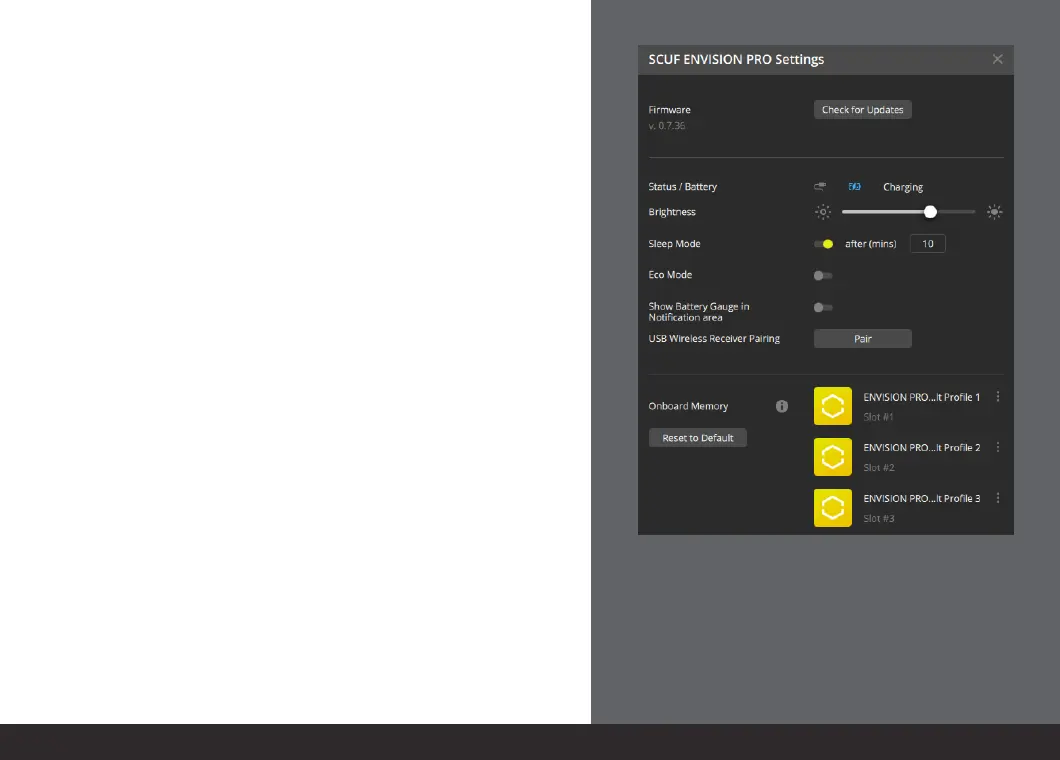
The device settings section allows you to check for
updates, check battery status, adjust brightness, and
toggle on or off settings such as:
n
Sleep Mode
n
Eco Mode
n
Show Battery Gauge in Notification area
Additionally, this section allows you to pair your wireless
receiver should you ever need to re-pair it and view, set,
or reset your on-board memory profiles.



 To Next Page