10
1
2
3
4
For a full video setup guide please click here
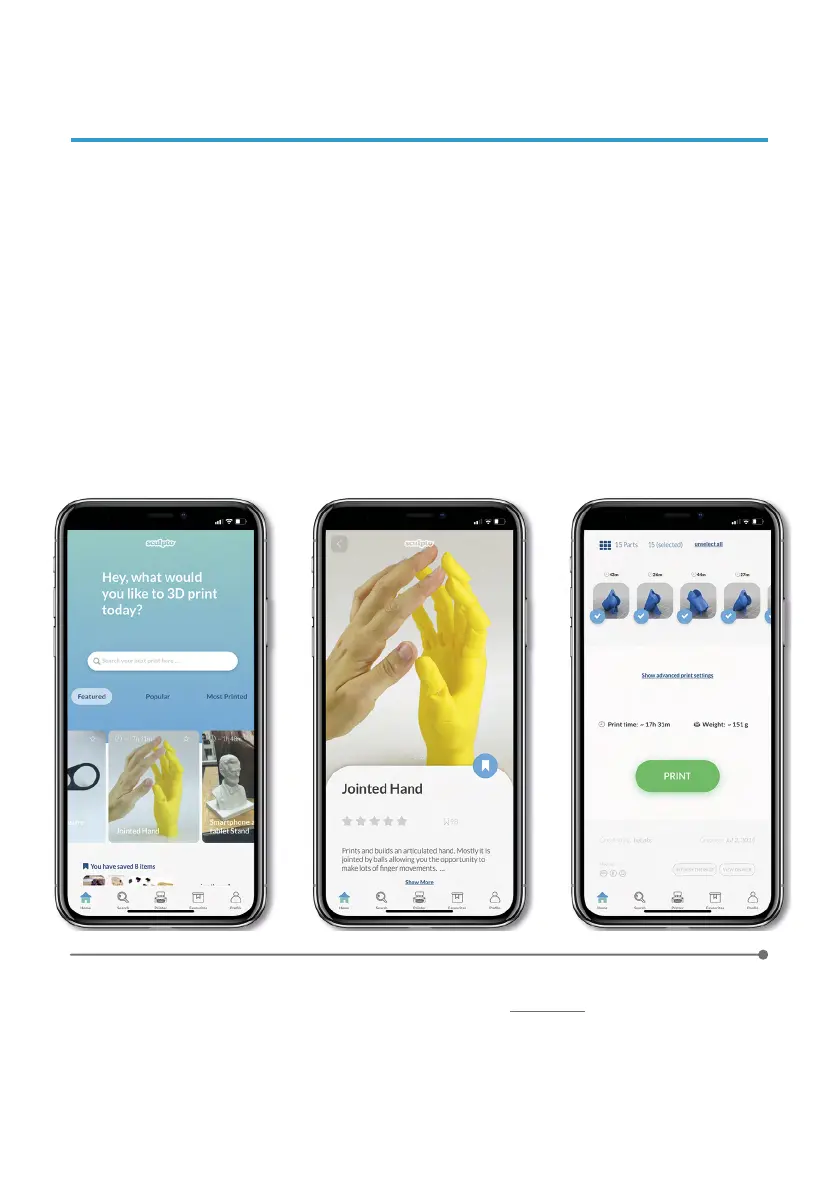
Find your project and press it.
Read m ore a bout y our p roject, a djust t he advanced s ettings i f you want and
choose the part you want to print if necessary.
5
When ready simply press print and confirm your presence by typing in the color
code the Sculpto shows.
8. START PRINTING
In the Home menu, login or create an account on Thingiverse
and authorise the
Sculpto App by following the steps on the Thingiverse webpage in the App.
Browse b etween f eatured projects f rom the Home s creen or s earch between
+100.000 projects by searching for your favorite theme directly on the search bar.


 To Next Page