Select the built-in pyrometer by highlighting the T in the upper left corner of the display with
the F1 button.
Activate or deactivate the laser pointer using the F2 button
Measurement settings
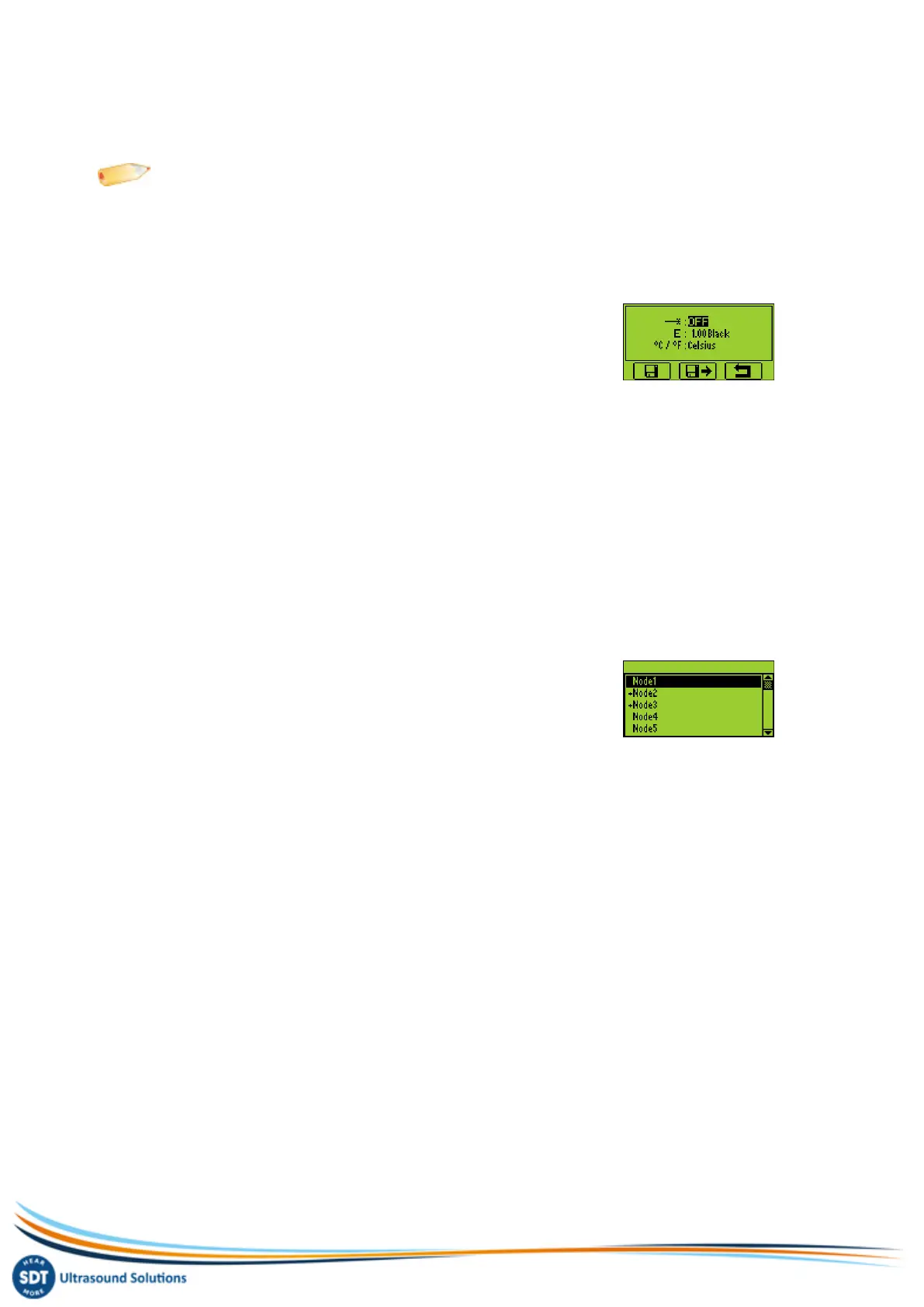
Press the F3 button to enter the Measurement Settings menu.
You can :
Adjust the emissivity coefficient from 1 to 0.01
Switch between Celsius, Fahrenheit and Kelvin physical units
To modify the parameters of the selected setting :
Use the Up and Down arrow buttons to switch form one field to another.
Use the Left and Right arrow buttons to modify the value of the selected field.
Use the Enter button to save the changes and return to the previous menu.
Use the F1 button to save the settings as preferred configuration
Use the F2 button to load the settings associated to the preferred configuration
Use the F3 button to go back to the temperature measurement screen using the modified
settings. Note that the preferred configuration is reloaded at startup of the SDT200.
Freeze measurement
Press the M button to freeze the measurement.
Store measurement
Press the Store button to save the measurement.
Then highlight the chosen memory location using the Up and
Down arrow buttons and confirm by pressing the Enter button, or the F1 button to cancel
measurement storage.


 To Next Page